Account Contact
Your Cart
Pay the courier with no extra fees.
Need help? DistriNode AI can handle any task on our site.

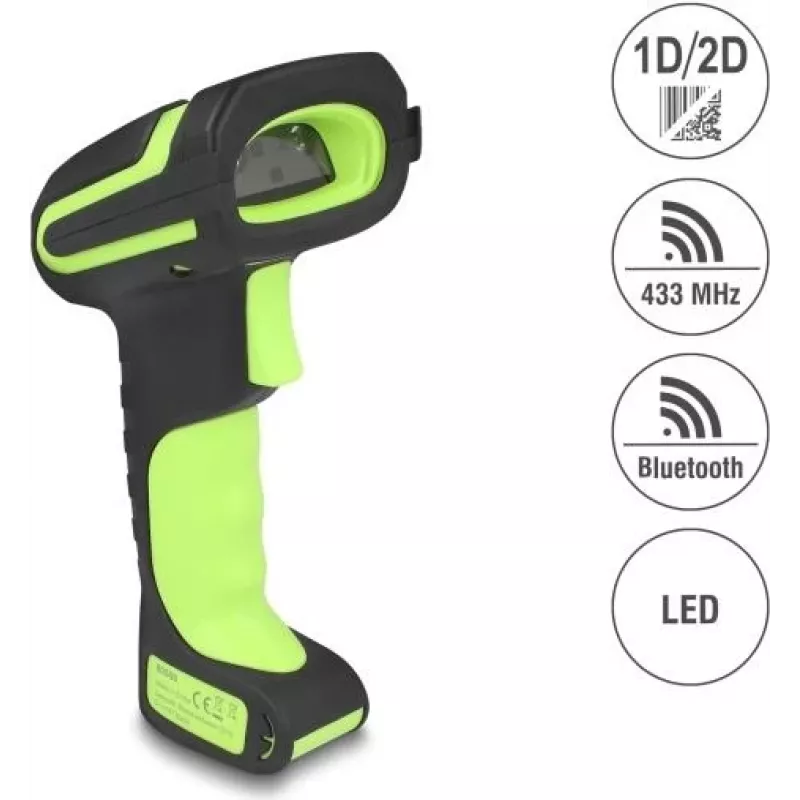
Barcode Scanner DELOCK 90588 1D/2D Bluetooth 433 MHz portable scanner

Barcode Scanner DELOCK 90588 1D/2D Bluetooth 433 MHz portable scanner
R7,688
The DELOCK 90588 handheld barcode scanner is a portable device designed for fast capture of 1D and 2D barcodes. It supports Bluetooth and a 433 MHz wireless link to connect to smartphones, tablets and other compatible host devices, enabling flexible data collection in retail, warehousing and logisti... Read More
Stock 100 Code 1731905 Brand DELOCK Model 90588 Warranty 2 Years

Shipping & Returns

Estimated delivery Monday, October 5
You will be kept updated through our detailed tracking system
Payment options
EFTPayFastBank CardSnapScanZapperGoogle PayApple PayMobicredMoreTymePay on Arrival

The DELOCK 90588 handheld barcode scanner is a portable device designed for fast capture of 1D and 2D barcodes. It supports Bluetooth and a 433 MHz wireless link to connect to smartphones, tablets and other compatible host devices, enabling flexible data collection in retail, warehousing and logistics environments. The compact form factor and ergonomic design allow mobile scanning of labels, tickets and QR codes for stock control, point-of-sale operations and asset tracking.

Advantages

The scanner recognises both 1D and 2D codes and provides wireless connectivity options via Bluetooth and a 433 MHz channel, reducing cable requirements and enabling scans at a distance. Its portable construction facilitates on-the-move operation while maintaining reliable barcode decoding. Compatibility with standard Bluetooth-enabled devices simplifies integration without the need for specialised hardware. The handheld design supports quick data capture workflows and helps streamline inventory and checkout processes.

Suitable for

Key specifications

How to use

Charge the scanner before first use and pair it with the host device using the Bluetooth pairing procedure or the 433 MHz receiver pairing method provided in the user manual. Aim the scanner at the barcode so the code is fully visible within the scan window and press the trigger or scan button to capture the code. Verified scans typically result in an audible or visual confirmation and the decoded data will be sent to the connected device where it can be processed by inventory, point-of-sale or data-capture software. Follow any on-screen prompts on the host device to confirm successful transmission and recording of scanned items.

Recommendations

For reliable performance, keep the scanner’s lens and window free of dust and smudges, ensure adequate ambient lighting for scanning codes, and maintain sufficient battery charge for continuous operation. Use Bluetooth connection for standard short-range workflows and switch to the 433 MHz link when longer range or interference-resistant communication is required. Refer to the supplied manual for specific pairing steps and supported barcode formats.

Key Highlights
  • Retail point-of-sale barcode scanning and ticket validation
  • Warehouse inventory counts and stock replenishment
  • Logistics and parcel sorting where mobile scanning is required
  • Asset tracking and equipment identification in offices and facilities
  • Barcode support: 1D and 2D symbologies including QR codes and common linear barcodes
  • Wireless interfaces: Bluetooth and 433 MHz radio connection for host pairing
  • Form factor: handheld, portable scanner designed for mobile use
  • Use environment: suitable for retail, warehouse, logistics and field operations
  • Power: battery-powered for cordless operation (rechargeable)
Price history over the last 6 months
Barcode Scanner DELOCK 90588 1D/2D Bluetooth 433 MHz portable scanner
Current
R7,688
Lowest
R7,583
Highest
R7,991
Change 24H
+R4   +0%
Week
+R75   +1%
Month
+R29   +0%

Popular products in this category

WhatsApp
Hi, I’m DistriNode’s AI assistant. I can help you find products, compare options, create quote PDFs, or open support requests.