
Account Contact
Your Cart
Pay the courier with no extra fees.
Need help? DistriNode AI can handle any task on our site.

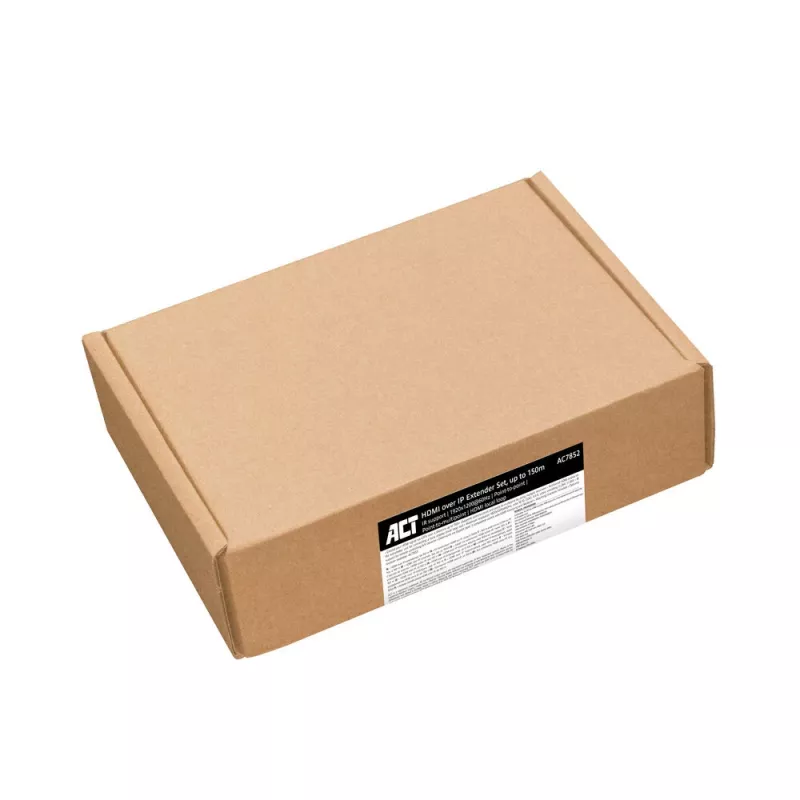
HDMI over CAT Extender Set ACT AC7852 — HDMI signal extension up to 150 m over CAT5e

HDMI over CAT Extender Set ACT AC7852 — HDMI signal extension up to 150 m over CAT5e
R3,342
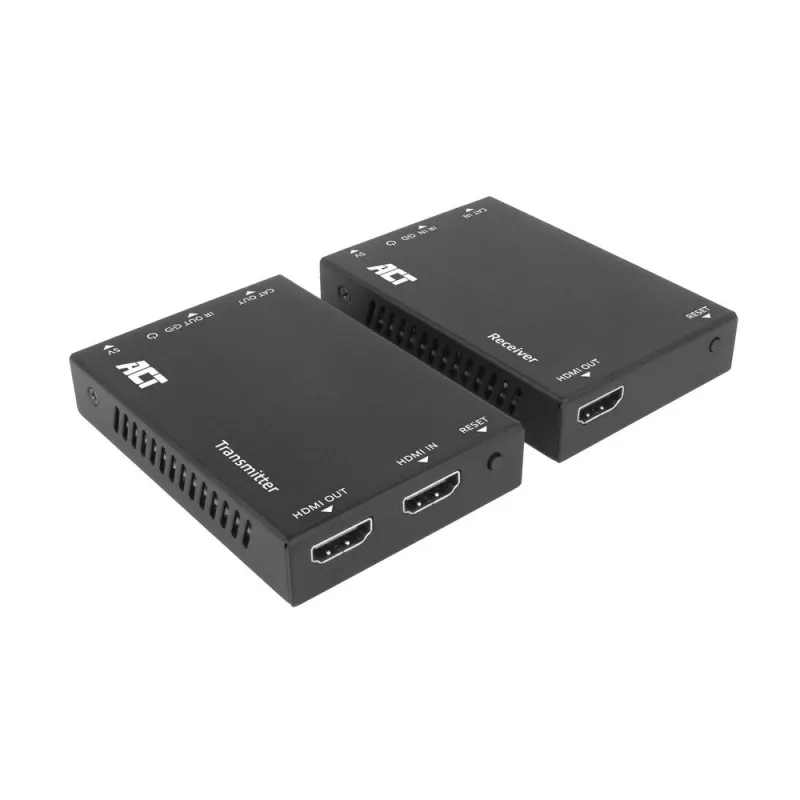
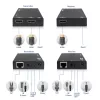
The AC7852 HDMI over IP extender set allows you to extend an HDMI signal via CAT5e and up over a distance up to 150 meters (point to point). You can connect up to 253 receivers in a point-to-multipoint setting. The transmitter unit features an HDMI output for connecting a local display. An infrared ... Read More
Stock 259 Code 2195181 Brand ACT Model AC7852 Warranty 2 Years

Shipping & Returns

Estimated delivery Wednesday, October 7
You will be kept updated through our detailed tracking system
Payment options
EFTPayFastBank CardSnapScanZapperGoogle PayApple PayMobicredMoreTymePay on Arrival
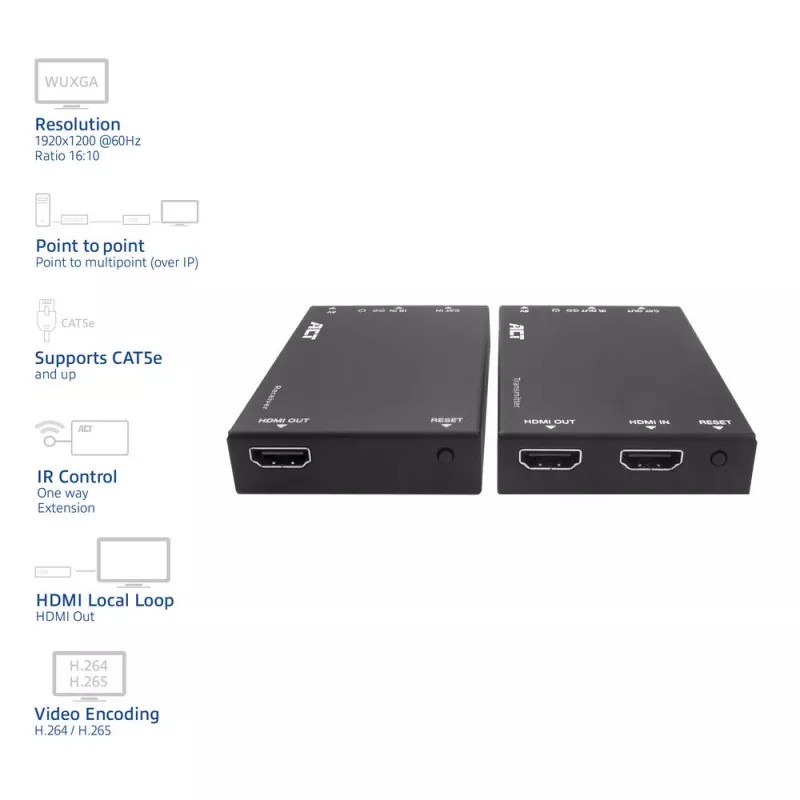
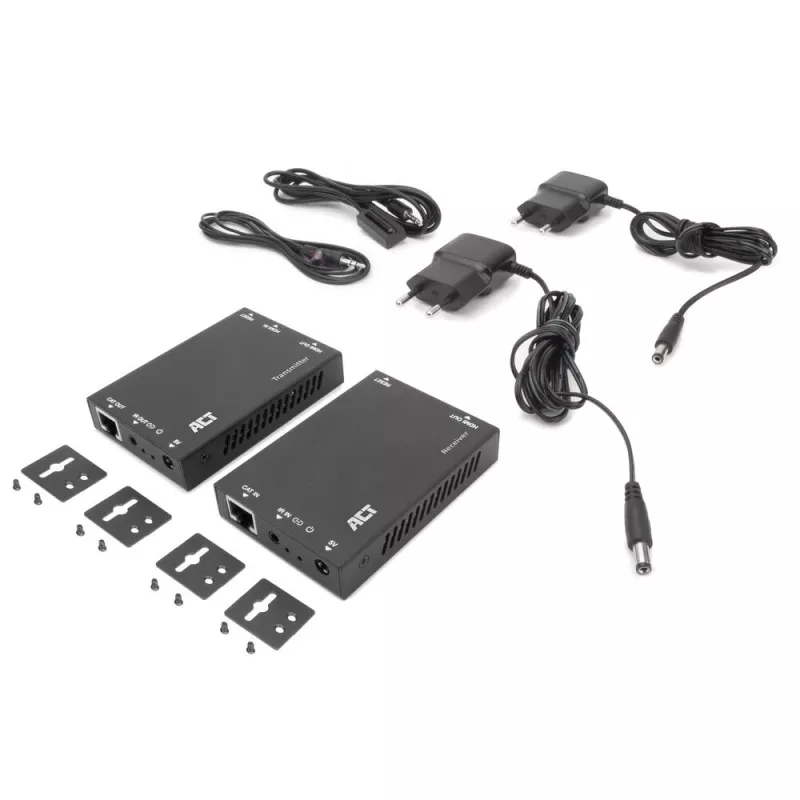
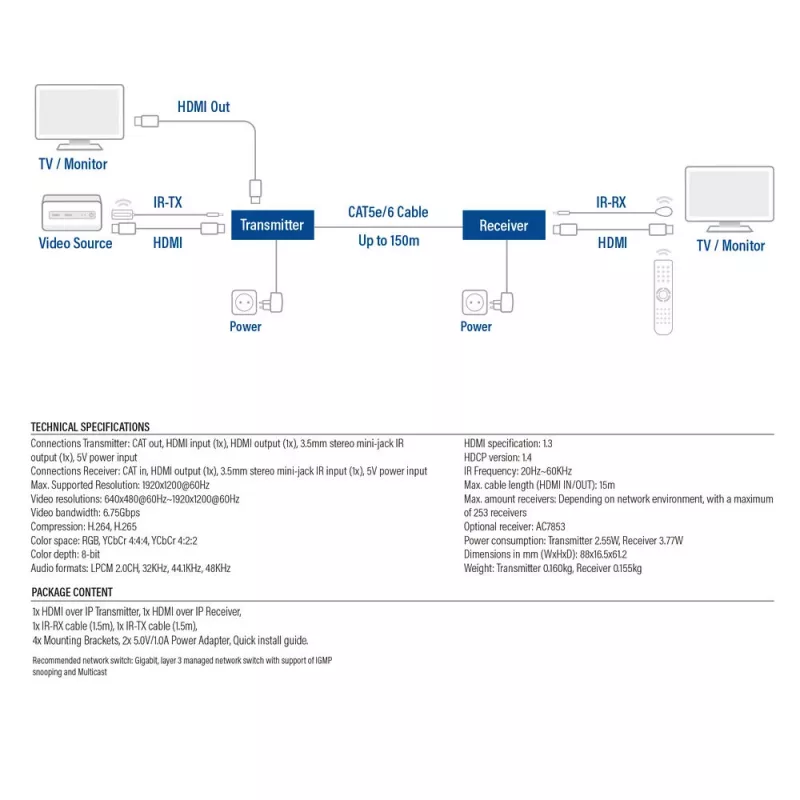
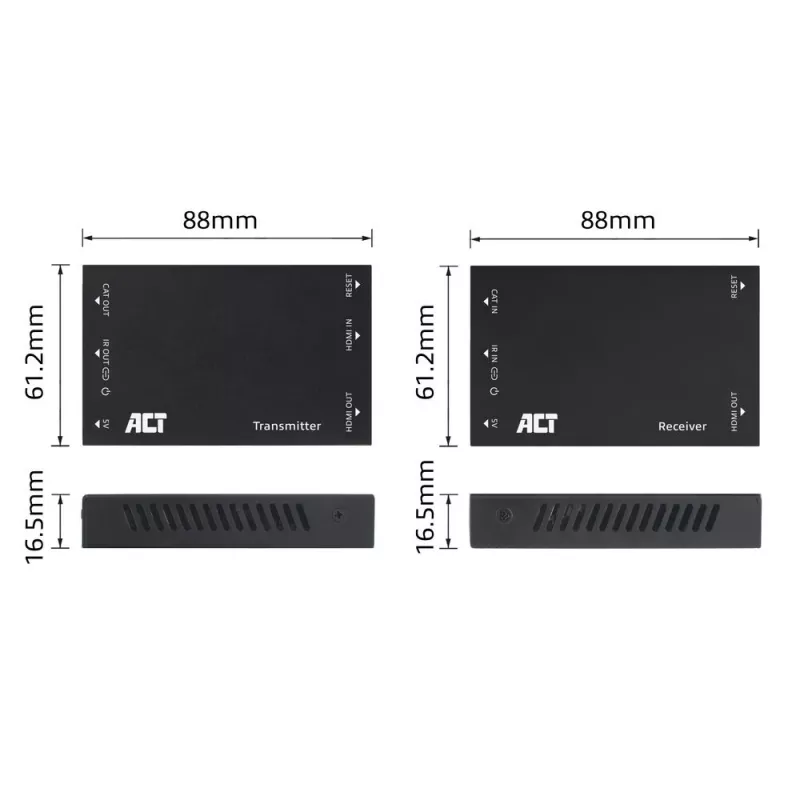
The AC7852 HDMI over IP extender set allows you to extend an HDMI signal via CAT5e and up over a distance up to 150 meters (point to point). You can connect up to 253 receivers in a point-to-multipoint setting. The transmitter unit features an HDMI output for connecting a local display. An infrared (IR) transmitter and receiver are included to control the source device with its standard remote control. The AC7852 supports a resolution of 1920x1200@60Hz, with a 16:10 ratio, EDID copy, Chroma Sampling 4:4:4, video encoding H.265 and HDCP 1.4. The extender set includes with mounting brackets.

Extend an HDMI signal up to 150 meters
The AC7852 HDMI extender set extends an HDMI signal over a distance up to 150 meters point-to-point with a resolution of 1920x1200@60Hz via a CAT5e (and up) cable. When using a network switch in a point-to-point or point-to-multipoint situation, this switch must support Layer 3, Internet Group Management Protocol (IGMP) and Multicast.

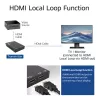
Connect a local loop display
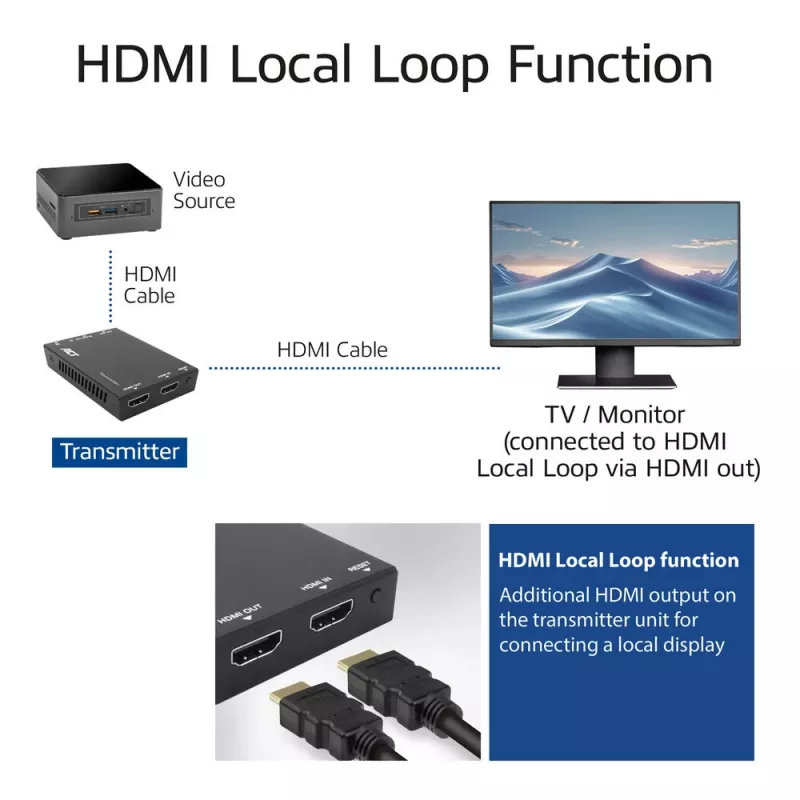
The transmitter unit features an additional HDMI output for connecting a local TV or monitor. The source device’s content can be displayed on a nearby TV or monitor connected to the transmitter unit.

EDID copy function
The AC7852 supports EDID (Extended Display Identification) copy function to ensure that the resolution is communicated correctly between the source device and the output devices.

Infrared control via enclosed IR transmitter and receiver
The extender set includes an Infrared transmitter and receiver for remote controlling the source device.

User scenarios
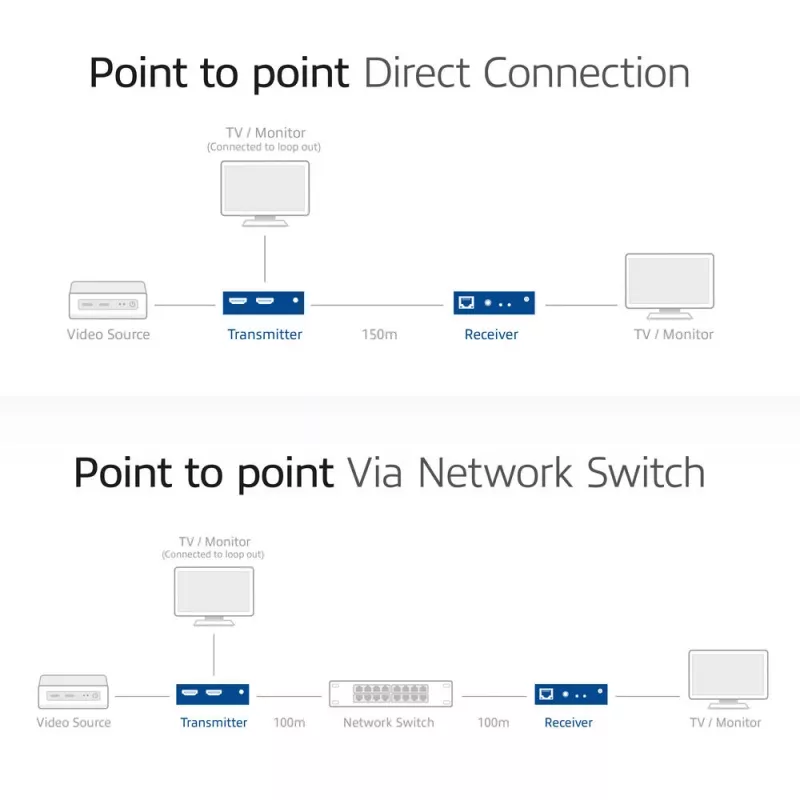
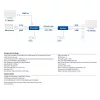
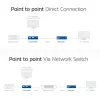
- Point-to-point: The HDMI transmitter is directly connected to the HDMI receiver via a cat cable up to 150 meters. This is the easiest way to extend an HDMI signal.
- Point-to-point via a network switch: This scenario is almost similar to the previous situation, only with a switch in between. The HDMI transmitter and receiver units are both connected to a network switch. The maximum distance from the transmitter to the network switch is 100 meters and the distance from the switch to the receiver is also 100 meters.
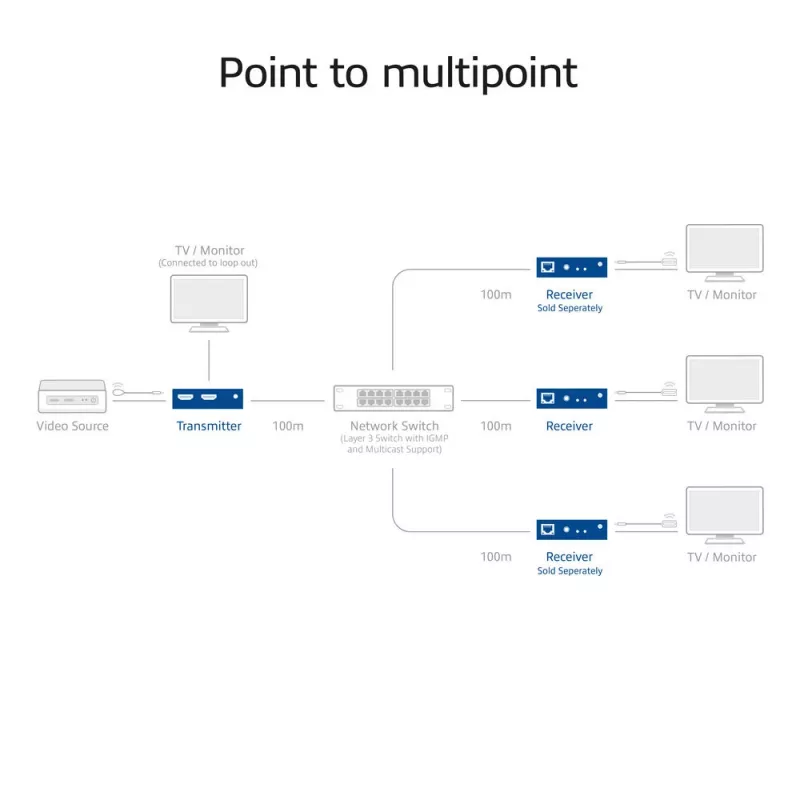
- Point-to-multipoint: The HDMI transmitter is connected to the network switch via a CAT cable up to 100 meters. The switch on the other hand, is connected to multiple HDMI receivers with a maximum distance of 100 meters per receiver. Additional HDMI receivers (AC7853) are sold separately. It is possible to connect up to 253 receivers in this point-to-multipoint scenario.

ACT HDMI over IP Extender Set, via CAT5e and up, 150 meters. Type: AV transmitter & receiver, Maximum resolution: 1920 x 1200 pixels, Cable types supported: Cat5e. Connectivity technology: Wired. Power source type: DC, Operating voltage: 5 V, Output current: 1 A. Quantity per pack: 1 pc(s). Cables included: IR

How to use

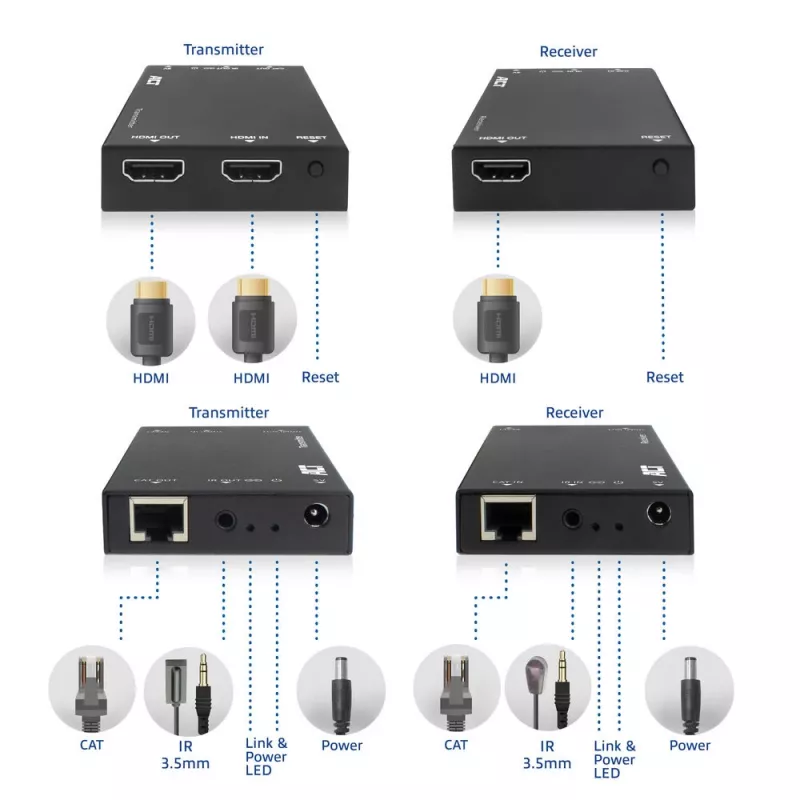
Connect the HDMI source device to the transmitter’s HDMI input and connect the receiver’s HDMI output to the display device using standard HDMI cables. Link the transmitter and receiver with a single CAT5e cable via their RJ45 ports, ensuring the cable is terminated correctly and runs do not exceed 150 meters. Apply power to both units if separate power supplies are required. After connections are made, power on the source and display; the receiver will reproduce the HDMI signal at the remote display. Verify display resolution and audio settings on the source device to match the display capabilities.

Recommendations

Use high-quality CAT5e cabling with proper shielding and correct RJ45 termination to maximize signal reliability. For installations close to the 150 m limit, test the connection and adjust source resolution or use shorter cable runs if required. Avoid running the CAT cable alongside high-voltage lines to reduce interference. Ensure both units are placed in ventilated areas and use certified HDMI cables for source and display connections.

Key Highlights
  • Extend your HDMI signal via CAT5e and up over a distance up to 150 m
  • Supports point-to-point and point-to-multipoint by using multiple receivers
  • Additional HDMI output on the transmitter unit for connecting a local display (local loop out)
  • Maximum resolution 1920x1200@60Hz, ratio 16:10, EDID, 4:4:4, video encoding H.265, HDCP 1.4
  • IR support for remote controlling A/V devices
  • Optional receiver available: AC7853
  • Mounting brackets included
  • HDMI extender set over IP with point-to-point and point-to-multipoint support
  • AV transmitter & receiver 1920 x 1200 pixels Black
  • Maximum transfer distance: 150 m
  • 60 Hz
  • HDCP
  • Wired Ethernet LAN DC-in jack
  • Power source type: DC 5 W
Specifications
AC adapter included
Yes
Cable types supported
Cat5e
Cables included
IR
Connectivity technology
Wired
DC-in jack
Yes
Ethernet LAN
Yes
Extended display identification data (EDID)
Yes
HDCP
Yes
HDCP version
1.4
HDMI in
1
Maximum refresh rate
60 Hz
Maximum resolution
1920 x 1200 pixels
Maximum transfer distance
150 m
Mounting brackets included
Yes
Number of HDMI outputs
2
Operating voltage
5 V
Output current
1 A
Power consumption (typical)
5 W
Power source type
DC
Product colour
Black
Quantity per pack
1 pc(s)
Quick start guide
Yes
Remote (IR) input
1
Remote (IR) output
1
RJ-45 input ports
1
RJ-45 output ports
1
Type
AV transmitter & receiver
Video compression formats
H.265

Leaflet

Open Leaflet
Price history over the last 6 months
HDMI over CAT Extender Set ACT AC7852 — HDMI signal extension up to 150 m over CAT5e
Current
R3,342
Lowest
R3,334
Highest
R3,346
Change 24H
+R0   +0%
Week
—   
Month
—   

Popular products in this category

WhatsApp
Hi, I’m DistriNode’s AI assistant. I can help you find products, compare options, create quote PDFs, or open support requests.