Account Contact
Your Cart
Pay the courier with no extra fees.
Need help? DistriNode AI can handle any task on our site.

Video cable adapter ShiverPeaks BS10-55025

Video cable adapter ShiverPeaks BS10-55025
R441
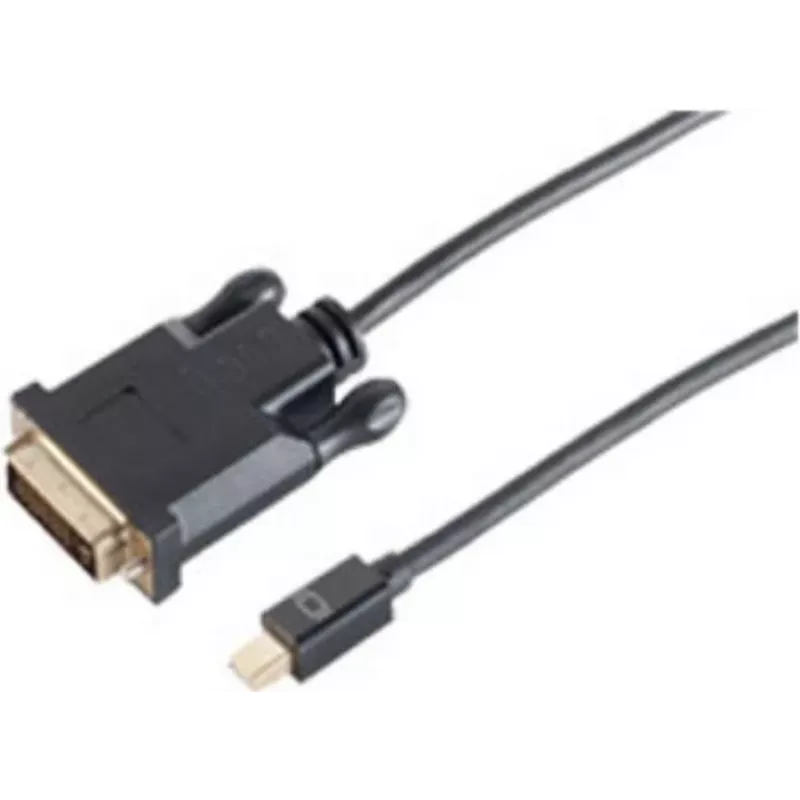
The ShiverPeaks BS10-55025 is a 1 m video cable adapter designed to connect devices with a Mini DisplayPort output to displays with a DVI-D input. The adapter provides a direct link for digital video signals, enabling compatibility between modern laptops or graphics sources and legacy or DVI-only mo... Read More
Stock 136 Code 2231075 Brand SHIVERPEAKS Model BS10-55025 Warranty 2 Years

Shipping & Returns

Estimated delivery Tuesday, October 6
You will be kept updated through our detailed tracking system
Payment options
EFTPayFastBank CardSnapScanZapperGoogle PayApple PayMobicredMoreTymePay on Arrival

The ShiverPeaks BS10-55025 is a 1 m video cable adapter designed to connect devices with a Mini DisplayPort output to displays with a DVI-D input. The adapter provides a direct link for digital video signals, enabling compatibility between modern laptops or graphics sources and legacy or DVI-only monitors and projectors. Packaged in a polybag and finished in black, the cable adapter is compact and easy to carry for both home and office use.

Advantages

The compact 1 m length keeps cable clutter to a minimum while providing sufficient reach for typical desktop and workstation setups. With a Mini DisplayPort to DVI-D connection, the adapter supports digital video transmission without analog conversion, preserving image clarity. Its simple one-piece design requires no external power or drivers, making setup fast and straightforward.

Suitable for

  • Connecting laptops or mini-PCs with Mini DisplayPort output to DVI-D monitors
  • Using DVI-only projectors with devices that have Mini DisplayPort
  • Home offices and small business workstations requiring digital video connection
  • Temporary setups where a compact, portable adapter is needed

Key specifications

  • Cable length: 1 m
  • Connector 1: Mini DisplayPort
  • Connector 2: DVI-D
  • Signal type: Digital video
  • Colour: Black
  • Packaging: Polybag

How to use

Connect the Mini DisplayPort end to the source device (for example a laptop or graphics card) and plug the DVI-D end into the display or projector. Ensure both devices are powered on and set the display input to the DVI source if necessary. The adapter is plug-and-play for standard digital video signals; after connection, adjust display resolution and settings on the source device to match the target monitor for optimal image quality.

Recommendations

For reliable performance, avoid tight bends near the connector ends and keep the cable away from high-interference power cables. Use the adapter with displays and sources that support digital DVI signals; if audio transmission is required, use a separate audio connection since DVI-D carries video only. Store the adapter in its polybag when transporting to protect connectors from dust and damage.

Key Highlights
  • Connecting laptops or mini-PCs with Mini DisplayPort output to DVI-D monitors
  • Using DVI-only projectors with devices that have Mini DisplayPort
  • Home offices and small business workstations requiring digital video connection
  • Temporary setups where a compact, portable adapter is needed
  • Cable length: 1 m
  • Connector 1: Mini DisplayPort
  • Connector 2: DVI-D
  • Signal type: Digital video
  • Colour: Black
  • Packaging: Polybag
Specifications
Cable length
1 m
Connector 1
Mini DisplayPort
Connector 1 gender
Male
Connector 2
DVI-D
Connector 2 gender
Male
Connector contacts plating
Gold
DisplayPort version
1.2
Maximum resolution
2560 x 1600
Package type
Polybag
Plug and Play
Yes
Product colour
Black
Quantity per pack
1 pc(s)
Price history over the last 6 months
Video cable adapter ShiverPeaks BS10-55025
Current
R441
Lowest
R431
Highest
R441
Change 24H
+R9   +2%
Week
—   
Month
—   

Popular products in this category

WhatsApp
Hi, I’m DistriNode’s AI assistant. I can help you find products, compare options, create quote PDFs, or open support requests.