Account Contact
Your Cart
Pay the courier with no extra fees.
Need help? DistriNode AI can handle any task on our site.

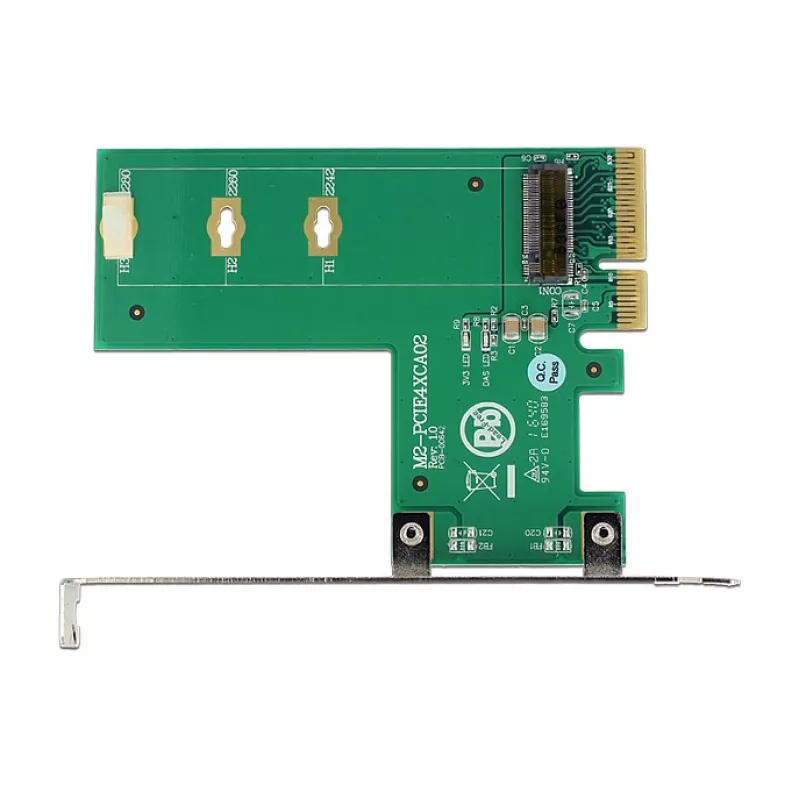
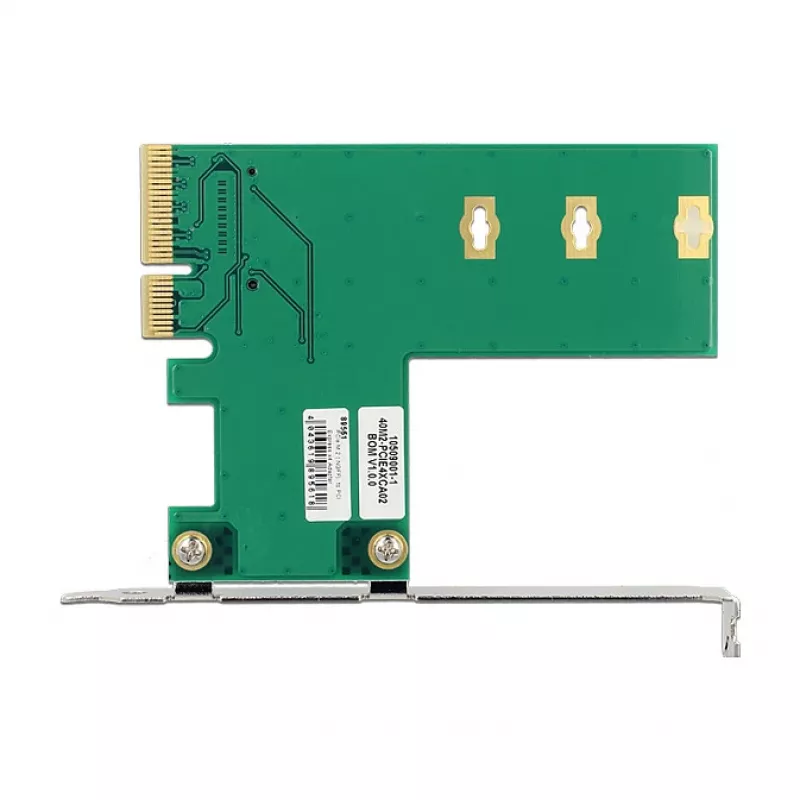
Interface Card DeLOCK 89561

Interface Card DeLOCK 89561
R820
The DeLOCK 89561 is an internal PCI Express interface card that adds one M.2 slot to a desktop PC. It provides an M.2 output interface supporting M.2 SSD modules in sizes 2280, 2260, 2242 and 2230 and connects via a PCIe host interface compatible with PCIe 3.0.AdvantagesThe card enables installation... Read More
Stock 100 Code 1739606 Brand DELOCK Model 89561 Warranty 2 Years

Shipping & Returns

Estimated delivery Thursday, October 1
You will be kept updated through our detailed tracking system
Payment options
EFTPayFastBank CardSnapScanZapperGoogle PayApple PayMobicredMoreTymePay on Arrival

The DeLOCK 89561 is an internal PCI Express interface card that adds one M.2 slot to a desktop PC. It provides an M.2 output interface supporting M.2 SSD modules in sizes 2280, 2260, 2242 and 2230 and connects via a PCIe host interface compatible with PCIe 3.0.

Advantages

The card enables installation of a single M.2 SSD for additional high-speed storage. It supports multiple M.2 module lengths, offers a PCIe 3.0 host interface with a stated maximum data transfer rate of 39 Gbit/s, and is supplied in a boxed package. The product colour is green and white and it installs internally on a standard PCIe slot.

Suitable for

Key specifications

How to use

Power down the PC and unplug it from the mains. Open the computer case, locate a free PCIe slot and insert the DeLOCK 89561 card into the slot until it is firmly seated. Secure the card with the case screw. Insert the M.2 SSD of the supported size into the M.2 connector at the correct angle and fasten it with the appropriate screw or standoff. Close the case, reconnect power and boot the system. Configure the new drive in the operating system or BIOS/UEFI as required.

Recommendations

Install compatible M.2 SSD modules and use the correct mounting hardware for the selected module length. Ensure the motherboard and operating system support booting from an add-in PCIe M.2 adapter if you plan to use the M.2 SSD as a boot drive.
Key Highlights
  • Adding an M.2 NVMe or PCIe SSD to a desktop PC
  • Upgrading storage capacity without changing the motherboard
  • Systems requiring a single internal M.2 slot (2280/2260/2242/2230)
  • Model: DeLOCK 89561
  • Host interface: PCIe (PCIe 3.0 compatible)
  • Output interface: M.2
  • Supported M.2 module sizes: 2280, 2260, 2242, 2230
  • Maximum data transfer rate: 39 Gbit/s
  • Installation: internal, fits a standard PCIe slot
  • Product colour: Green, White
  • Packaging: box
Specifications
Data transfer rate (max)
39 Gbit/s
Expansion card standard
PCIe 3.0
Harmonized System (HS) code
84733020
Host interface
PCIe
Internal
Yes
Linux operating systems supported
Y
Output interface
M.2
Package type
Box
Product colour
Green, White
Windows operating systems supported
Y
Price history over the last 6 months
Interface Card DeLOCK 89561
Current
R820
Lowest
R801
Highest
R844
Change 24H
+R8   +1%
Week
+R17   +2%
Month
+R14   +2%

Popular products in this category

WhatsApp
Hi, I’m DistriNode’s AI assistant. I can help you find products, compare options, create quote PDFs, or open support requests.