Account Contact
Your Cart
Pay the courier with no extra fees.
Need help? DistriNode AI can handle any task on our site.

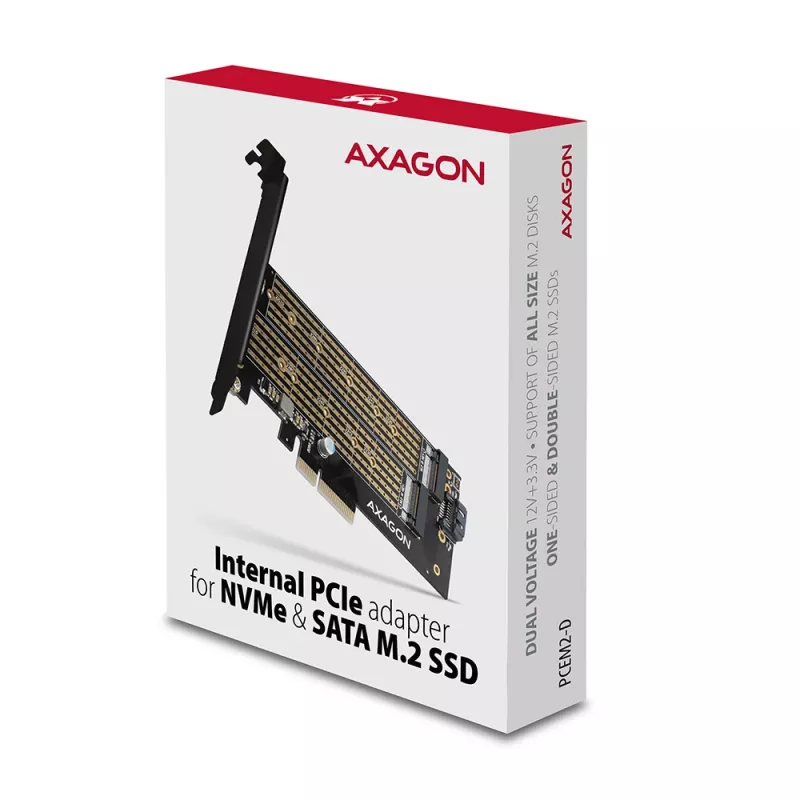
Axagon PCEM2-D PCIe x4 - M.2 NVMe M-key + SATA B-key slot adapter w. SP & LP

Axagon PCEM2-D PCIe x4 - M.2 NVMe M-key + SATA B-key slot adapter w. SP & LP
36 mo.
Axagon PCEM2-D PCIe x4 - M.2 NVMe M-key + SATA B-key slot adapter w. SP & LP
R329
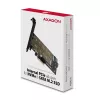
The internal AXAGON PCEM2-D adapter allows to connect as many as two M.2 SSD to a desktop. So, it is an ideal choice for upgrading a desktop that has no M.2 slot.The adapter supports the use of both one-sided and double-sided SATA and NVMe (PCI-Express) M.2 SSDs. The reduction does not limit SSD cap... Read More
Stock 4 Code 99303 Brand AXAGON Model PCEM2-D Warranty 3 Years

Shipping & Returns

Estimated delivery Friday, October 2
You will be kept updated through our detailed tracking system
Payment options
EFTPayFastBank CardSnapScanZapperGoogle PayApple PayMobicredMoreTymePay on Arrival
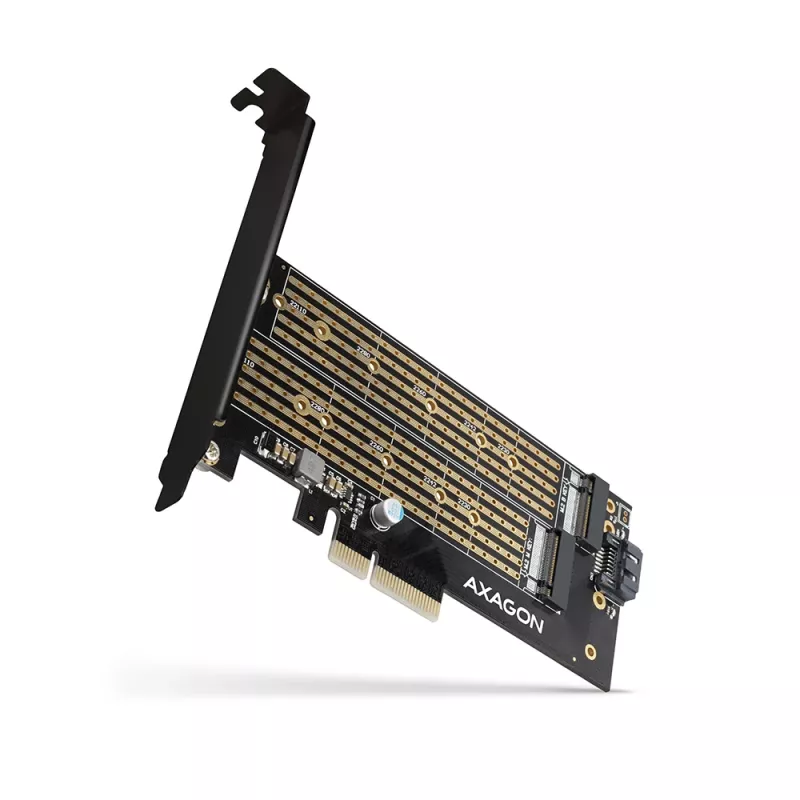
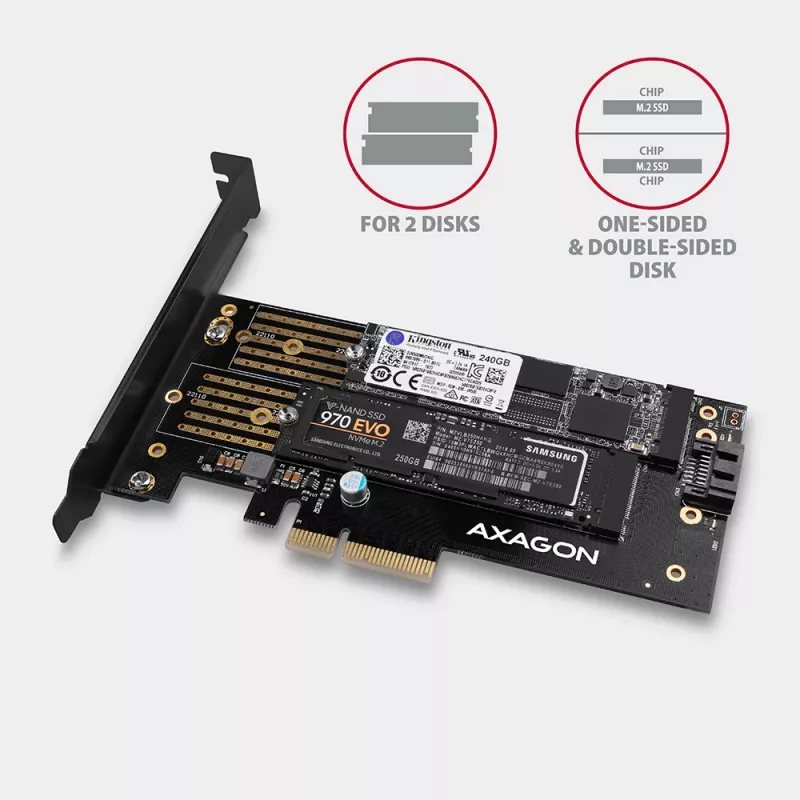
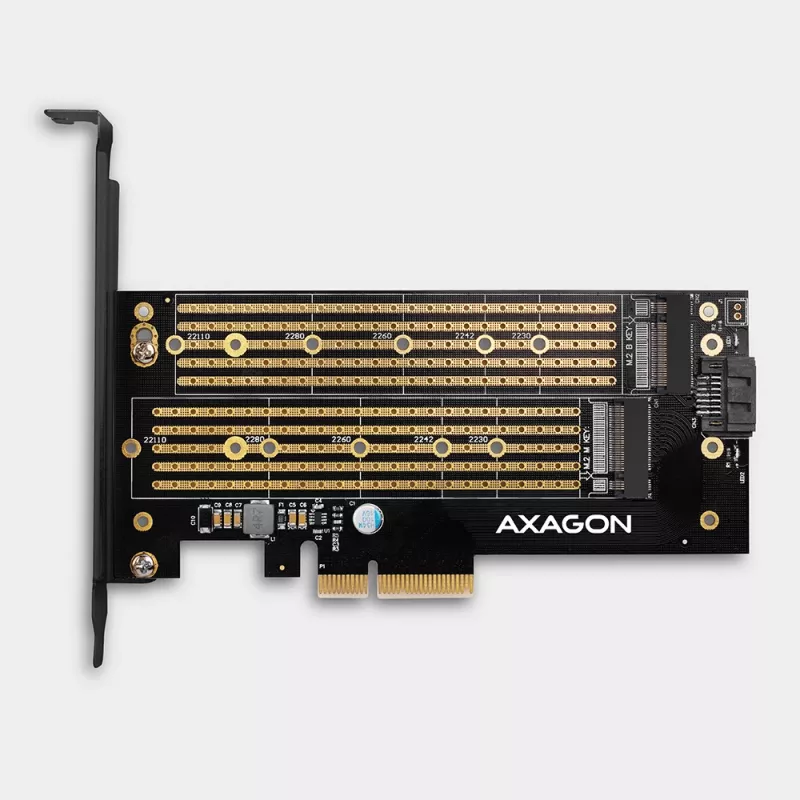
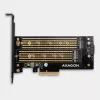
The internal AXAGON PCEM2-D adapter allows to connect as many as two M.2 SSD to a desktop. So, it is an ideal choice for upgrading a desktop that has no M.2 slot.

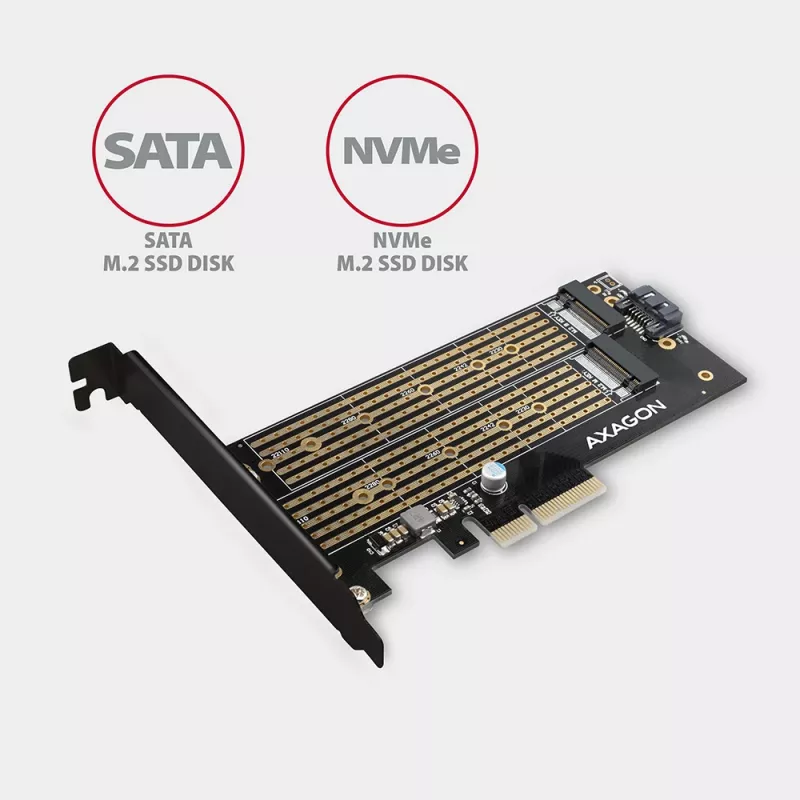
The adapter supports the use of both one-sided and double-sided SATA and NVMe (PCI-Express) M.2 SSDs. The reduction does not limit SSD capacity, and any M.2 cards with a length up to 110 mm can be used. The simultaneous operation of both disks is commonplace.

Thanks to PCI-Express 3.0 4-lane interface compatible with x4, x8 and x16 slots, a speed as high as 8GBps can be achieved. When compared to standard SATA SSDs, bit rates of NVMe SSDs are many times higher.

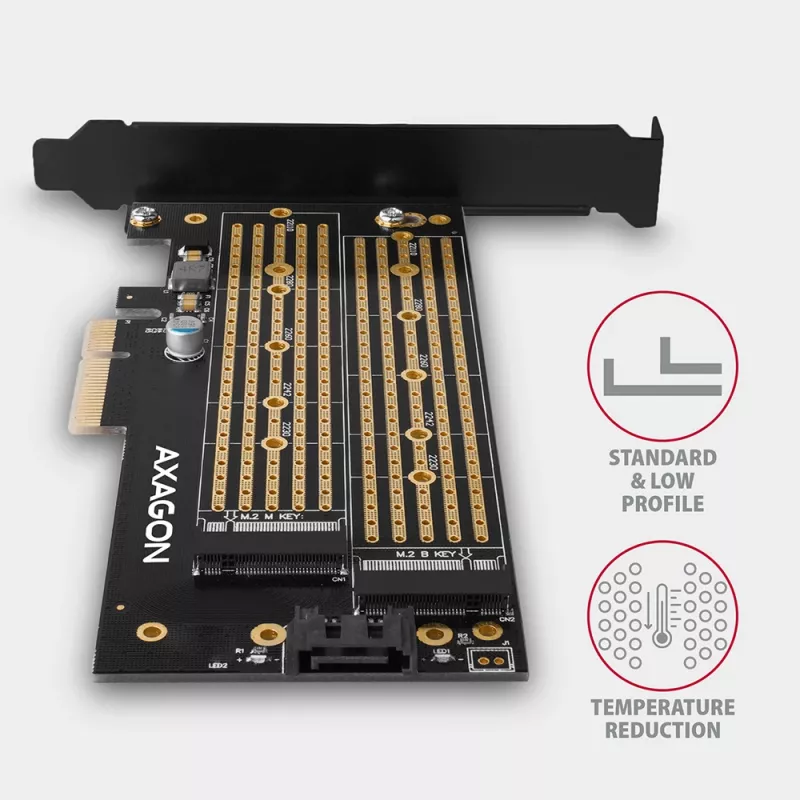
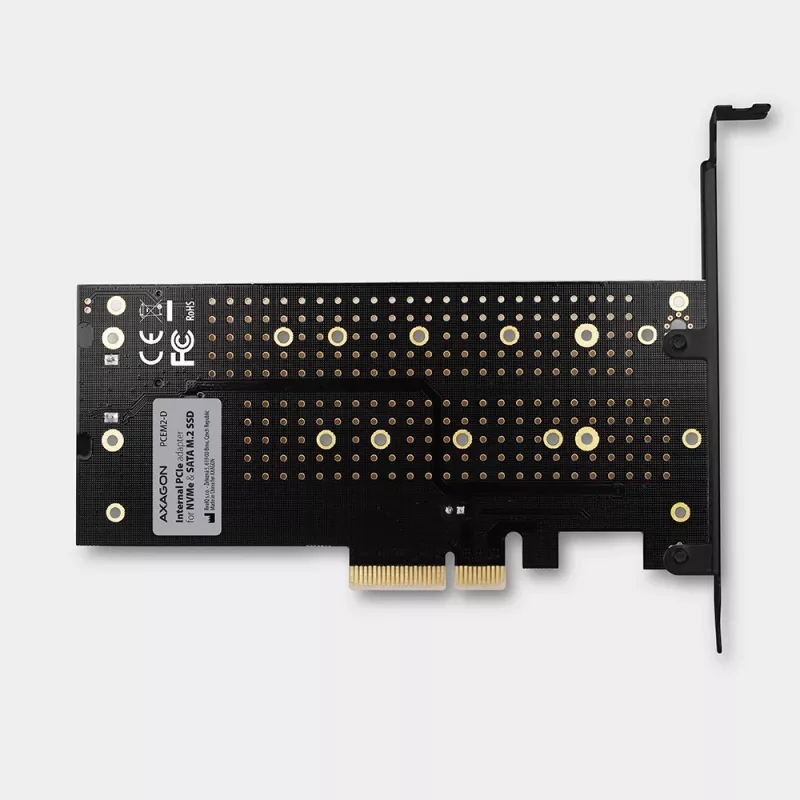
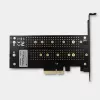
The high quality card design, including copper-plated vents, assists in a better dissipation of heat generated during the M.2 SSDs operation.

Double blue LEDs indicate either power on or data transfer in the M.2 slot. The package also contains a low profile blanking plug for mounting the adapter into low profile cases.

Input:
• PCI-Express 3.0 interface compatible with PCI-Express 1.0a / 1.1 / 2.0 / 2.1.
• Number of 4-Lane lines, compatible with x4 / x8 / x16 PCIe slots.
• Bandwidth of 4-Lane PCI-Express 3.0 bus of up to 8 GB/s (two-way).
• SATA connector to connect the motherboard when a SATA M.2 SSD is used.To achieve the best possible bit rates, the use of a SATA 6G controller is recommended.

Output:
• NGFF 75-pin M-key slot to install the NVMe (PCI-Express) M.2 SSDs.
• NGFF 75-pin B-key slot to install the SATA (AHCI) M.2 SSDs

Other features:
• Full Plug and Play support.
• Support of M.2 disks of any size - 2230, 2242, 2260, 2280, 22110 mm.
• Support of M.2 disks of any capacity.
• Simultaneous operation of both disks.
• Support of both one-sided and double-sided M.2 disks.
• A better dissipation of heat from M.2 SSDs thanks to copper-plated vents.
• Support of booting from SSD cards.
• No drivers need to be installed.
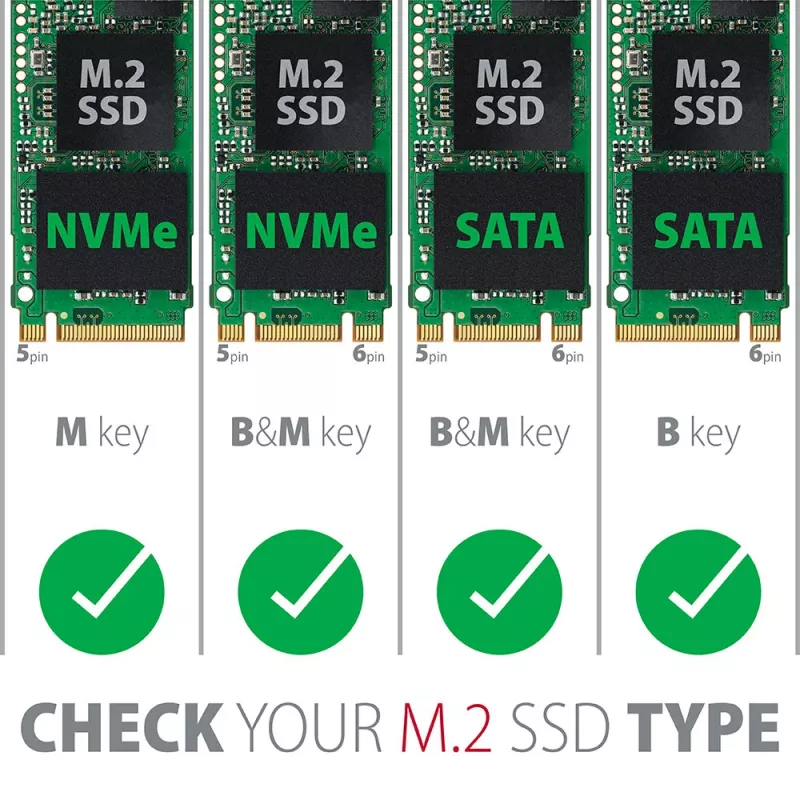
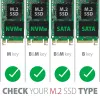
• Note: CAUTION! The adapter allows to insert B+M-key disks in both M.2 slots. It is important to check the disk parameters, i.e. to make sure whether the disk is designed for SATA or NVMe (PCI Express) interface, and to connect it to the right slot. SATA drives are pluged into the B-key slot, NVMe drives are pluged into the M-key slot.

Power supply:
• The adapter is directly supplied from PCI-Express bus; no external power supply is needed.
• The system of dual power supply ensures a sufficient power for connected M.2 SSDs.
• In addition, the system of redundant power supply reduces the adapter thermal load.

Supported operating systems:
• MS Windows 7 / 8 / 8.1 / 10, Windows Server 2008 R2 / 2012 / 2016 (all 32-bit as well as 64-bit versions of OS Windows are supported), Linux with kernel 2.6.31 and higher.
• Note: When operating under Windows 7, contact the manufacturer of the M.2 SSD to find whether this OS is supported, especially when NVMe disks are used.

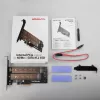
Package contains:
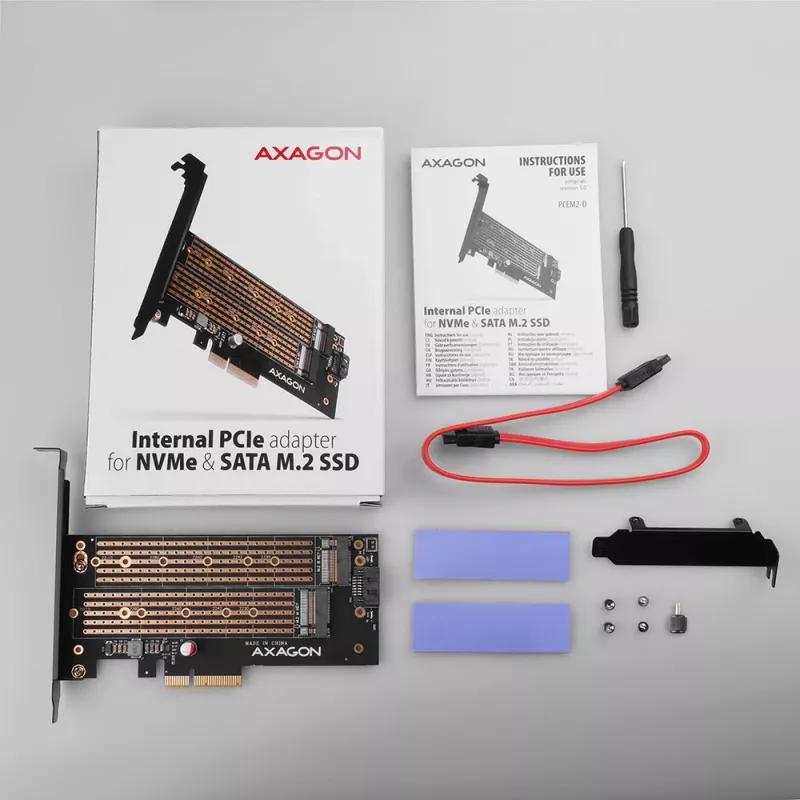
• PCI-Express adapter with a standard blanking plug,
• low profile blanking plug,
• mounting material and a screwdriver,
• printed installation manual EN/CZ/DE/ESP/FR/HU/IT/PL/RO/RU/SK/BG,
• packed in a cardboard box with clearly indicated parameters.

How to use

Insert the Axagon PCEM2-D into a free PCIe x4/x8/x16 slot on the motherboard. Install M.2 SSDs into the appropriate slots: plug SATA (AHCI) M.2 drives into the B‑key slot and NVMe (PCI‑Express) drives into the M‑key slot. Secure the drives and select the correct mounting bracket (standard or low profile) for your PC case. On supported operating systems the adapter is plug-and-play; for best SATA performance connect a SATA 6G controller if applicable. Verify drive type and slot before powering on to avoid incorrect connections.

Recommendations

Check whether each M.2 module is SATA or NVMe before installation and place it in the corresponding slot (B‑key for SATA, M‑key for NVMe). When using Windows 7 with NVMe drives, confirm NVMe support with the SSD manufacturer. Ensure good airflow around the card to aid heat dissipation.

Key Highlights
  • Upgrading desktop PCs that lack native M.2 slots
  • Installing two M.2 SSDs (mixed SATA and NVMe) for additional storage or caching
  • Systems that require booting from an M.2 SSD
  • Low‑profile or full‑height PC cases (low profile bracket included)
  • Host interface: PCI‑Express 3.0, 4‑lane (compatible with PCIe 1.x/2.x/3.x slots)
  • Max bandwidth: up to 8 GB/s (two‑way) on PCIe 3.0 x4
  • M.2 slots: one M‑key (NVMe/PCI‑Express) and one B‑key (SATA/AHCI); B+M‑key cards are physically supported
  • Supported M.2 sizes: 2230, 2242, 2260, 2280, 22110
  • Supports both one‑sided and double‑sided M.2 modules and any capacity
  • Power: powered from PCI‑Express bus, no external power required; dual/redundant supply design
  • LED status indicators: two blue LEDs for power/data
  • Compatibility: Windows 7/8/8.1/10, Windows Server 2008 R2/2012/2016, Linux kernel 2.6.31+
Specifications
Certification
CE, RoHS
Compliance certificates
RoHS, CE
Country of origin
China
Data transfer rate (max)
8 Gbit/s
Depth
64 mm
Easy to install
Yes
Expansion card form factor
Full-height / Low-profile
Expansion card standard
PCIe 4.0
Height
12 mm
Host interface
PCIe
Internal
Yes
LED indicators
Yes
Linux operating systems supported
Yes
Mac operating systems supported
Yes
Manual
Yes
Number of M.2 (B) slots
1
Number of M.2 (M) slots
1
NVMe
Yes
Output interface
M.2, SATA
Package depth
130 mm
Package height
30 mm
Package type
Box
Package weight
128 g
Package width
175 mm
Plug and Play
Yes
Product colour
Black, Gold
Purpose
PC
Quantity per pack
1 pc(s)
Server operating systems supported
Yes
TRIM support
Yes
Warranty period
2 year(s)
Weight
46 g
Width
142 mm
Windows operating systems supported
Yes

Manual

Open Manual

Leaflet

Open Leaflet
Price history over the last 6 months
Axagon PCEM2-D PCIe x4 - M.2 NVMe M-key + SATA B-key slot adapter w. SP & LP
Current
R329
Lowest
R283
Highest
R334
Change 24H
+R32   +11%
Week
+R35   +12%
Month
+R31   +10%

Popular products in this category

WhatsApp
Hi, I’m DistriNode’s AI assistant. I can help you find products, compare options, create quote PDFs, or open support requests.