Account Contact
Your Cart
Pay on delivery – no extra fees
Need help? Ask our AI

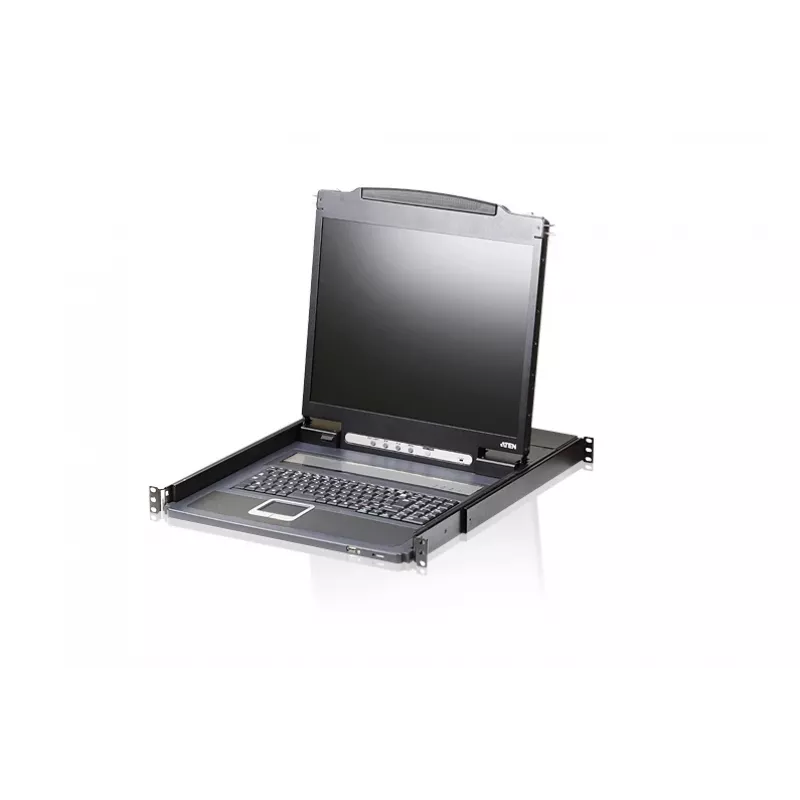
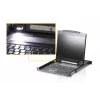
ATEN CL3000N rack console 48.3 cm (19 inch) 1280 x 1024 pixels Aluminium Black 1U

ATEN CL3000N rack console 48.3 cm (19 inch) 1280 x 1024 pixels Aluminium Black 1U
R28,042
The ATEN CL3000N is a 1U rack console with an integrated 19" display offering a native resolution of 1280 x 1024 pixels. Designed for data center and server rack environments, this compact console provides a VGA video port and supports both USB and PS/2 keyboard and mouse connections. The unit runs ... Read More
Stock Out Of StockNo Stock Code 1211750 Brand ATEN Model CL3000N-ATA-EG Warranty 2 Years
CategoryRack Consoles

Shipping & Returns

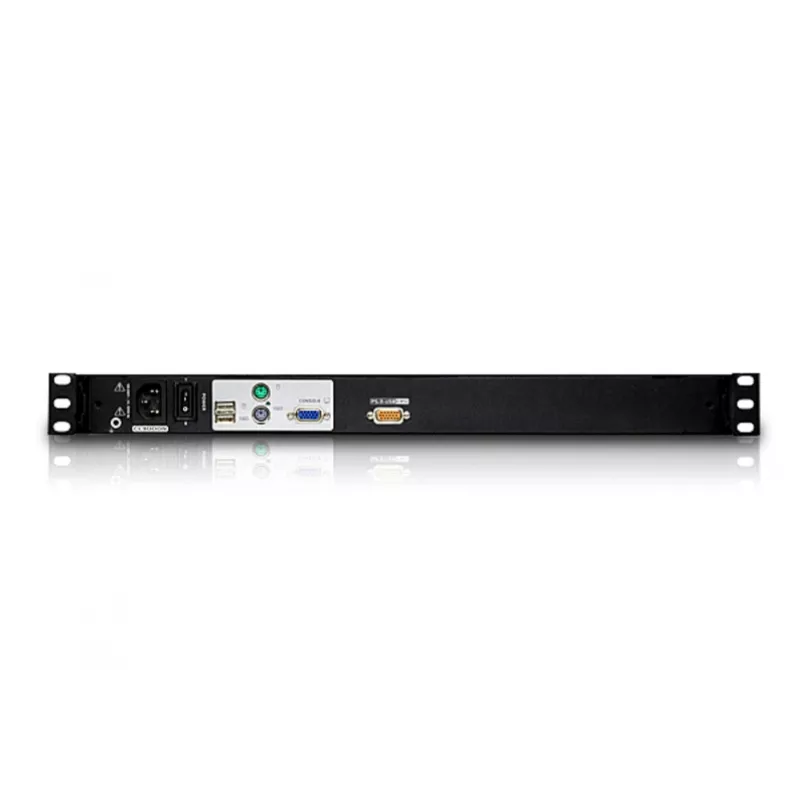
The ATEN CL3000N is a 1U rack console with an integrated 19" display offering a native resolution of 1280 x 1024 pixels. Designed for data center and server rack environments, this compact console provides a VGA video port and supports both USB and PS/2 keyboard and mouse connections. The unit runs from an external AC adapter compatible with 100–240 V input and has a typical power consumption of 22.7 W, making it suitable for standard server-room power conditions.

Advantages

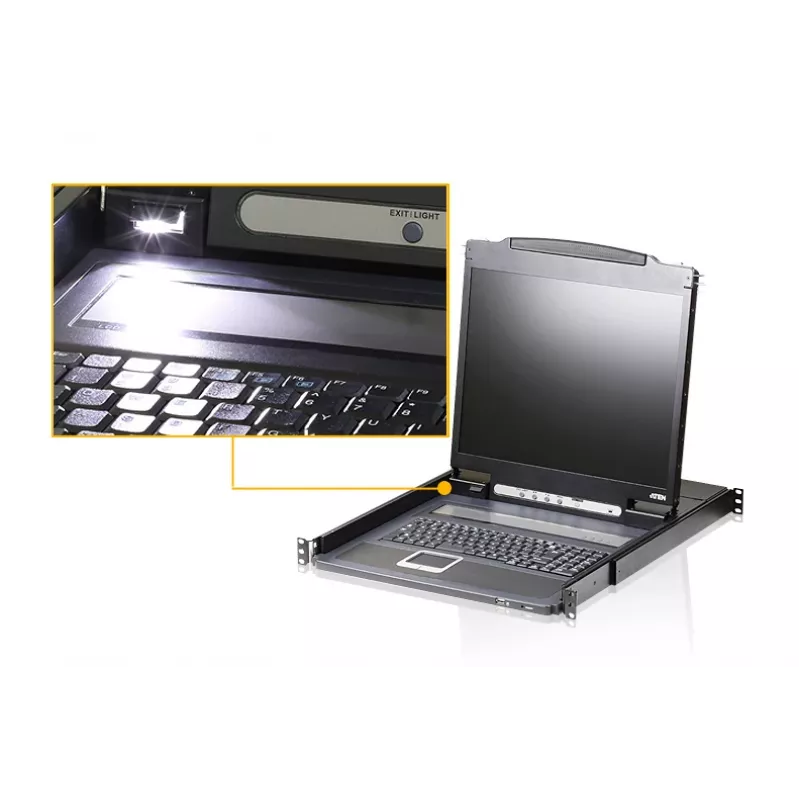
The rack-mount design saves space in 19" cabinets while providing an integrated monitor, keyboard and touchpad for local server management. Dual input support for USB and PS/2 peripherals ensures compatibility with a wide range of servers and legacy equipment. The 1280 x 1024 native resolution delivers clear text and interface elements for administrative tasks, and the VGA video port allows straightforward connection to existing infrastructure. Low typical power consumption contributes to energy-efficient operation in multi-rack installations.

Suitable for

  • On-site server administration in 19" rack environments
  • Data center cabinets requiring space-efficient local consoles
  • Maintenance and troubleshooting of legacy and modern servers
  • IT rooms where VGA video and mixed USB/PS/2 peripheral support are needed

Key specifications

  • Form factor: 1U rack console with 19" integrated display
  • Native resolution: 1280 x 1024 pixels
  • Video interface: VGA
  • Peripheral interfaces: USB and PS/2 for keyboard and mouse
  • Power: AC adapter input 100–240 V, typical consumption 22.7 W
  • Physical design: compact rack-mountable unit for 19" cabinets

How to use

Mount the console in a standard 19" rack using the included brackets and fasteners, ensuring secure attachment at the 1U position. Connect the VGA cable to the server video output and attach keyboard and mouse using either USB or PS/2 connectors as required. Plug the supplied AC adapter into a compatible 100–240 V power outlet and verify power-on indicators. Use the integrated controls to adjust display settings and operate the keyboard and touchpad for server configuration, monitoring, and maintenance tasks.

Recommendations

For reliable operation, install the console in a well-ventilated rack location and avoid obstructing airflow around the unit. Use appropriate cable management to prevent strain on VGA and peripheral connectors. When connecting to legacy equipment, choose PS/2 where required; otherwise prefer USB for broader compatibility. Regularly check power connections and ensure the AC adapter matches local voltage requirements.

Key Highlights
  • On-site server administration in 19" rack environments
  • Data center cabinets requiring space-efficient local consoles
  • Maintenance and troubleshooting of legacy and modern servers
  • IT rooms where VGA video and mixed USB/PS/2 peripheral support are needed
  • Form factor: 1U rack console with 19" integrated display
  • Native resolution: 1280 x 1024 pixels
  • Video interface: VGA
  • Peripheral interfaces: USB and PS/2 for keyboard and mouse
  • Power: AC adapter input 100–240 V, typical consumption 22.7 W
  • Physical design: compact rack-mountable unit for 19" cabinets
Specifications
AC adapter frequency
50/60 Hz
AC adapter input voltage
100 - 240 V
Built-in KVM switch
Yes
Cables included
AC, KVM
Compliance certificates
RoHS
Console port
VGA
Contrast ratio (typical)
1000:1
Depth
480 mm
Display
LCD
Display brightness
250 cd/m²
Display diagonal
48.3 cm (19")
Display number of colours
16.78 million colours
Display resolution
1280 x 1024 pixels
Display type
LCD
Height
44 mm
Hot keys
Yes
Input current
1 A
Keyboard language
UK English
Keyboard layout
QWERTY
Keyboard port type
USB, PS/2
KVM switch ports quantity
1
LED indicators
Yes
Linux operating systems supported
Yes
Mac operating systems supported
Yes
Manual
Yes
Material
Aluminium
Mouse port type
USB, PS/2
Number of computers controlled
1
On/off switch
Yes
Operating relative humidity (H-H)
0 - 80%
Operating temperature (T-T)
0 - 40 °C
Pixel pitch
0.294 x 0.294 mm
Power consumption (typical)
22.7 W
Product colour
Black
Rack capacity
1U
Rack mount kit
Yes
Rack mounting
Yes
Resolution
1920 x 1200 pixels
Response time
5 ms
Storage temperature (T-T)
-20 - 60 °C
Video port type
VGA
Viewing angle, horizontal
170°
Viewing angle, vertical
160°
Weight
9 kg
Width
589.2 mm
Windows operating systems supported
Yes

Leaflet

Open Leaflet
Price history over the last 6 months
ATEN CL3000N rack console 48.3 cm (19 inch) 1280 x 1024 pixels Aluminium Black 1U
Current
R28,042
Lowest
R25,589
Highest
R28,042
Change 24H
+R1,937   +7%
Week
+R1,739   +7%
Month
+R2,367   +9%

Write a review

Rating *
Your name will be shown publicly – you can use a nickname. We invite buyers to write reviews; we check reviews before publishing and publish critical ones too.

Same series and alternatives

Popular products in this category

WhatsApp
Messenger
Hi, I’m DistriNode’s AI assistant. I can help you find products, compare options, create quote PDFs, or open support requests.
All categories