Account Contact
Your Cart
Pay the courier with no extra fees.
Need help? DistriNode AI can handle any task on our site.

USB Type C to VGA converter ACT SB0016

USB Type C to VGA converter ACT SB0016
R683
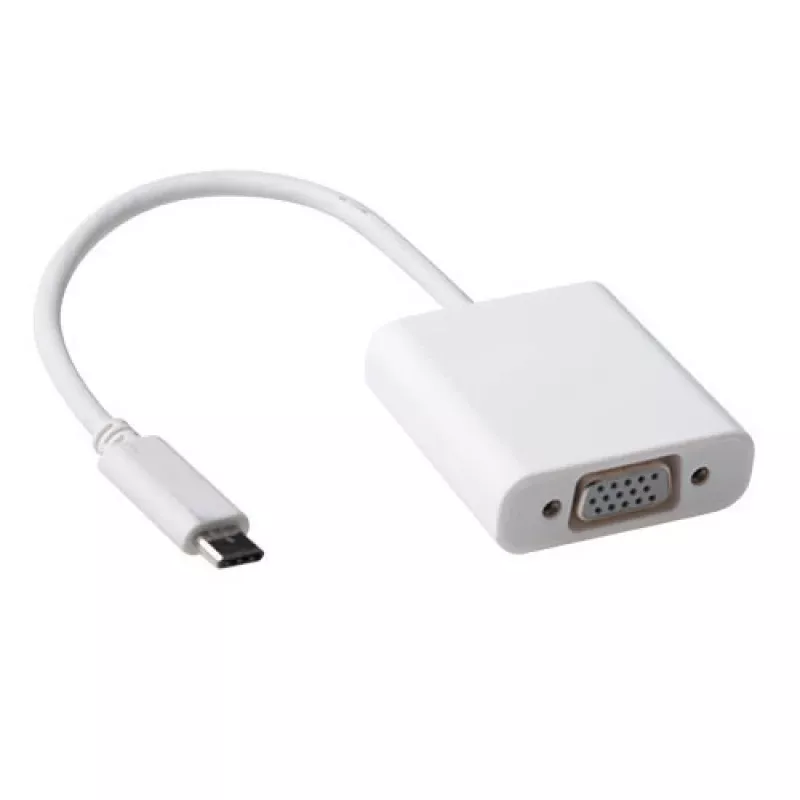
The ACT USB Type C to VGA converter SB0016 lets you connect USB-C devices that support DisplayPort Alternate Mode to VGA displays. It supports video output up to 1920 x 1200 pixels and comes in a compact white housing, making it suitable for presentations, meetings and classroom use.AdvantagesThis c... Read More
Stock 473 Code 2227606 Brand ACT Model SB0016 Warranty 2 Years

Shipping & Returns

Estimated delivery Tuesday, October 6
You will be kept updated through our detailed tracking system
Payment options
EFTPayFastBank CardSnapScanZapperGoogle PayApple PayMobicredMoreTymePay on Arrival

The ACT USB Type C to VGA converter SB0016 lets you connect USB-C devices that support DisplayPort Alternate Mode to VGA displays. It supports video output up to 1920 x 1200 pixels and comes in a compact white housing, making it suitable for presentations, meetings and classroom use.

Advantages

This converter provides a direct USB-C to VGA signal path when the USB-C port on your device supports DisplayPort alternate mode (look for the DP logo near the USB-C port). Its compact size and white finish make it easy to carry and integrate with laptop or tablet setups. No external power is required and the adapter offers plug-and-play functionality for straightforward connection to projectors and monitors.

Suitable for

Key specifications

How to use

Connect the USB-C plug of the ACT SB0016 into a USB-C port on your device that supports DisplayPort Alternate Mode (verify by the DP mark near the port). Attach a VGA cable from the converter to the VGA input of a monitor or projector. The device should detect the external display automatically; configure resolution and display mode in your operating system if necessary.

Recommendations

Ensure the source device’s USB-C port supports DisplayPort Alternate Mode (DP logo). Use a high-quality VGA cable for best image stability. For resolutions above 1920 x 1200, use a different adapter that supports higher output resolutions.

Key Highlights
  • Connecting USB-C laptops to VGA projectors during presentations
  • Using USB-C tablets with VGA monitors in classrooms
  • Extending or mirroring laptop displays to legacy VGA screens
  • Model: ACT SB0016
  • Input: USB Type-C (requires DisplayPort Alternate Mode)
  • Output: VGA
  • Maximum resolution: 1920 x 1200 pixels
  • Colour: White
  • Brand: ACT
Specifications
Harmonized System (HS) code
84733020
Maximum resolution
1920 x 1200 pixels
Product colour
White
Quantity per pack
1 pc(s)

Leaflet

Open Leaflet
Price history over the last 6 months
USB Type C to VGA converter ACT SB0016
Current
R683
Lowest
R672
Highest
R683
Change 24H
+R9   +1%
Week
—   
Month
—   

Popular products in this category

WhatsApp
Hi, I’m DistriNode’s AI assistant. I can help you find products, compare options, create quote PDFs, or open support requests.