Account Contact
Your Cart
Pay on delivery – no extra fees
Need help? Ask our AI

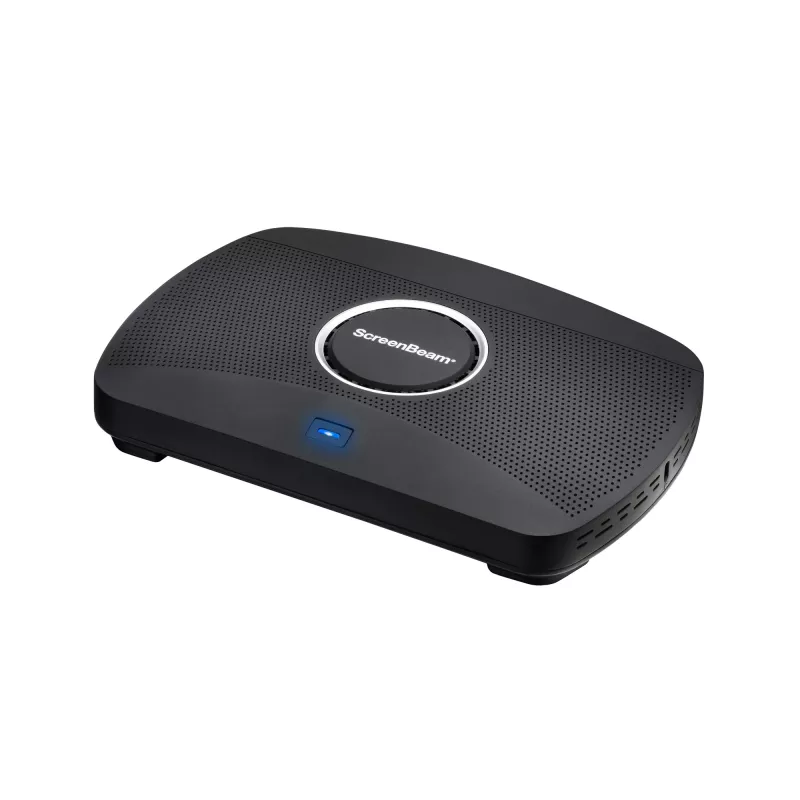
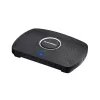
ScreenBeam 1100 Plus wireless presentation system HDMI + USB Type-A Desktop

ScreenBeam 1100 Plus wireless presentation system HDMI + USB Type-A Desktop
R23,285
ScreenBeam 1100 Plus platform with ScreenBeam Conference experience adds wireless connectivity to room cameras, microphones, and speakers with support for all major video conferencing services. This versatile experience is delivered wholly with the 1100 Plus, the industry’s most flexible turnkey col... Read More
Stock Out Of StockNo Stock Code 2458241 Brand SCREENBEAM Model SBWD1100PEU Warranty 2 Years

Shipping & Returns

ScreenBeam 1100 Plus platform with ScreenBeam Conference experience adds wireless connectivity to room cameras, microphones, and speakers with support for all major video conferencing services. This versatile experience is delivered wholly with the 1100 Plus, the industry’s most flexible turnkey collaboration platform.

App-less and dongle-less screen mirroring
Screen sharing from any device without the need to download an app or keep dongle nearby. ScreenBeam leads with OS-native Wi-Fi Miracast, AirPlay and Google Cast for familiarity and mitigate user training.

Extended desktop
Windows and macOS users can mirror desktop or extend screen to ensure content privacy.

Touch display support
Windows users can markup content directly on room displays, instantly capturing changes in Microsoft Office 365 applications.

ScreenBeam Conference
Connects the room camera, microphone and soundbar and enable the users’ laptops for bring-your-own-meeting (BYOM) wireless video conferencing. Users can participate in a scheduled or ad-hoc meeting using the UC service of choice and take full advantage of the room peripherals.

Learn More
Multi-Network architecture

No need to choose an internal or external network connection for your wireless display solution. ScreenBeam can connect to both simultaneously, without compromising the security of your internal network. VLAN tagging option is also available on the wired network connection for additional subnets support.

Multi-View
Up to four presenters in-room can share content simultaneously during a meeting making it easier for real-time editing of materials.

Quick Switch
Presenters do not need to disconnect to allow the next presenter to assume control eliminating time-wasting delays and keeping meetings on track.

Signage Player
Idle displays in classrooms and meeting spaces can be optimized to convey information with integrated HTML-based digital signage capability.

HDMI Input
Combines wireless display and HDMI® switching in a single device for a fully functional for wired and wireless connections.

The terms HDMI, HDMI High-Definition Multimedia Interface, HDMI Trade dress and the HDMI Logos are trademarks or registered trademarks of HDMI Licensing Administrator, Inc.

MultiBeam
Enables content mirroring (video or wireless presentation) across wired, wireless or a combination of both networks, for up to 8 remote displays.

Centralized Management
ScreenBeam CMS Enterprise included for monitor, manage, and update.

ScreenBeam 1100 Plus. Form factor: Desktop, Product colour: Black, Certification: FCC, UL, CE, RoHS, C-Tick. Supported graphics resolutions: 3840 x 2160. Wi-Fi standards: Wi-Fi 5 (802.11ac), Top Wi-Fi standard: Wi-Fi 5 (802.11ac), Ethernet LAN data rates: 10,100,1000 Mbit/s. Interface: HDMI + USB Type-A. Power source type: DC, Input voltage: 12 DC, Input current: 3 A

How to use

Place the ScreenBeam 1100 Plus in the meeting room and connect it to the room display via HDMI output and to your UC appliance if required. Connect the device to the internal and/or guest network using Ethernet or Wi‑Fi according to your network policy. Presenters can share content wirelessly using the native screen sharing feature of their device (no app required) or via the HDMI input for legacy devices. Use the CMS Enterprise web interface to register and manage devices, configure security options, enable ScreenBeam Conference for room resource sharing, and set up digital signage or alerting features.

Recommendations

For best performance, connect the ScreenBeam 1100 Plus to a dedicated Ethernet port and ensure the Wi‑Fi network supports 802.11ac. Configure certificate-based security and PIN pairing as needed, and use CMS Enterprise to apply role-based access and monitor device status. For BYOM workflows, verify UC appliance HDMI compatibility and test Ghost Inking™ and multi-view functions before deployment.

Key Highlights
  • Conference rooms and huddle spaces requiring BYOM (Bring Your Own Meeting) support
  • Hybrid meetings connecting in-room AV devices with major video conferencing services
  • Classrooms or training rooms that need digital signage and emergency alert delivery
  • Meeting rooms that require wired HDMI input alongside wireless presentation
  • Model: ScreenBeam 1100 Plus (SBWD1100PEU)
  • Maximum display resolution: 3840 x 2160
  • Wireless: Wi‑Fi 5 (802.11ac); Miracast and native OS screen sharing
  • Ethernet: Gigabit LAN (up to 1000 Mbit/s)
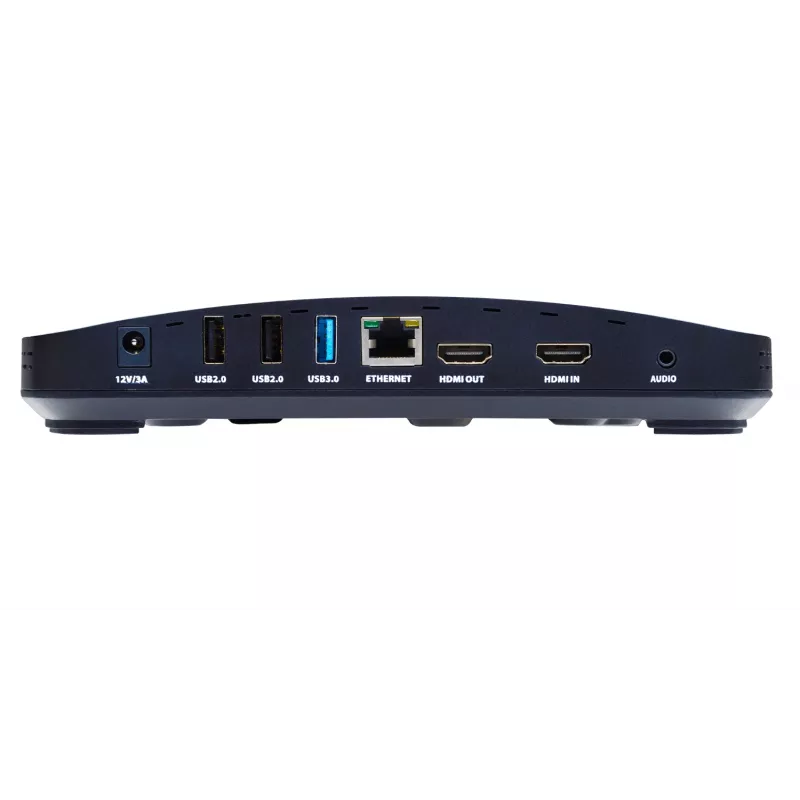
  • Interfaces: HDMI input, HDMI output, USB Type‑A
  • Security: AES128 session encryption, certificate-based connection support, PIN pairing
  • Management: Central Management System (CMS) Enterprise with multi-user, role-based access
  • Certifications: FCC, UL, CE, RoHS, C-Tick
  • Power: 12V DC input
  • Colour and weight: Black; weight per product data
Specifications
3.5 mm (1/8-inch) out
Yes
Cabling technology
10/100/1000Base-T(X)
Certification
FCC, UL, CE, RoHS, C-Tick
Country of origin
China
DC-in jack
Yes
Depth
144 mm
Ethernet LAN
Yes
Ethernet LAN data rates
10,100,1000 Mbit/s
Form factor
Desktop
Harmonized System (HS) code
85176990
HDMI input ports quantity
1
Height
37.5 mm
Input current
3 A
Input voltage
12 DC
Interface
HDMI + USB Type-A
Mac compatibility
Yes
Miracast
Yes
Mobile operating systems supported
Android, iOS
Number of HDMI outputs
1
Operating relative humidity (H-H)
-20 - 85%
Operating temperature (T-T)
0 - 40 °C
Other operating systems supported
ChromeOS
Package depth
287 mm
Package height
82.5 mm
Package weight
1.13 kg
Package width
177.8 mm
Power consumption (max)
36 W
Power consumption (typical)
8.4 W
Power source type
DC
Product colour
Black
Security algorithms
EAP-TLS, PEAP, WPA-PSK, WPA2-PSK
Storage relative humidity (H-H)
10 - 90%
Storage temperature (T-T)
20 - 80 °C
Supported graphics resolutions
3840 x 2160
Top Wi-Fi standard
Wi-Fi 5 (802.11ac)
USB 2.0 ports quantity
2
USB 3.2 Gen 1 (3.1 Gen 1) Type-A ports quantity
1
Weight
453.5 g
Wi-Fi standards
Wi-Fi 5 (802.11ac)
Width
220 mm
Windows operating systems supported
Yes

Leaflet

Open Leaflet
Price history over the last 6 months
ScreenBeam 1100 Plus wireless presentation system HDMI + USB Type-A Desktop
Current
R23,285
Lowest
R22,810
Highest
R24,014
Change 24H
+R399   +2%
Week
+R399   +2%
Month
—   

Popular products in this category

WhatsApp
Hi, I’m DistriNode’s AI assistant. I can help you find products, compare options, create quote PDFs, or open support requests.