Account Contact
Your Cart
Pay the courier with no extra fees.
Need help? DistriNode AI can handle any task on our site.

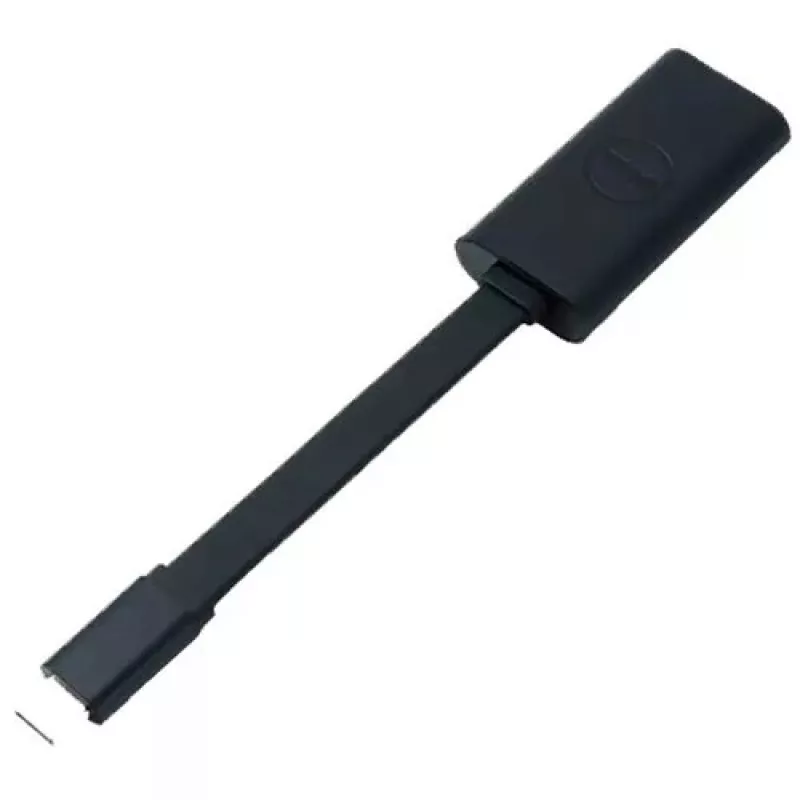
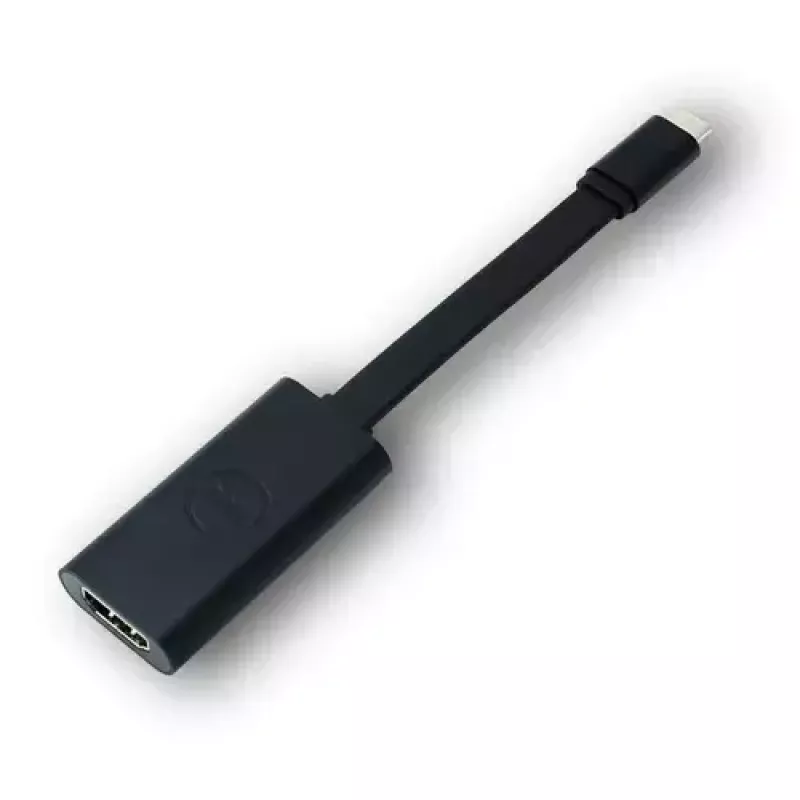
Adapter USB-C to HDMI 2.0 DELL

Adapter USB-C to HDMI 2.0 DELL
R1,788
The Dell USB-C to HDMI 2.0 adapter converts a USB Type-C video output into an HDMI connection, enabling you to display video from compatible desktops, laptops or tablets on HDMI-equipped monitors, projectors and HDTVs. The adapter has a male USB-C connector and a standard 19-pin female HDMI connecto... Read More
Stock 2 Code 1499024 Brand DELL Model 0M5WX Warranty 2 Years

Shipping & Returns

Estimated delivery Tuesday, October 6
You will be kept updated through our detailed tracking system
Payment options
EFTPayFastBank CardSnapScanZapperGoogle PayApple PayMobicredMoreTymePay on Arrival

The Dell USB-C to HDMI 2.0 adapter converts a USB Type-C video output into an HDMI connection, enabling you to display video from compatible desktops, laptops or tablets on HDMI-equipped monitors, projectors and HDTVs. The adapter has a male USB-C connector and a standard 19-pin female HDMI connector and supports high-definition video up to 4K for clear, detailed visuals. Its compact, plug-and-play design makes it easy to carry and use when you need to mirror screens, extend a desktop or present media on a larger display.

Advantages

This adapter provides straightforward, driver-free connectivity between USB-C devices and HDMI displays. It supports resolutions up to 4K for sharp video output and uses standard HDMI pinning for broad compatibility with monitors, projectors and HDTVs. The small, lightweight form factor is convenient for travel and impromptu presentations, and the black finish matches most devices and accessories.

Suitable for

  • Mirroring a laptop or tablet screen to an HDTV or projector
  • Extending a desktop workspace to an external monitor
  • Presentations in meetings, classrooms or client sites
  • Watching movies or streaming video on a larger display

Key specifications

  • Connector 1: USB Type-C (male)
  • Connector 2: HDMI (female, 19-pin)
  • Standard: HDMI 2.0 (supports up to 4K resolution)
  • Product colour: Black
  • Brand: Dell, MPN: DBQAUBC064, EAN: 5397063784462

How to use

Plug the USB-C end of the adapter into a device that provides USB-C video output. Connect an HDMI cable from the adapter’s HDMI port to the HDMI input on the target monitor, TV or projector. Select the appropriate HDMI input on the display and, if necessary, choose the display mode (mirror or extend) in your operating system’s display settings. No additional drivers are typically required for modern operating systems that support USB-C video output.

Recommendations

Use a high-quality HDMI cable and ensure your source device’s USB-C port supports video output (DisplayPort Alternate Mode) for full 4K performance. Disconnect when not in use to avoid strain on ports.
Key Highlights
  • Mirroring a laptop or tablet screen to an HDTV or projector
  • Extending a desktop workspace to an external monitor
  • Presentations in meetings, classrooms or client sites
  • Watching movies or streaming video on a larger display
  • Connector 1: USB Type-C (male)
  • Connector 2: HDMI (female, 19-pin)
  • Standard: HDMI 2.0 (supports up to 4K resolution)
  • Product colour: Black
  • Brand: Dell, MPN: DBQAUBC064, EAN: 5397063784462
Specifications
Compatible products
Latitude E5470 Alienware 13 R2 Alienware 15 R2 Alienware 17 R3 Latitude 7370 Latitude E5570 Precision 15 3000 Series (3510) Precision 15 5000 Series (5510) Precision 15 7000 Series (7510) Precision 17 7000 Series (7710) Venue 10 Pro (5056) XPS 12 (9250) XPS 13 (9350) XPS 15 (9550)
Connector 1
USB Type-C
Connector 1 gender
Male
Connector 2
HDMI
Connector 2 gender
Female
Harmonized System (HS) code
84733080
Product colour
Black
Quantity per pack
1 pc(s)
Price history over the last 6 months
Adapter USB-C to HDMI 2.0 DELL
Current
R1,788
Lowest
R1,768
Highest
R1,788
Change 24H
+R16   +1%
Week
—   
Month
—   

Popular products in this category

WhatsApp
Hi, I’m DistriNode’s AI assistant. I can help you find products, compare options, create quote PDFs, or open support requests.