Account Contact
Your Cart
Pay the courier with no extra fees.
Need help? DistriNode AI can handle any task on our site.

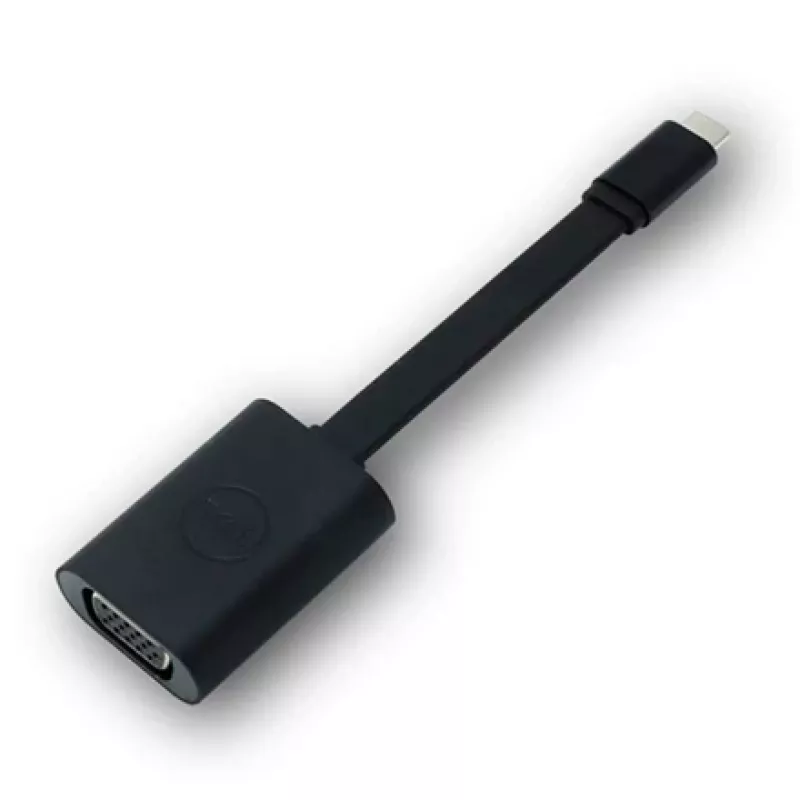
USB Type-C to VGA adapter dongle Dell 470-ADFQ — USB-C to VGA video adapter

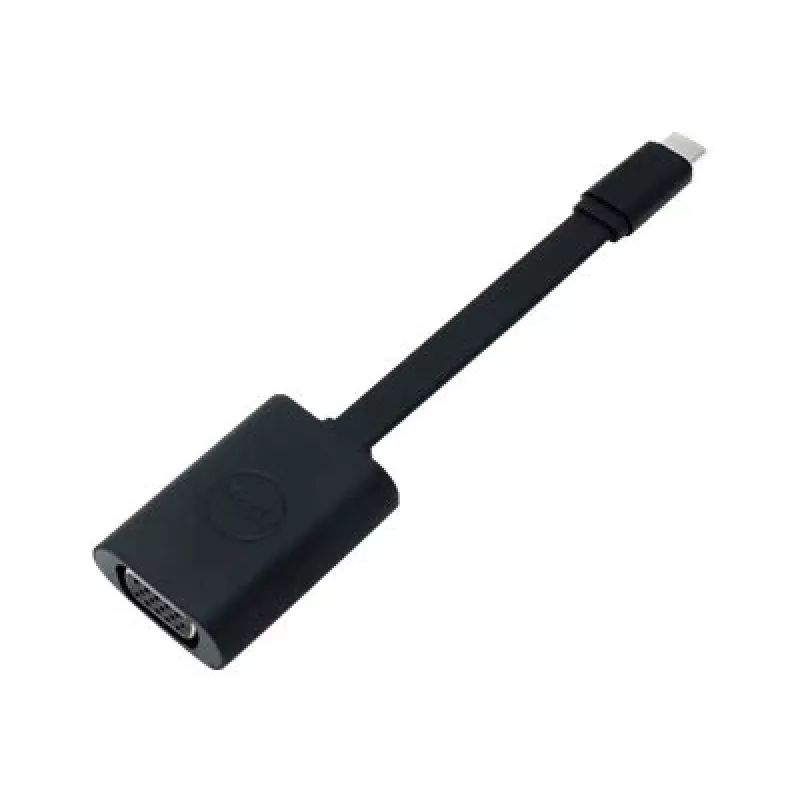
USB Type-C to VGA adapter dongle Dell 470-ADFQ — USB-C to VGA video adapter
R933
The Dell 470-ADFQ USB Type-C to VGA adapter dongle converts a USB-C video output to an analog VGA signal, enabling connection of USB-C laptops and devices to VGA monitors, projectors and other legacy displays. Its compact, lightweight housing and single-cable design allow easy transport and fast set... Read More
Stock 1 Code 298585 Brand DELL Model 470-ADFQ Warranty 2 Years

Shipping & Returns

Estimated delivery Thursday, October 1
You will be kept updated through our detailed tracking system
Payment options
EFTPayFastBank CardSnapScanZapperGoogle PayApple PayMobicredMoreTymePay on Arrival

The Dell 470-ADFQ USB Type-C to VGA adapter dongle converts a USB-C video output to an analog VGA signal, enabling connection of USB-C laptops and devices to VGA monitors, projectors and other legacy displays. Its compact, lightweight housing and single-cable design allow easy transport and fast setup for meetings, presentations and travel. The adapter supports mirrored or extended displays and is designed to work with systems that output video over a USB-C (DisplayPort Alt Mode) port.

Advantages

This adapter provides a simple, plug-and-play solution for connecting modern USB-C sources to VGA displays without additional drivers in most environments. The compact form factor minimizes desk clutter and fits easily into laptop bags for mobile use. Built to industry signal conversion standards, the dongle preserves video integrity for common resolutions and supports straightforward integration into conference rooms, classrooms and home offices.

Suitable for

  • Connecting USB-C laptops or tablets to VGA projectors during presentations
  • Using legacy VGA monitors as secondary or mirrored displays
  • Connecting to classroom or meeting-room AV equipment with VGA inputs
  • Mobile professionals who need a compact adapter for travel

Key specifications

  • Input: USB Type-C (requires video-capable USB-C / DisplayPort Alt Mode)
  • Output: Analog VGA (female 15-pin)
  • Form factor: Compact dongle with integrated cable
  • Video support: Common VGA resolutions (supports typical resolutions up to 1920x1080, depending on host device)
  • Compatibility: Works with operating systems and devices that provide video over USB-C (driverless in most cases)
  • Power: Draws power from the host USB-C port (no external power required)

How to use

Connect the USB-C end of the dongle to a USB-C port on your laptop or device that supports video output (DisplayPort Alt Mode). Attach a VGA cable from the adapter's VGA port to the VGA input on the monitor or projector. Power on the display and configure display settings on the host device to mirror or extend the desktop as needed. No separate power source is required; the adapter is powered by the host USB-C port. If the display is not detected, verify that the host USB-C port supports video and check the VGA cable and display input selection.

Recommendations

The adapter is intended for video conversion only and does not carry audio over the VGA connection. For best results, use a high-quality VGA cable and ensure the host device supports DisplayPort Alt Mode over its USB-C port. Avoid excessive bending of the integrated cable and store the dongle in a protective pouch during transport to prevent connector damage.
Key Highlights
  • Connecting USB-C laptops or tablets to VGA projectors during presentations
  • Using legacy VGA monitors as secondary or mirrored displays
  • Connecting to classroom or meeting-room AV equipment with VGA inputs
  • Mobile professionals who need a compact adapter for travel
  • Input: USB Type-C (requires video-capable USB-C / DisplayPort Alt Mode)
  • Output: Analog VGA (female 15-pin)
  • Form factor: Compact dongle with integrated cable
  • Video support: Common VGA resolutions (supports typical resolutions up to 1920x1080, depending on host device)
  • Compatibility: Works with operating systems and devices that provide video over USB-C (driverless in most cases)
  • Power: Draws power from the host USB-C port (no external power required)
Price history over the last 6 months
USB Type-C to VGA adapter dongle Dell 470-ADFQ — USB-C to VGA video adapter
Current
R933
Lowest
R900
Highest
R948
Change 24H
+R24   +3%
Week
+R32   +4%
Month
+R30   +3%

Popular products in this category

WhatsApp
Hi, I’m DistriNode’s AI assistant. I can help you find products, compare options, create quote PDFs, or open support requests.