Account Contact
Your Cart
Pay the courier with no extra fees.
Need help? DistriNode AI can handle any task on our site.

Video cable adapter ShiverPeaks BS10-54035

Video cable adapter ShiverPeaks BS10-54035
R473
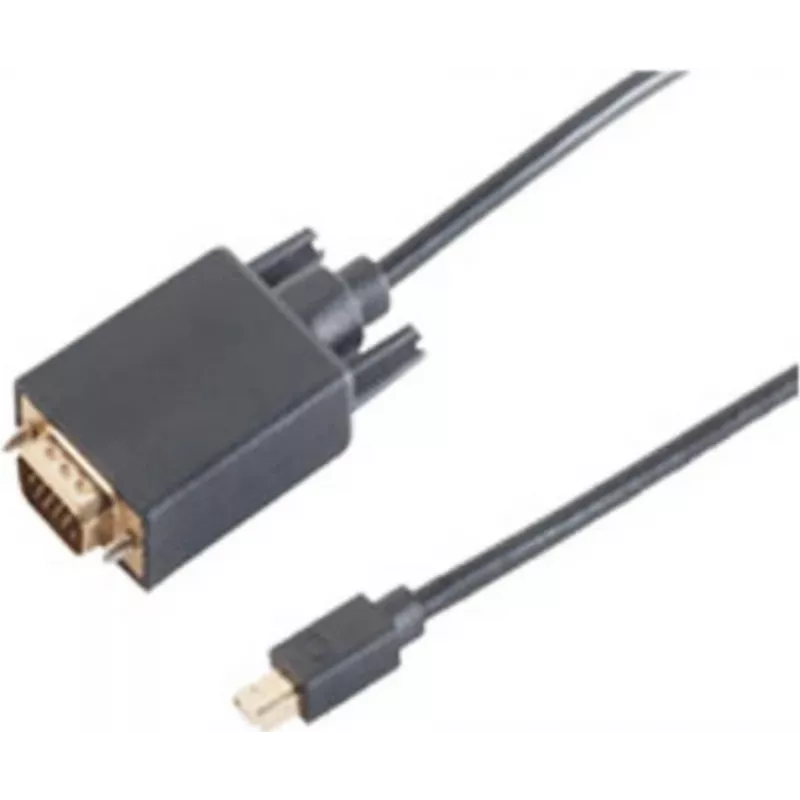
The ShiverPeaks BS10-54035 is a 2-meter video cable adapter that connects a VGA (D-Sub) display to a Mini DisplayPort source. Designed for transmitting analogue VGA signals from devices equipped with Mini DisplayPort outputs, this adapter offers a straightforward wired solution for connecting older ... Read More
Stock 56 Code 2239848 Brand SHIVERPEAKS Model BS10-54035 Warranty 2 Years

Shipping & Returns

Estimated delivery Tuesday, October 6
You will be kept updated through our detailed tracking system
Payment options
EFTPayFastBank CardSnapScanZapperGoogle PayApple PayMobicredMoreTymePay on Arrival

The ShiverPeaks BS10-54035 is a 2-meter video cable adapter that connects a VGA (D-Sub) display to a Mini DisplayPort source. Designed for transmitting analogue VGA signals from devices equipped with Mini DisplayPort outputs, this adapter offers a straightforward wired solution for connecting older monitors, projectors or other VGA-equipped displays to modern laptops and desktops. The cable is supplied in a polybag and provides a single, continuous connection without the need for additional converters.

Advantages

This 2 m adapter combines a Mini DisplayPort plug with a VGA (D-Sub) socket to enable direct signal routing from compatible Mini DisplayPort outputs to VGA displays. Its length balances reach and signal integrity for typical desktop and meeting-room setups. The cable construction supports stable video transmission with reduced interference, and the adapter format makes it easy to carry and install without tools or additional hardware.

Suitable for

  • Connecting laptops or desktops with a Mini DisplayPort output to VGA monitors
  • Using VGA projectors in conference rooms, classrooms, and meeting spaces
  • Extending workstation setups where analogue VGA displays are still in use

Key specifications

  • Cable length: 2 meters
  • Connector A: Mini DisplayPort (male)
  • Connector B: VGA / D-Sub (female)
  • Signal type: analogue VGA-compatible video
  • Packaging: polybag

How to use

Plug the Mini DisplayPort connector into the source device, such as a laptop or desktop computer with a Mini DisplayPort output. Connect the VGA (D-Sub) end to the VGA input on the target display or projector. Ensure both devices are powered on and set the display output settings on the source device to mirror or extend the desktop as required. If the display does not show an image, check the display input selection and verify cable seating at both ends.

Recommendations

For best results, use this adapter for typical office or classroom distances up to 2 meters and avoid routing the cable alongside power lines or high-interference sources. When connecting to older displays, confirm that the source device supports analogue output via Mini DisplayPort; if not, a powered converter may be required.

Key Highlights
  • Connecting laptops or desktops with a Mini DisplayPort output to VGA monitors
  • Using VGA projectors in conference rooms, classrooms, and meeting spaces
  • Extending workstation setups where analogue VGA displays are still in use
  • Cable length: 2 meters
  • Connector A: Mini DisplayPort (male)
  • Connector B: VGA / D-Sub (female)
  • Signal type: analogue VGA-compatible video
  • Packaging: polybag
Specifications
Cable length
2 m
Connector 1
VGA (D-Sub)
Connector 1 gender
Male
Connector 2
Mini DisplayPort
Connector 2 gender
Male
Connector contacts plating
Gold
DisplayPort version
1.2
Maximum resolution
1920 x 1080
Package type
Polybag
Plug and Play
Yes
Product colour
Black
Quantity per pack
1 pc(s)
Price history over the last 6 months
Video cable adapter ShiverPeaks BS10-54035
Current
R473
Lowest
R462
Highest
R473
Change 24H
+R9   +2%
Week
—   
Month
—   

Popular products in this category

WhatsApp
Hi, I’m DistriNode’s AI assistant. I can help you find products, compare options, create quote PDFs, or open support requests.