Account Contact
Your Cart
Black Weekup to −30%ends in 2 d 04:12:20
Pay on delivery – no extra fees
Need help? Ask our AI

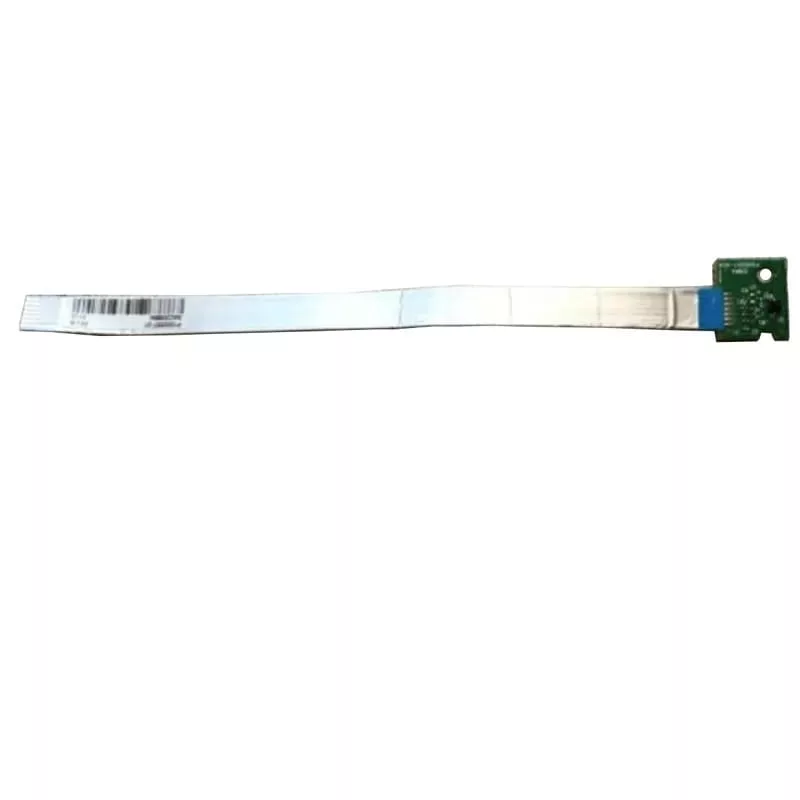
Sensor for Zebra label printer, compatible with GX420t – P1027135-003 (1 pc)

Sensor for Zebra label printer, compatible with GX420t – P1027135-003 (1 pc)
-16%
Black Week
Sensor for Zebra label printer, compatible with GX420t – P1027135-003 (1 pc)
R732
R876−16%
PDF
PDF

Shipping & Returns

Estimated delivery Wednesday, December 16
You will be kept updated through our detailed tracking system
Payment options
EFTPayFastBank CardSnapScanZapperGoogle PayApple PayMobicredMoreTymePay on Arrival

Ask a question – the AI assistant answers instantly.

Description

Replacement sensor compatible with Zebra GX420t label printers, supplied as a single unit. This spare sensor is designed to detect label media and support accurate feed control in thermal direct and thermal transfer printing workflows. It reinstates reliable media sensing when the original sensor is worn, misaligned, or defective, helping maintain consistent print positioning and reduce label waste.

Advantages

The sensor offers precise media detection to ensure accurate label positioning and consistent print results. Its form and connector layout are compatible with the Zebra GX420t series, allowing straightforward replacement without extensive adjustments. By restoring proper sensing functionality, the sensor helps reduce misprints and downtime in label production environments. The single-piece supply simplifies inventory management for technicians and service personnel.

Suitable for

  • Repairing Zebra GX420t series label printers
  • Restoring accurate media sensing and feed control
  • Preventive maintenance in shipping, inventory, or retail labeling operations
  • Field service replacements by technicians

Key specifications

  • Compatibility: designed for use with Zebra GX420t series label printers
  • Function: media sensing for label detection and feed control
  • Supply quantity: one sensor per package
  • Mounting: replacement-ready form factor matching original sensor position

How to use

Power off the printer and open the media compartment to access the sensor area. Remove the old or faulty sensor by disconnecting any cable or clip securing it and gently extracting it from its mounting. Install the replacement sensor in the same orientation, reconnect any cables or clips, and verify that it is seated securely. Close the media compartment and power on the printer. Perform a media calibration or sensor test according to the printer’s service manual to confirm correct detection and feed behavior.

Recommendations

Use genuine replacement procedures from Zebra or follow authorized service instructions when installing the sensor. Before installation, ensure the printer media path is clean and free of adhesive residue or debris to avoid sensor misreads. After replacement, run a calibration routine and test-print several labels to confirm consistent alignment and feed performance.

Key Highlights
  • Repairing Zebra GX420t series label printers
  • Restoring accurate media sensing and feed control
  • Preventive maintenance in shipping, inventory, or retail labeling operations
  • Field service replacements by technicians
  • Compatibility: designed for use with Zebra GX420t series label printers
  • Function: media sensing for label detection and feed control
  • Supply quantity: one sensor per package
  • Mounting: replacement-ready form factor matching original sensor position

Specifications

Specifications
Brand compatibility
Zebra
Compatibility
GX420t
Device compatibility
Label printer
Quantity per pack
1 pc(s)
Type
Sensor

Leaflet

Open Leaflet
Price history over the last 6 months
Sensor for Zebra label printer, compatible with GX420t – P1027135-003 (1 pc)
Current
R732
Lowest 7d
R732
Highest 7d
R876
Change 24H
-R82   -10%
Change 7D
-R82   -10%
Change 30D
-R82   -10%

Write a review

Rating *
Your name will be shown publicly – you can use a nickname. We invite buyers to write reviews; we check reviews before publishing and publish critical ones too.

Same series and alternatives

11

Popular products in this category

8
WhatsApp
Messenger
Hi, I’m DistriNode’s AI assistant. I can help you find products, compare options, create quote PDFs, or open support requests.
All categories