Account Contact
Your Cart
Pay the courier with no extra fees.
Need help? DistriNode AI can handle any task on our site.

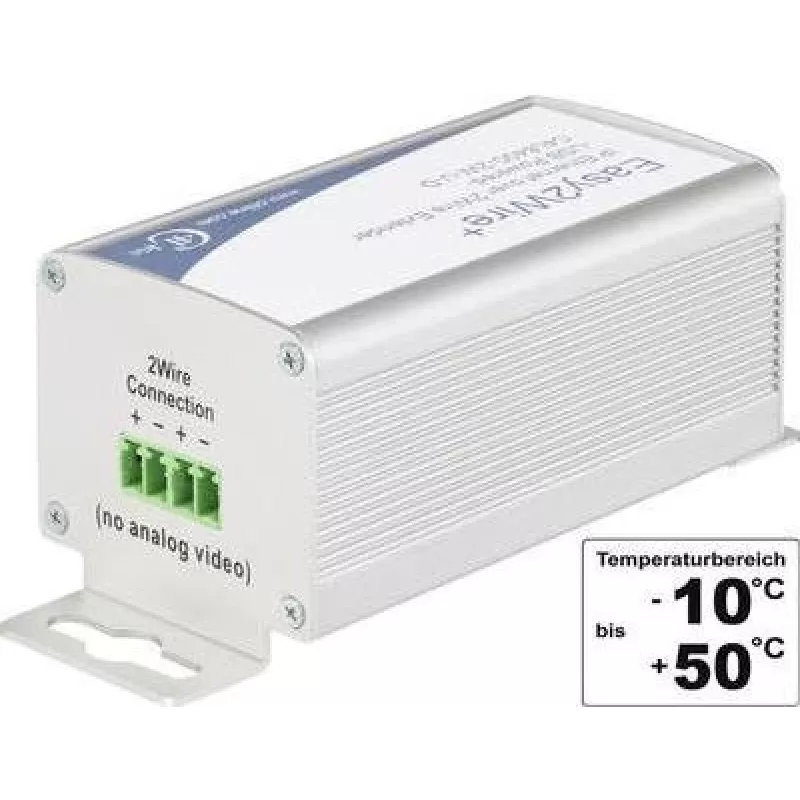
Network Extension Renkforce RF-2979162 2-Wire range max. 400 m

Network Extension Renkforce RF-2979162 2-Wire range max. 400 m
R2,403
Renkforce RF-2979162 2-Wire range max. 400 m is a network extension device that transmits Ethernet signals over existing two-wire cabling, enabling network connectivity where new Ethernet cabling is impractical. The unit is designed to bridge standard LAN equipment across distances up to 400 metres ... Read More
Stock 568 Code 2198800 Brand RENKFORCE Model RF-2979162 Warranty 2 Years

Shipping & Returns

Estimated delivery Tuesday, October 6
You will be kept updated through our detailed tracking system
Payment options
EFTPayFastBank CardSnapScanZapperGoogle PayApple PayMobicredMoreTymePay on Arrival

Renkforce RF-2979162 2-Wire range max. 400 m is a network extension device that transmits Ethernet signals over existing two-wire cabling, enabling network connectivity where new Ethernet cabling is impractical. The unit is designed to bridge standard LAN equipment across distances up to 400 metres using a simple two-conductor line, allowing flexible placement of switches, routers or end devices without extensive rewiring.

Advantages

The device permits reliable network extension over two-wire infrastructure, reducing installation costs and time compared with laying new Ethernet cable. It supports consistent signal delivery over long distances and integrates with standard network equipment, maintaining compatibility with existing LAN setups. Compact construction simplifies mounting and placement in technical or utility spaces.

Suitable for

  • Extending a LAN across buildings or floors where Ethernet cable cannot be run
  • Connecting networked devices in workshops, industrial halls or legacy installations
  • Linking remote switches, routers or IP devices over existing two-conductor cabling

Key specifications

  • Transmission medium: two-wire cabling
  • Maximum range: up to 400 m
  • Application: network signal extension for Ethernet/LAN devices
  • Compatibility: designed to interoperate with standard network equipment
  • Form factor: compact module suitable for mounting in technical areas

How to use

Install the network extension by connecting the two-wire cabling between the transmitting and receiving units, then connect each unit to the respective network device or switch using standard Ethernet ports. Ensure power is supplied to the device according to the manufacturer’s instructions and verify link status indicators on connected network equipment to confirm successful communication. Position the units to minimise interference and follow any site-specific grounding or routing requirements.

Recommendations

For reliable performance, use continuous two-conductor wiring with good contact quality and avoid running the cable parallel to high-voltage lines or heavy machinery. Test the link after installation over the intended distance and check signal stability under normal load; if issues occur, inspect terminations and consider cable routing adjustments.

Key Highlights
  • Extending a LAN across buildings or floors where Ethernet cable cannot be run
  • Connecting networked devices in workshops, industrial halls or legacy installations
  • Linking remote switches, routers or IP devices over existing two-conductor cabling
  • Transmission medium: two-wire cabling
  • Maximum range: up to 400 m
  • Application: network signal extension for Ethernet/LAN devices
  • Compatibility: designed to interoperate with standard network equipment
  • Form factor: compact module suitable for mounting in technical areas
Price history over the last 6 months
Network Extension Renkforce RF-2979162 2-Wire range max. 400 m
Current
R2,403
Lowest
R2,403
Highest
R2,471
Change 24H
-R68   -3%
Week
—   
Month
—   

Popular products in this category

WhatsApp
Hi, I’m DistriNode’s AI assistant. I can help you find products, compare options, create quote PDFs, or open support requests.