Account Contact
Your Cart
Pay on delivery – no extra fees
Need help? Ask our AI

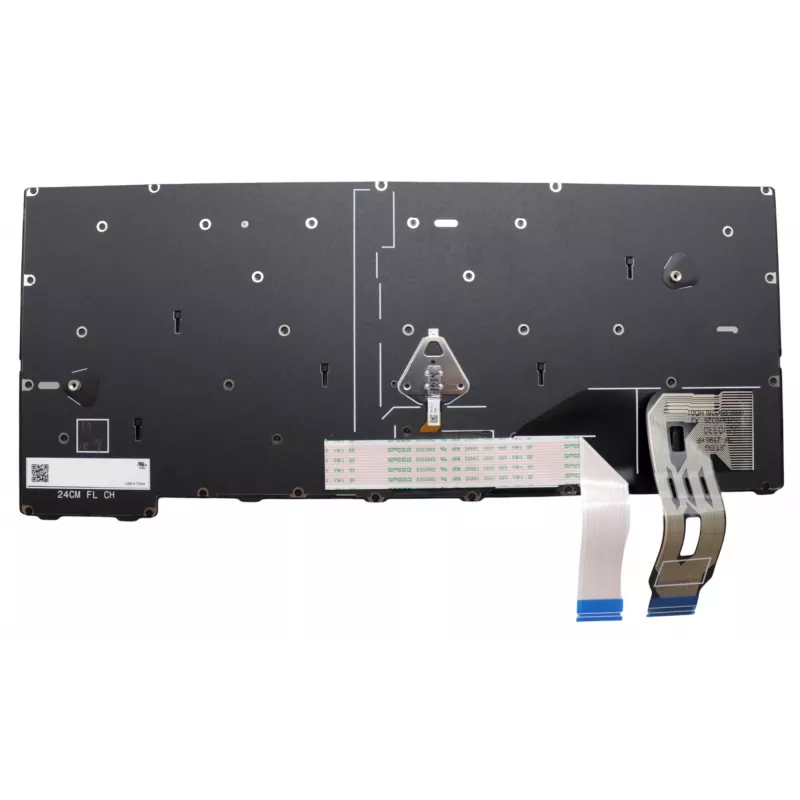
Keyboard Lenovo 5N21M37957 Backlit for ThinkPad T14 Gen 5

Keyboard Lenovo 5N21M37957 Backlit for ThinkPad T14 Gen 5
R2,371
The Lenovo 5N21M37957 Backlit keyboard is designed as a direct replacement for the ThinkPad T14 Gen 5. It provides illuminated keys to improve visibility in low-light conditions while preserving the original layout and compatibility with the laptop model. This component restores typing functionality... Read More
Stock 1 Code 1490861 Brand LENOVO Model 5N21M37957 Warranty 2 Years

Shipping & Returns

Estimated delivery Monday, November 2
You will be kept updated through our detailed tracking system
Payment options
EFTPayFastBank CardSnapScanZapperGoogle PayApple PayMobicredMoreTymePay on Arrival

The Lenovo 5N21M37957 Backlit keyboard is designed as a direct replacement for the ThinkPad T14 Gen 5. It provides illuminated keys to improve visibility in low-light conditions while preserving the original layout and compatibility with the laptop model. This component restores typing functionality and maintains the laptop's appearance with a factory-style fit.

Advantages

This backlit keyboard is made to Lenovo specifications for reliable key response and durability. The integrated backlight ensures legible key markings in dim environments, and the unit offers long service life to reduce the need for frequent replacements. It fits the ThinkPad T14 Gen 5 without modification, preserving original keyboard feel and layout.

Suitable for

  • Replacing a damaged or worn keyboard on ThinkPad T14 Gen 5
  • Restoring backlight functionality on ThinkPad T14 Gen 5
  • Repair shops servicing Lenovo ThinkPad T14 Gen 5 laptops

Key specifications

  • Manufacturer: Lenovo
  • Model / MPN: 5N21M37957
  • Compatibility: ThinkPad T14 Gen 5
  • Feature: Backlit keyboard

How to use

Power off the laptop and disconnect it from any power source. Remove the bottom cover and disconnect the internal battery if required by the service manual. Carefully detach the old keyboard assembly and disconnect its ribbon cable. Install the Lenovo 5N21M37957 keyboard, reconnect the ribbon cable and battery, replace the bottom cover, and power on the laptop to verify key and backlight operation. Follow the ThinkPad T14 Gen 5 service guide for model-specific disassembly and reassembly steps.

Recommendations

Handle the keyboard and ribbon cable with care to avoid static damage. Use the official service manual for the ThinkPad T14 Gen 5 and appropriate tools when replacing the keyboard. If you are not experienced with laptop repairs, consider professional installation to prevent damage.

Key Highlights
  • Replacing a damaged or worn keyboard on ThinkPad T14 Gen 5
  • Restoring backlight functionality on ThinkPad T14 Gen 5
  • Repair shops servicing Lenovo ThinkPad T14 Gen 5 laptops
  • Manufacturer: Lenovo
  • Model / MPN: 5N21M37957
  • Compatibility: ThinkPad T14 Gen 5
  • Feature: Backlit keyboard
Specifications
Brand compatibility
Lenovo
Compatibility
ThinkPad T14 Gen 5
Connector location
Bottom right
Keyboard backlit
Yes
Numeric keypad
No
Product colour
Black, Multicolour
Type
Keyboard
Windows operating systems supported
Yes

Leaflet

Open Leaflet
Price history is not available yet
We are still collecting enough daily price data for this product.

Popular products in this category

WhatsApp
Hi, I’m DistriNode’s AI assistant. I can help you find products, compare options, create quote PDFs, or open support requests.