Account Contact
Your Cart
Pay the courier with no extra fees.
Need help? DistriNode AI can handle any task on our site.

HDMI/DVI-D Cable ShiverPeaks 2m

HDMI/DVI-D Cable ShiverPeaks 2m
R316
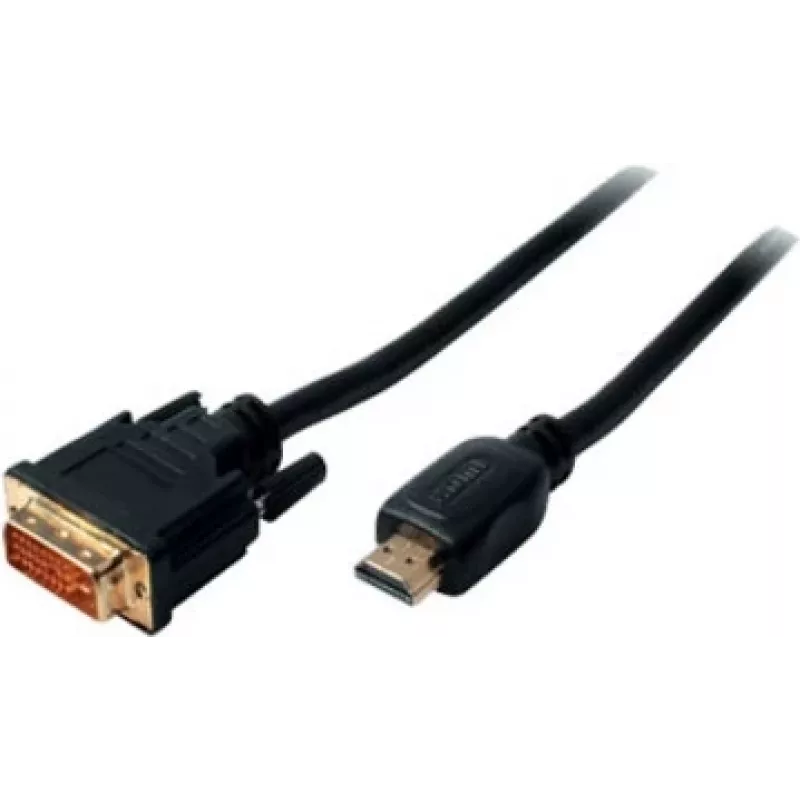
The ShiverPeaks HDMI/DVI-D Cable ShiverPeaks 2m is a 2-metre connection cable with an HDMI connector on one end and a DVI-D connector on the other. It is intended for transmitting high-definition video and audio signals between compatible devices, providing a stable link between computers, monitors,... Read More
Stock 319 Code 2205920 Brand SHIVERPEAKS Model BS77482 Warranty 2 Years

Shipping & Returns

Estimated delivery Tuesday, October 6
You will be kept updated through our detailed tracking system
Payment options
EFTPayFastBank CardSnapScanZapperGoogle PayApple PayMobicredMoreTymePay on Arrival

The ShiverPeaks HDMI/DVI-D Cable ShiverPeaks 2m is a 2-metre connection cable with an HDMI connector on one end and a DVI-D connector on the other. It is intended for transmitting high-definition video and audio signals between compatible devices, providing a stable link between computers, monitors, and projectors. The cable is black and designed to balance signal integrity with everyday durability for home and professional display setups.

Advantages

The cable offers a straightforward single-cable solution for connecting HDMI-equipped sources to DVI-D displays or capture devices without adapters. Its 2 m length provides flexibility for typical desktop and AV layouts while minimizing excess cable clutter. The design emphasizes signal reliability for digital video transmission and convenient compatibility between widely used connector types.

Suitable for

  • Connecting a PC or laptop with HDMI output to a monitor with DVI-D input
  • Linking media players or set-top boxes to projectors with DVI-D
  • Temporary or permanent AV setups in offices, classrooms, and home entertainment systems
  • Use in workstations where a clean, medium-length digital video connection is required

Key specifications

  • Cable length: 2 m
  • Connector type (end A): HDMI
  • Connector type (end B): DVI-D
  • Colour: Black
  • Signal type: Digital video (HD)

How to use

Connect the HDMI end to the source device (for example, a computer, laptop, or media player) and the DVI-D end to the display device (monitor or projector). Ensure both devices are powered off or on standby while connecting to avoid hot-plug issues, then power the devices and select the appropriate input on the display. Adjust display resolution and refresh rate in the source device settings to match the monitor's supported modes for optimal image quality.

Recommendations

For best results, route the cable to avoid sharp bends and pinching. Use the 2 m length for desktop and near-desk AV arrangements; if you require longer runs or additional features (such as audio return or higher bandwidth for newer HDMI features), consider appropriate alternatives. Check device compatibility for HDCP and supported resolutions when connecting between different equipment.

Key Highlights
  • Connecting a PC or laptop with HDMI output to a monitor with DVI-D input
  • Linking media players or set-top boxes to projectors with DVI-D
  • Temporary or permanent AV setups in offices, classrooms, and home entertainment systems
  • Use in workstations where a clean, medium-length digital video connection is required
  • Cable length: 2 m
  • Connector type (end A): HDMI
  • Connector type (end B): DVI-D
  • Colour: Black
  • Signal type: Digital video (HD)
Specifications
AWG wire size
30
Cable length
2 m
Cable material
Copper
Connector 1
HDMI
Connector 1 gender
Male
Connector 2
DVI-D
Connector 2 gender
Male
Connector contacts plating
Gold
Data transfer rate
7.44 Gbit/s
Magnetically shielded
Yes
Product colour
Black
Price history over the last 6 months
HDMI/DVI-D Cable ShiverPeaks 2m
Current
R316
Lowest
R306
Highest
R316
Change 24H
+R9   +3%
Week
—   
Month
—   

Popular products in this category

WhatsApp
Hi, I’m DistriNode’s AI assistant. I can help you find products, compare options, create quote PDFs, or open support requests.