Account Contact
Your Cart
Pay on delivery – no extra fees
Need help? Ask our AI

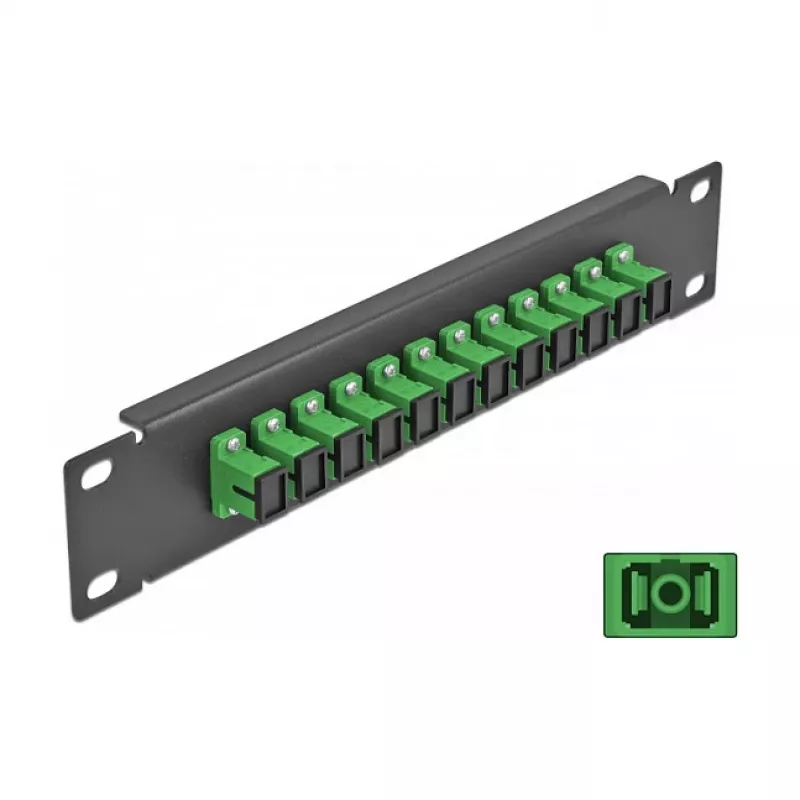
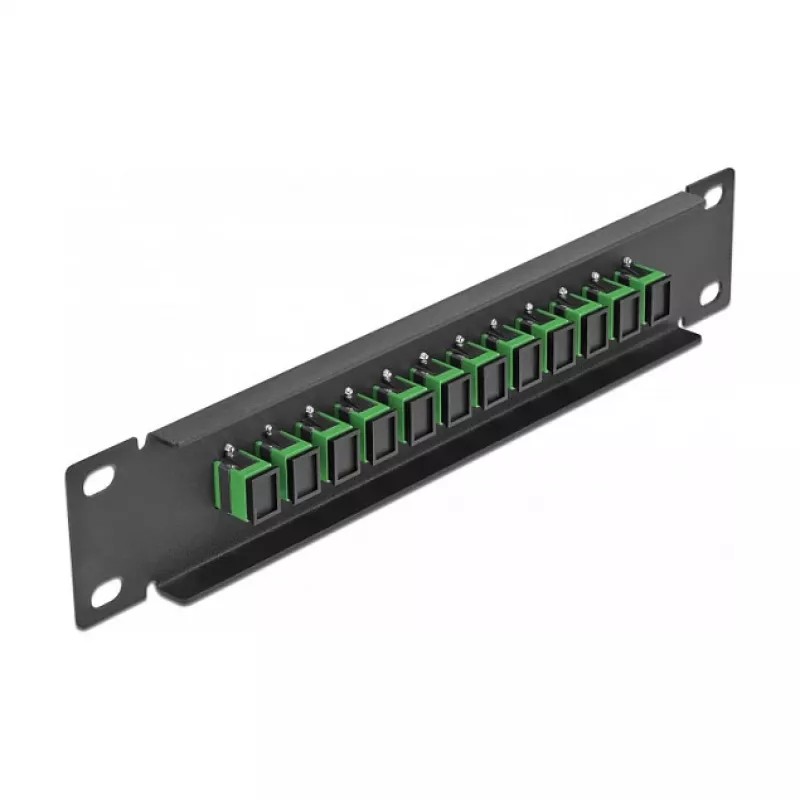
Fiber Optic Patch Panel DeLOCK 10 inch 12 Port SC Simplex green 1U black

Fiber Optic Patch Panel DeLOCK 10 inch 12 Port SC Simplex green 1U black
R581
PDF
PDF
Stock 26 Code 1739757 Model 66761 Warranty 2 Years

Shipping & Returns

Estimated delivery Thursday, December 3
You will be kept updated through our detailed tracking system
Payment options
EFTPayFastBank CardSnapScanZapperGoogle PayApple PayMobicredMoreTymePay on Arrival

Ask a question – the AI assistant answers instantly.

Description

This Delock 10" fiber optic patch panel provides 12 SC Simplex fiber couplers in a 1U rack-mountable metal housing. It is intended for installation in a 10" network cabinet and enables simple connection of fiber optic male connectors via the SC Simplex couplers. The panel is finished in black with green ports and has compact dimensions suitable for organized fiber management.

Advantages

The patch panel offers twelve SC Simplex ports for straightforward fiber connections, a robust metal construction for rack use, and a compact 1U design that saves space in a 10" cabinet. Color-coded ports (green) help identify fiber lines and simplify installation and maintenance.

Suitable for

  • Rack-mounted fiber distribution in 10" network cabinets
  • Organizing and managing SC Simplex fiber connections
  • Small to medium data closets, telecommunication cabinets, and patching panels

Key specifications

  • Brand: DELOCK
  • Model / MPN: 66761
  • EAN: 4043619667611
  • Ports quantity: 12 SC Simplex
  • Form factor: 1U, 10" rack-mountable
  • Material: Metal housing
  • Colour: Black housing with green ports
  • Dimensions (approx.): 44 mm (W) x 10 mm (H) x 254 mm (D)

How to use

Mount the patch panel into a 10" network cabinet using suitable rack screws. Insert SC Simplex male fiber connectors into the corresponding SC Simplex couplers on the front of the panel until they click into place. Route fiber cables to the rear of the panel and secure them with appropriate cable management accessories. To disconnect, press the connector latch and gently pull the connector out of the coupler.

Recommendations

Install and handle fiber connectors in a clean environment, avoid bending fibers beyond their minimum bend radius, and use dust caps when ports are not in use. Verify connector cleanliness before mating to prevent signal loss or damage.
Key Highlights
  • Rack-mounted fiber distribution in 10" network cabinets
  • Organizing and managing SC Simplex fiber connections
  • Small to medium data closets, telecommunication cabinets, and patching panels
  • Brand: DELOCK
  • Model / MPN: 66761
  • EAN: 4043619667611
  • Ports quantity: 12 SC Simplex
  • Form factor: 1U, 10" rack-mountable
  • Material: Metal housing
  • Colour: Black housing with green ports
  • Dimensions (approx.): 44 mm (W) x 10 mm (H) x 254 mm (D)

Specifications

Specifications
Anti-dust plug
Yes
Cable types supported
Fiber
Depth
254 mm
Fiber optic connector
SC
Fiber ports quantity
12
Height
10 mm
Material
Metal
Mounting
Rack mounting
Package type
Box
Ports quantity
12
Product colour
Black, Green
Rack capacity
1U
Single-mode fiber (SMF) supported
Yes
Width
44 mm

Leaflet

Open Leaflet

Document

Open Document
Price history over the last 6 months
Fiber Optic Patch Panel DeLOCK 10 inch 12 Port SC Simplex green 1U black
Current
R581
Lowest 7d
R566
Highest 7d
R581
Change 24H
R0   0%
Change 7D
+R13   +2%
Change 30D
+R8   +1%

Write a review

Rating *
Your name will be shown publicly – you can use a nickname. We invite buyers to write reviews; we check reviews before publishing and publish critical ones too.

More DELOCK products in this category

12

Popular products in this category

8
WhatsApp
Messenger
Hi, I’m DistriNode’s AI assistant. I can help you find products, compare options, create quote PDFs, or open support requests.
All categories