Account Contact
Your Cart
Pay on delivery – no extra fees
Need help? Ask our AI

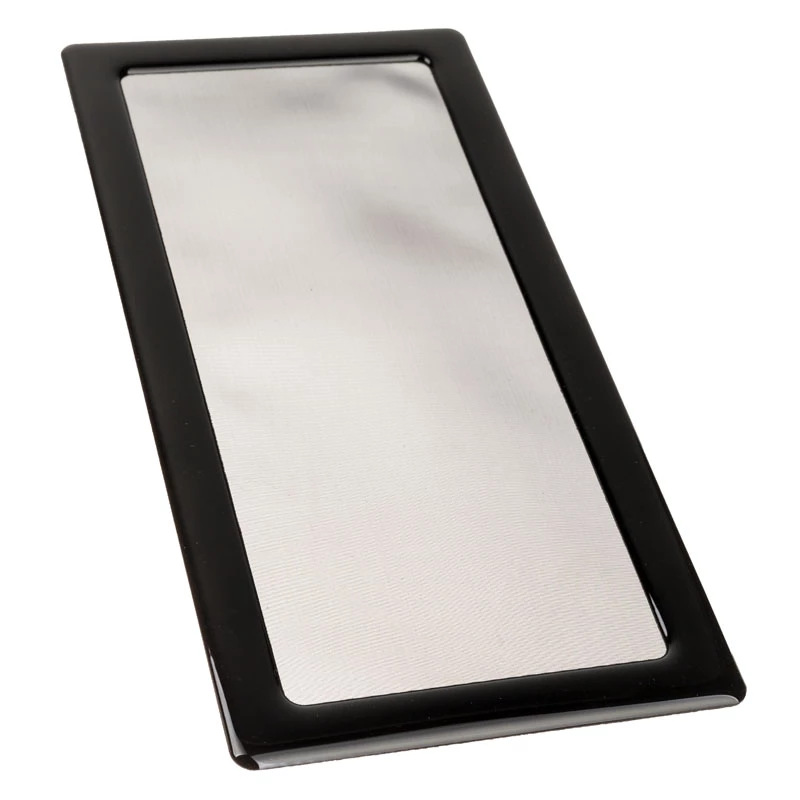
Dust filter for SilverStone Sugo SG13B (GPU side) — DEMCiflex DF0617

Dust filter for SilverStone Sugo SG13B (GPU side) — DEMCiflex DF0617
R130
PDF
PDF
Stock Out Of StockNo Stock Code 312652 Model DF0617 Warranty 2 Years

Shipping & Returns

Description

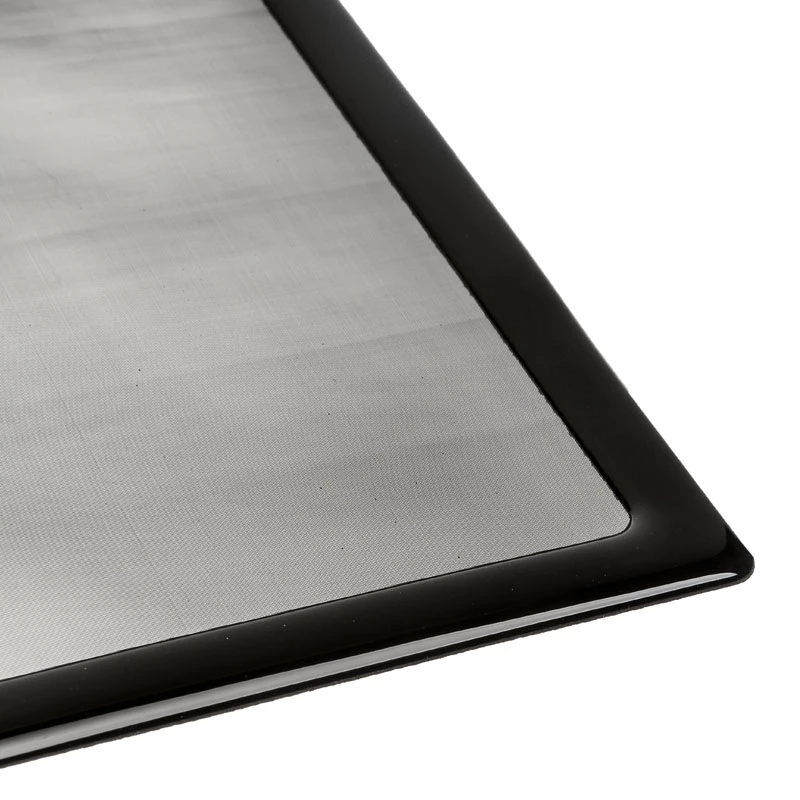
This replaceable dust filter is designed for the SilverStone Sugo SG13B mini-ITX chassis and fits on the GPU side to limit dust accumulation in the graphics card area. Manufactured by DEMCiflex, model DF0617, the filter helps preserve airflow paths and maintain cooling performance by trapping fine particles before they reach fans, heatsinks and card surfaces. It is a tailored accessory for routine maintenance and targeted dust control in compact small-form-factor builds.

Advantages

The filter provides effective particle capture while maintaining low airflow resistance, allowing cooling fans to operate without significant additional load. Its form factor matches the GPU side opening of the SG13B case for a secure fit. Being replaceable, the filter simplifies periodic cleaning and helps extend the life and performance consistency of the graphics card and adjacent components.

Suitable for

  • Small-form-factor PC owners using the SilverStone Sugo SG13B chassis
  • Routine PC maintenance and dust control in compact builds
  • Users seeking to preserve GPU cooling efficiency and component longevity

Key specifications

  • Placement: GPU-side intake filter for SilverStone Sugo SG13B chassis
  • Material: fine mesh dust-trapping media with supporting frame
  • Function: captures dust and particulate to protect GPU area and fans
  • Design: replaceable panel sized to match the SG13B GPU-side opening
  • Airflow impact: engineered for minimal restriction to maintain cooling performance

How to use

Power down the PC and unplug it before installing or removing the filter. Align the filter with the GPU-side opening of the SilverStone Sugo SG13B chassis and secure it according to the case’s mounting points or retention method. Inspect the filter periodically and remove accumulated dust by vacuuming gently or rinsing if the construction permits; allow it to dry fully before reinstallation. Replace the filter when cleaning no longer restores airflow or particle-trapping effectiveness.

Recommendations

Inspect the filter every 1–3 months depending on environment; in dusty settings more frequent checks are advised. When cleaning by rinsing, ensure the filter is completely dry to avoid moisture contact with internal PC components. Use the filter as part of regular maintenance to help sustain GPU temperatures and reduce fan wear.

Key Highlights
  • Small-form-factor PC owners using the SilverStone Sugo SG13B chassis
  • Routine PC maintenance and dust control in compact builds
  • Users seeking to preserve GPU cooling efficiency and component longevity
  • Placement: GPU-side intake filter for SilverStone Sugo SG13B chassis
  • Material: fine mesh dust-trapping media with supporting frame
  • Function: captures dust and particulate to protect GPU area and fans
  • Design: replaceable panel sized to match the SG13B GPU-side opening
  • Airflow impact: engineered for minimal restriction to maintain cooling performance

Specifications

Specifications
Weight
0.03 kg
Price history over the last 6 months
Dust filter for SilverStone Sugo SG13B (GPU side) — DEMCiflex DF0617
Current
R130
Lowest 7d
R126
Highest 7d
R130
Change 24H
+R5   +4%
Change 7D
+R5   +4%
Change 30D
+R4   +3%

Write a review

Rating *
Your name will be shown publicly – you can use a nickname. We invite buyers to write reviews; we check reviews before publishing and publish critical ones too.

More DEMCIFLEX products in this category

12

Popular products in this category

6
WhatsApp
Messenger
Hi, I’m DistriNode’s AI assistant. I can help you find products, compare options, create quote PDFs, or open support requests.
All categories