Account Contact
Your Cart
Pay on delivery – no extra fees
Need help? Ask our AI

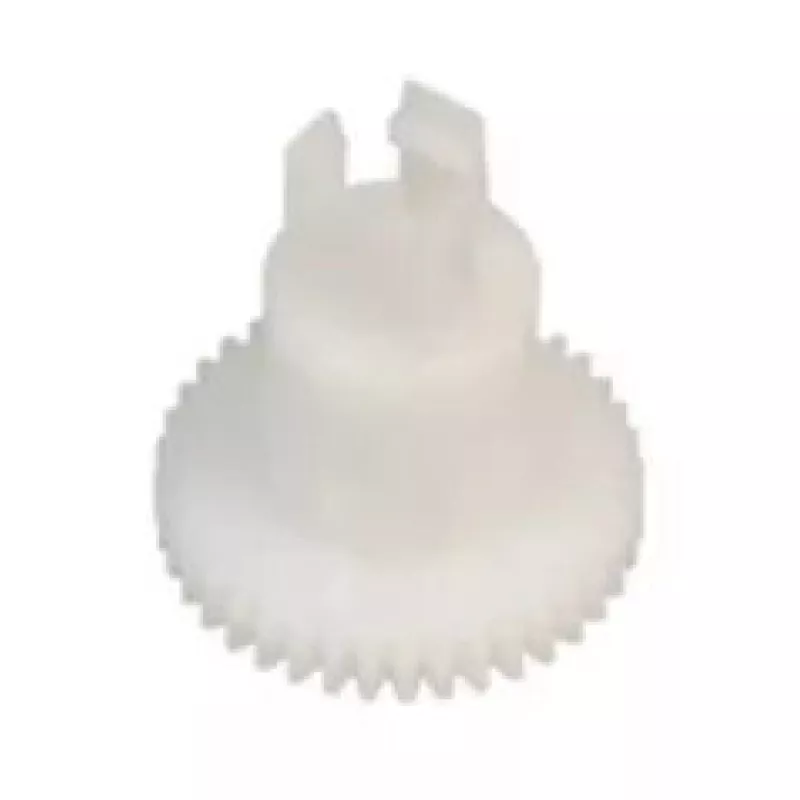
Drive gear OKI 3PP4025-3341P001

Drive gear OKI 3PP4025-3341P001
R550
PDF
PDF
Stock 50 Code 2573429 Model 3PP4025-3341P001 Warranty 2 Years

Shipping & Returns

Estimated delivery Thursday, November 26
You will be kept updated through our detailed tracking system
Payment options
EFTPayFastBank CardSnapScanZapperGoogle PayApple PayMobicredMoreTymePay on Arrival

Description

This drive gear is a replacement part compatible with OKI dot matrix printers such as the MICROLINE ML3320, ML3390, ML3321, ML5520, ML5521, ML5590 and ML5591. Designed to restore mechanical movement inside the printer, the gear contributes to accurate paper feed and carriage motion. Its white finish matches internal components and it is manufactured to meet the dimensional and material requirements of the original part.

Advantages

The drive gear offers reliable engagement with mating components to reduce slippage and wear, helping maintain consistent print quality and paper handling. Constructed from a durable polymer, it resists deformation under normal operating temperatures and maintains stable performance over prolonged use. The part is engineered for direct replacement, enabling straightforward installation without modification.

Suitable for

  • Replacing worn or damaged drive gears in compatible OKI MICROLINE dot matrix printers
  • Restoring paper feed and carriage movement to resolve misfeeds or print alignment issues
  • Maintenance kits for business printers in offices, warehouses or retail environments

Key specifications

  • Compatibility: OKI MICROLINE dot matrix printer models listed by manufacturer
  • Color: white
  • Material: durable polymer (engineered plastic)
  • Function: drive gear for paper feed/carriage motion
  • Design: direct-fit replacement for original-equivalent gear geometry

How to use

Power off the printer and disconnect the power cable before beginning any maintenance. Open the printer access panels to expose the internal drive assembly, locate the worn gear, and remove any retaining clips or screws. Extract the old gear carefully, ensuring no surrounding components are disturbed, and fit the replacement gear onto the shaft with correct orientation. Reinstall retaining hardware and close access panels, then reconnect power and run a test print to verify correct feeding and movement.

Recommendations

Use only when the printer is powered down and unplugged. Inspect adjacent gears, shafts and bearings for wear at the same time and replace multiple worn components to prevent repeat failures. If unusual noise or misalignment persists after installation, consult a qualified technician or refer to the printer service manual.

Key Highlights
  • Replacing worn or damaged drive gears in compatible OKI MICROLINE dot matrix printers
  • Restoring paper feed and carriage movement to resolve misfeeds or print alignment issues
  • Maintenance kits for business printers in offices, warehouses or retail environments
  • Compatibility: OKI MICROLINE dot matrix printer models listed by manufacturer
  • Color: white
  • Material: durable polymer (engineered plastic)
  • Function: drive gear for paper feed/carriage motion
  • Design: direct-fit replacement for original-equivalent gear geometry

Specifications

Specifications
Brand compatibility
OKI
Compatibility
MICROLINE ML3320, ML3390, ML3321, ML5520, ML5521, ML5590, ML5591
Device compatibility
Dot matrix printer
Harmonized System (HS) code
84439990
Product colour
White
Type
Drive gear
Price history over the last 6 months
Drive gear OKI 3PP4025-3341P001
Current
R550
Lowest 7d
R550
Highest 7d
R555
Change 24H
R0   0%
Change 7D
-R4   -1%
Change 30D
-R5   -1%

Write a review

Rating *
Your name will be shown publicly – you can use a nickname. We invite buyers to write reviews; we check reviews before publishing and publish critical ones too.

Same series and alternatives

4

Popular products in this category

8
WhatsApp
Messenger
Hi, I’m DistriNode’s AI assistant. I can help you find products, compare options, create quote PDFs, or open support requests.
All categories