Account Contact
Your Cart
Pay the courier with no extra fees.
Need help? DistriNode AI can handle any task on our site.

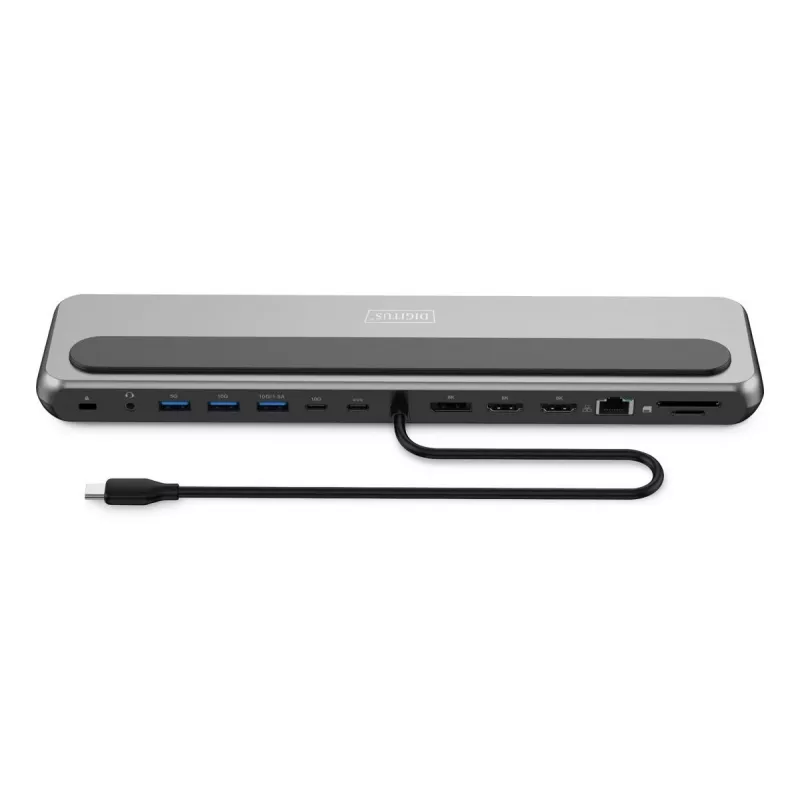
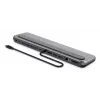
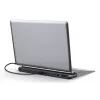
Digitus USB-C 8K docking station 12-port USB 3.2 Gen 2 100W

Digitus USB-C 8K docking station 12-port USB 3.2 Gen 2 100W
R2,031
The Digitus USB-C 8K Docking Station provides a wide range of connections and high-resolution video output for an efficient workstation. It supports single-monitor 8K/30Hz or multiple-monitor setups with dual 4K/60Hz or triple-monitor configurations in MST and SST modes. The dock includes multiple U... Read More
Stock 4 Code 108911 Brand DIGITUS Model DA-70919 Warranty 2 Years

Shipping & Returns

Estimated delivery Friday, October 2
You will be kept updated through our detailed tracking system
Payment options
EFTPayFastBank CardSnapScanZapperGoogle PayApple PayMobicredMoreTymePay on Arrival

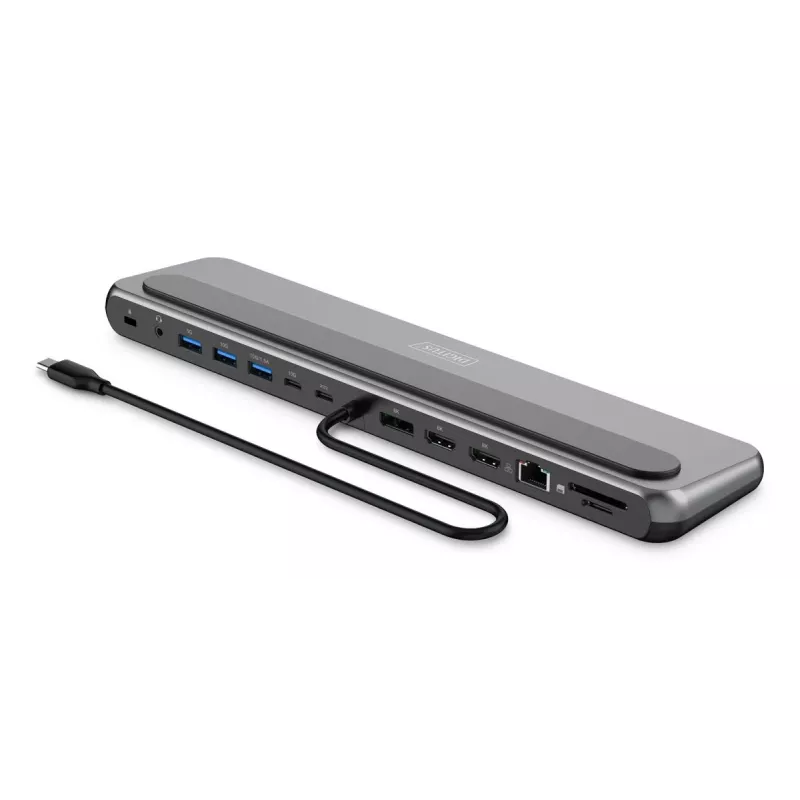
The Digitus USB-C 8K Docking Station provides a wide range of connections and high-resolution video output for an efficient workstation. It supports single-monitor 8K/30Hz or multiple-monitor setups with dual 4K/60Hz or triple-monitor configurations in MST and SST modes. The dock includes multiple USB ports, card readers, Ethernet and audio connections, and a USB-C Power Delivery port to charge your notebook when connected to an external USB-C charger (min. 100 W).

Advantages

The docking station allows connection of up to three external monitors (2x HDMI + 1x DisplayPort) and supports dual 4K/60Hz or triple-monitor layouts (1x 4K/60Hz + 2x 4K/30Hz in MST). High-speed data transfers are possible via two USB-A 3.2 Gen 2 (10 Gbit/s) ports and one USB-C 3.2 Gen 2 (10 Gbit/s) port; an additional USB-A 3.2 Gen 1 (5 Gbit/s) port is available. Two ports provide a 1.5 A charging function for mobile devices. A Gigabit Ethernet port ensures stable wired network access, and SD/MicroSD card readers offer fast file transfer. The dock supplies up to 85 W to the notebook via USB-C Power Delivery while reserving power for its operation. Rubberized feet prevent slipping and keep the setup stable.

Key specifications

  • Video outputs: 2x HDMI + 1x DisplayPort (supports up to 8K/30Hz single display)
  • Multi-monitor modes: Dual monitor 2x 4K/60Hz (MST/SST compatible); Triple monitor: SST 3x 4K/60Hz or MST 1x 4K/60Hz + 2x 4K/30Hz
  • USB ports: 2x USB-A 3.2 Gen 2 (10 Gbit/s), 1x USB-C 3.2 Gen 2 (10 Gbit/s), 1x USB-A 3.2 Gen 1 (5 Gbit/s)
  • Mobile device charging: two ports with 1.5 A charging each
  • Ethernet: Gigabit Ethernet 10/100/1000 Mbit/s (RJ45)
  • Card reader: SD and MicroSD, transfer speed up to 104 MB/s
  • Audio: 1x 3.5 mm audio jack
  • Power delivery: USB-C PD 3.0 input (connect external USB-C charger, min. 100 W); dock provides up to 85 W to notebook
  • Design: Rubberized feet and non-slip pad for stable placement

How to use

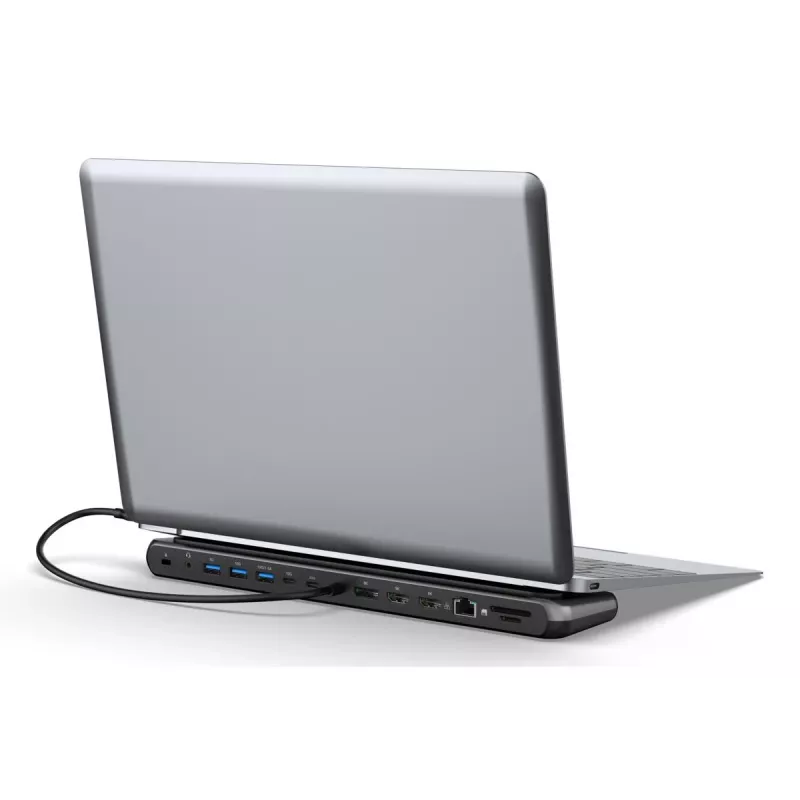
Connect the docking station to your notebook using the built-in USB-C cable or the designated USB-C port, then plug in an external USB-C charger (minimum 100 W) into the USB-C Power Delivery port. Attach monitors to the HDMI and DisplayPort outputs according to the desired multi-monitor mode (single 8K/30Hz, dual 4K/60Hz, or triple monitor configurations). Insert SD or MicroSD cards into the card readers and connect peripherals to the USB ports. For a wired network, plug an Ethernet cable into the RJ45 port. The dock will allocate power automatically, delivering up to 85 W to the notebook while reserving power for its own operation.

Recommendations

For stable multi-monitor performance, use certified USB-C chargers of at least 100 W and high-quality display cables. Verify that your notebook supports MST or SST display modes and the required USB-C video output standard.
Key Highlights
  • Connections:
  • 1x USB-C (3.2 Gen 2) input - Host PC connection
  • 2x HDMI + 1x DP output - max. resolution: 8K/30Hz
  • 1x USB-A 3.2 Gen 1 port - 5 Gbit/s data transfer & charging function: 1x 4.5W (5V/0.9A)
  • 2x USB-A 3.2 Gen 2 connection - 10 Gbit/s data transfer & charging function: 1x 7.5W (5V/1.5A), 1x 4.5W (5V/0.9A)
  • 1x USB-C 3.2 Gen 2 connection - 10 Gbit/s data transfer & charging function: 1x 7.5W (5V/1.5A)
  • 1x RJ45 Gigabit Ethernet connection - 10/100/1000 Mbit/s bandwidth
  • 2x card reader - 1x SD/1x MicroSD (up to 104 MBps)
  • 1x USB-C Power Delivery (3.0) - 100 watts max. (85W host, 15W dock)
  • 1x 3.5 mm audio jack
  • Anti-theft lock - 1x standard
  • Chipset information: VL103-Q4,VL822, VL817S, RTL8153B, GL3224, ALC4032, RTD2146
  • Supports DP 1.4 Alt Mode, backwards compatible to DP 1.2 Alt Mode (DisplayPort Alternate Mode)
  • Supports HDCP 2.3, HDCP 2.2
  • Supports HDR (High Dynamic Range)
  • Short-circuit and overcurrent protection
  • Product color: Grey / Black
  • Housing: aluminum / plastic
  • Weight: 450g
  • Dimensions: L 30 x W 7.3 x H 2 cm
  • Operating temperature : 0°C - + 45°C
  • Cable length: 35 cm
  • Cable color: Black
  • Notes:
  • Not all USB-C ports support all functions of the USB-C standard. Make sure that the USB-C port on your notebook supports DisplayPort Alternate Mode (DP-Alt Mode) and USB Power Delivery (PD)
  • Supports dual monitor (2x 4K/60Hz) & triple monitor (1x 4K/60Hz + 2x 4K/30Hz) in MST mode (Multi Stream Transport / extend screen) - Windows, ChromeOS
  • Supports dual monitor (2x 4K/60Hz) & triple monitor (3x 4K/60Hz) in SST mode (single stream transport / screen mirroring) - macOS, iPadOS, from iPhone 15 Pro, Android
  • The video output capability (actual resolution) depends on the graphics card of your notebook, the connected monitor and the DP mode
  • To use the full range of functions, the notebook must support DP 1.4 Alt Mode with DSC (Display Stream Compression)
  • Compatibility exists with the following operating systems up to their current versions: From Windows 7, from macOS 12, from iPhone 15 (iOS) , from iPadOS 16, from Android 14, from ChromeOS 116.0.5845.120, from Linux 22.04 LTS
Specifications
Cable lock slot
Yes
Cable lock slot type
Nano
Card reader integrated
Yes
Charging function
Yes
Combo headphone/mic port
Yes
Compatible memory cards
MicroSD (TransFlash), SD
Connectivity technology
Wired
Data transfer rate
10 Gbit/s
Depth
300 mm
DisplayPort version
1.4
DisplayPorts quantity
1
Ethernet LAN
Yes
Ethernet LAN (RJ-45) ports
1
Ethernet LAN data rates
1000
HD type
8K Ultra HD
HDCP
Yes
HDCP version
2.2/2.3
HDMI ports quantity
2
Headphone connectivity
3.5 mm
Headphone outputs
1
Height
20 mm
High Dynamic Range (HDR) supported
Yes
Host interface
USB 3.2 Gen 2 (3.1 Gen 2) Type-C
Housing material
Aluminium, Plastic
Linux operating systems supported
Y
Mac operating systems supported
Y
Maximum refresh rate
60 Hz
Operating temperature (T-T)
0 - 35
Other operating systems supported
Android, ChromeOS
Output current
1.5 A
Output voltage
5
Package depth
73 mm
Package height
22 mm
Package weight
450 g
Package width
300 mm
Plug and Play
Yes
Power source type
USB
Product colour
Black, Grey
Quantity per pack
1 pc(s)
Quick start guide
Yes
USB 2.0 ports quantity
0
USB 2.0 Type-C ports quantity
1
USB 3.2 Gen 1 (3.1 Gen 1) Type-A ports quantity
1
USB 3.2 Gen 2 (3.1 Gen 2) Type-A ports quantity
2
USB 3.2 Gen 2 (3.1 Gen 2) Type-C ports quantity
1
USB cable length
0.35 m
USB Power Delivery (USB PD)
Yes
USB Power Delivery revision
3.0
USB Power Delivery up to
100 W
USB Type-C DisplayPort Alternate Mode
Yes
Weight
0.45 kg
Width
73 mm
Windows operating systems supported
Y

Leaflet

Open Leaflet
Price history over the last 6 months
Digitus USB-C 8K docking station 12-port USB 3.2 Gen 2 100W
Current
R2,031
Lowest
R1,906
Highest
R2,031
Change 24H
+R31   +2%
Week
+R88   +5%
Month
+R71   +4%

Popular products in this category

WhatsApp
Hi, I’m DistriNode’s AI assistant. I can help you find products, compare options, create quote PDFs, or open support requests.