Account Contact
Your Cart
Black Weekup to −30%ends in 6 d 09:07:23
Pay on delivery – no extra fees
Need help? Ask our AI

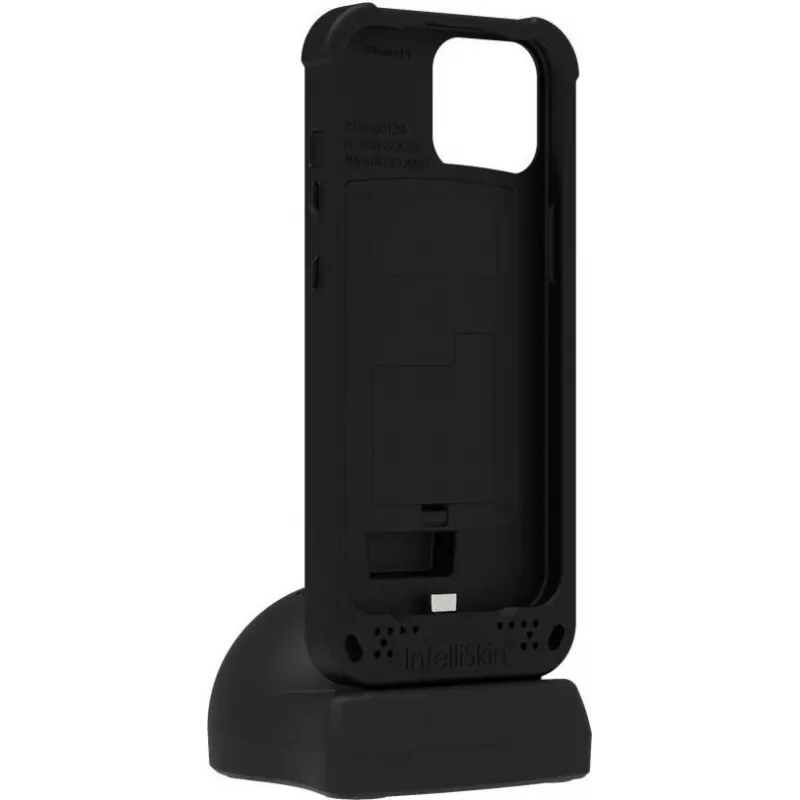
Barcode scanner socket mobile DURASLED DS840 performance, black — for iPhone

Barcode scanner socket mobile DURASLED DS840 performance, black — for iPhone
-10%
Black Week
Barcode scanner socket mobile DURASLED DS840 performance, black — for iPhone
R8,801
R9,755−10%
PDF
PDF
Stock 3 Code 2262292 Model CX4559-3801 Warranty 2 Years

Shipping & Returns

Estimated delivery Thursday, December 10
You will be kept updated through our detailed tracking system
Payment options
EFTPayFastBank CardSnapScanZapperGoogle PayApple PayMobicredMoreTymePay on Arrival

Description

The socket mobile DURASLED DS840 performance, black — for iPhone is a handheld barcode scanner designed to integrate with compatible iPhone devices for fast and reliable data capture. It supports scanning of a wide range of linear and 2D barcodes and is intended for mobile workflows in retail, inventory management, field service and logistics. The compact form factor and black finish make it suitable for continuous business use while preserving a mobile and ergonomic handling experience.

Advantages

The DURASLED DS840 performance delivers consistent barcode read rates across paper labels and mobile screens, with a scanning engine tuned for speed and accuracy. Its compact design and tactile buttons enable one-handed operation, and the device connects to iPhone devices for seamless data transfer into mobile applications. Built for professional use, it balances durable construction with lightweight handling to support extended shift work without adding significant bulk.

Suitable for

Key specifications

How to use

Power on the DS840 performance and pair it with a compatible iPhone following the device pairing procedure in the scanner’s user guide. Open the target mobile application on the iPhone and position the scanner so the aiming pattern aligns with the barcode. Press the trigger to initiate a scan; the device will decode the barcode and send the captured data to the active input field on the paired iPhone application. For continuous scanning, maintain the recommended distance between scanner and barcode as specified in the product documentation and use a stable grip to ensure accuracy.

Recommendations

For best results, use the scanner in environments with moderate ambient lighting, keep barcode surfaces free of heavy glare or damage, and ensure the iPhone and scanning application are updated to supported software versions. Regularly inspect the scanner window for dirt and clean it gently with a lint-free cloth. Consult the manufacturer documentation for battery handling, charging cycles and firmware updates to maintain optimal performance.

Key Highlights
  • Retail point-of-sale and price verification
  • Warehouse picking, stock counting and inventory audits
  • Field service tasks requiring quick data capture on-site
  • Logistics and courier operations for parcel and label scanning
  • Form factor: handheld, pistol-style scanner optimized for mobile pairing with iPhone
  • Supported codes: 1D (linear) and 2D barcode symbologies commonly used in retail and logistics
  • Connectivity: wireless pairing compatible with supported iPhone models for direct data input to mobile apps
  • Operation: tactile trigger/button for single-handed scanning and quick activation
  • Durability: commercial-grade housing suitable for daily professional use
  • Color: black finish for discreet, professional appearance
Price history over the last 6 months
Barcode scanner socket mobile DURASLED DS840 performance, black — for iPhone
Current
R8,801
Lowest 7d
R8,801
Highest 7d
R9,779
Change 24H
-R978   -10%
Change 7D
-R156   -2%
Change 30D
—   

Write a review

Rating *
Your name will be shown publicly – you can use a nickname. We invite buyers to write reviews; we check reviews before publishing and publish critical ones too.

Same series and alternatives

4

Popular products in this category

8
WhatsApp
Messenger
Hi, I’m DistriNode’s AI assistant. I can help you find products, compare options, create quote PDFs, or open support requests.
All categories