Account Contact
Your Cart
Pay the courier with no extra fees.
Need help? DistriNode AI can handle any task on our site.

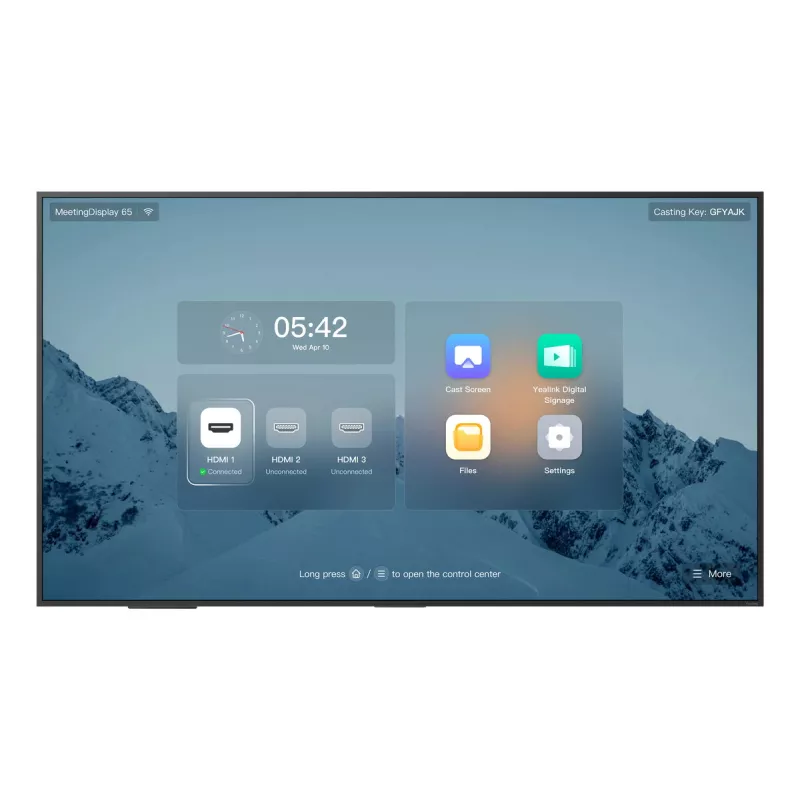
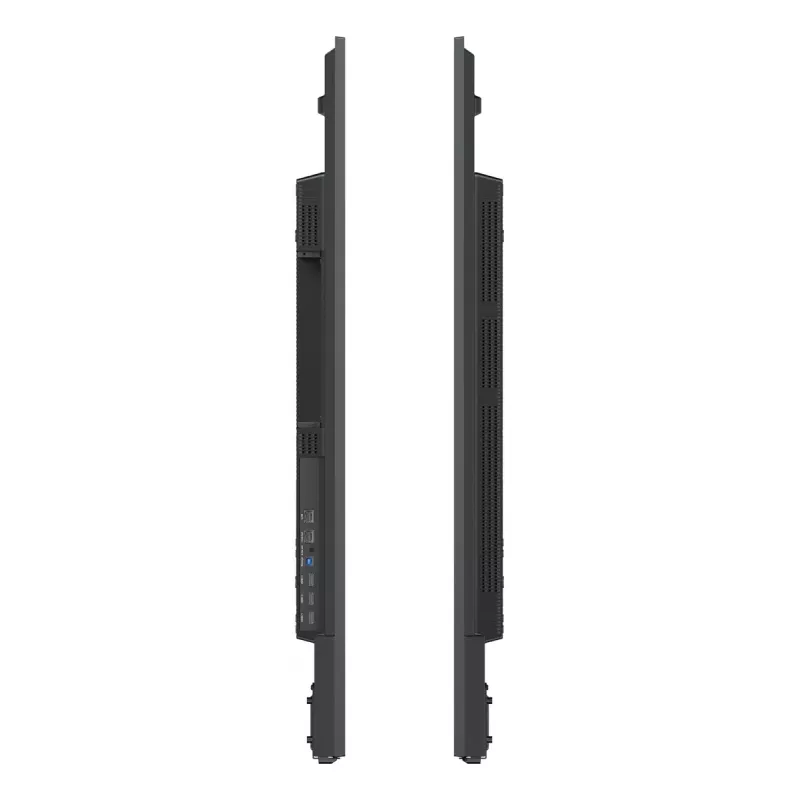
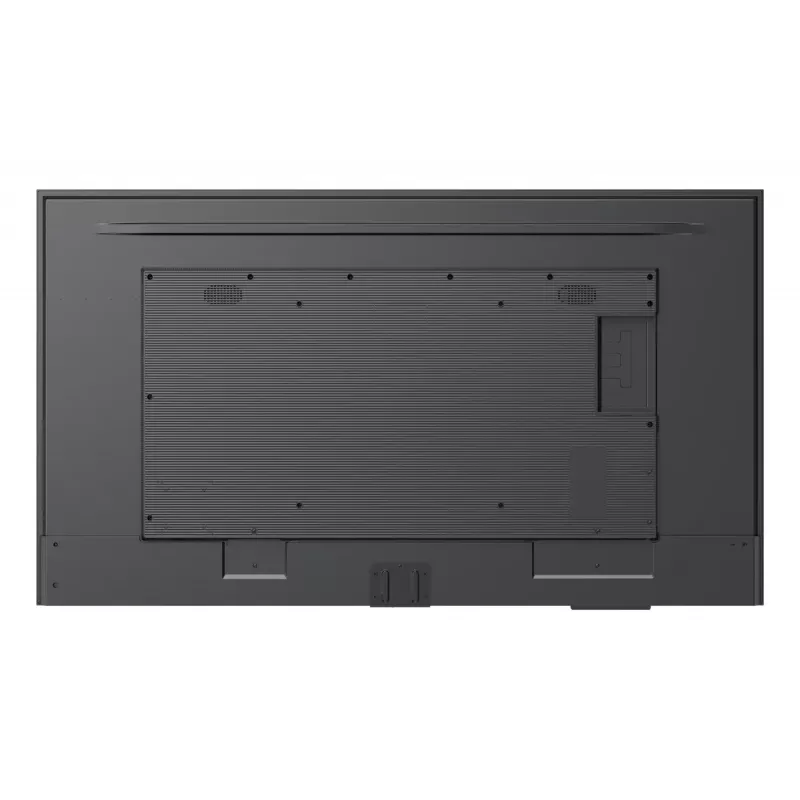
Yealink MeetingDisplay 65 inch 65-inch 4K UHD IPS Android 13 meeting display with built-in speakers, 3840×2160, VESA 400×400

Yealink MeetingDisplay 65 inch 65-inch 4K UHD IPS Android 13 meeting display with built-in speakers, 3840×2160, VESA 400×400
R28,053
The Yealink MeetingDisplay 65" is a 65‑inch 4K UHD meeting display with an IPS panel and 3840×2160 resolution running Android 13. Designed for conference rooms, it integrates with Yealink MTR components such as the MTR bar, UVC camera and MCore to form a complete meeting solution. The display suppor... Read More
Stock 1 Code 1720539 Brand Yealink Model 1203690 Warranty 2 Years

Shipping & Returns

Estimated delivery Thursday, October 1
You will be kept updated through our detailed tracking system
Payment options
EFTPayFastBank CardSnapScanZapperGoogle PayApple PayMobicredMoreTymePay on Arrival

The Yealink MeetingDisplay 65" is a 65‑inch 4K UHD meeting display with an IPS panel and 3840×2160 resolution running Android 13. Designed for conference rooms, it integrates with Yealink MTR components such as the MTR bar, UVC camera and MCore to form a complete meeting solution. The display supports VESA 400×400 mounting, has built‑in speakers and a 1200:1 typical contrast ratio. Unified deployment and management allow the MeetingDisplay and MTR devices to be mounted together without additional wall drilling and to be managed centrally via YMCS or YDMP.

Advantages

The MeetingDisplay offers a large 65" 4K IPS screen for clear video and presentation sharing, seamless integration with Yealink MTR components, and built‑in speakers for audio without extra peripherals. Its customised mounting structure simplifies installation, while centralized management and synchronized functions (sleep/wake, power on/off, digital signage mode) reduce operational overhead.

Suitable for

  • Small to medium conference rooms and huddle spaces
  • Video conferencing and hybrid meetings with Yealink MTR systems
  • Presentation sharing, collaboration and digital signage in meeting environments

When it may not be suitable

This display is intended to be part of the Yealink MTR ecosystem; if you require a standalone consumer monitor without integration into a meeting room system, this product may be more than needed. For installations that cannot use VESA 400×400 mounting or where a different screen size is required, consider alternative display models.

Key specifications

  • Display diagonal: 65"
  • Resolution: 3840 × 2160 (4K UHD)
  • Panel type: IPS
  • Contrast ratio (typical): 1200:1
  • Operating system: Android 13
  • VESA mounting: 400 × 400 support
  • Built‑in speakers: Yes

How to use

Mount the MeetingDisplay using VESA 400×400 brackets or place it on a compatible stand. Pair and connect Yealink MTR devices (MTR bar, UVC camera, MCore) to form a complete meeting room solution. Configure and manage devices centrally through YMCS or YDMP, then use the one‑touch console for meeting control and unified configuration. Typical workflows include starting video calls, sharing presentations, and switching to digital signage mode as needed.

What to consider before purchase

  • Whether you plan to deploy it as part of a Yealink MTR system or as a standalone display
  • Compatibility with VESA 400×400 mounting and your room’s wall or stand options
  • Required screen size and 4K resolution suitability for your meeting room

Recommendations

For reliable meeting-room performance, use the Yealink MeetingDisplay 65" together with Yealink MTR bar, UVC camera and MCore; manage devices centrally via YMCS or YDMP and ensure proper VESA 400×400 mounting for stable installation.
Key Highlights
  • Small to medium conference rooms and huddle spaces
  • Video conferencing and hybrid meetings with Yealink MTR systems
  • Presentation sharing, collaboration and digital signage in meeting environments
  • Display diagonal: 65"
  • Resolution: 3840 × 2160 (4K UHD)
  • Panel type: IPS
  • Contrast ratio (typical): 1200:1
  • Operating system: Android 13
  • VESA mounting: 400 × 400 support
  • Built‑in speakers: Yes
  • Whether you plan to deploy it as part of a Yealink MTR system or as a standalone display
  • Compatibility with VESA 400×400 mounting and your room’s wall or stand options
  • Required screen size and 4K resolution suitability for your meeting room
Specifications
Built-in speaker(s)
Yes
Contrast ratio (typical)
1200:1
Country of origin
China
Display brightness
500 cd/m²
Display diagonal
65 "
Display resolution
3840 x 2160
Display technology
IPS
Display weight
19900 g
Ethernet LAN
Yes
Ethernet LAN data rates
10, 100, 1000
HDMI input ports quantity
3
Operating relative humidity (H-H)
10 - 95
Operating system installed
Android 13.0
Operating temperature (T-T)
0 - 40
Package depth
185 mm
Package height
925 mm
Package weight
28200 g
Package width
1590 mm
Panel mounting interface
400 x 400
Storage temperature (T-T)
-20 - 60
USB port
Yes
VESA mounting
Yes
Wi-Fi
Yes

Leaflet

Open Leaflet
Price history over the last 6 months
Yealink MeetingDisplay 65 inch 65-inch 4K UHD IPS Android 13 meeting display with built-in speakers, 3840×2160, VESA 400×400
Current
R28,053
Lowest
R14,673
Highest
R29,328
Change 24H
+R12,087   +76%
Week
+R12,116   +76%
Month
+R12,056   +75%

Popular products in this category

WhatsApp
Hi, I’m DistriNode’s AI assistant. I can help you find products, compare options, create quote PDFs, or open support requests.