Account Contact
Your Cart
Pay the courier with no extra fees.
Need help? DistriNode AI can handle any task on our site.

Video Cable Adapter ShiverPeaks BS10-71035

Video Cable Adapter ShiverPeaks BS10-71035
R553
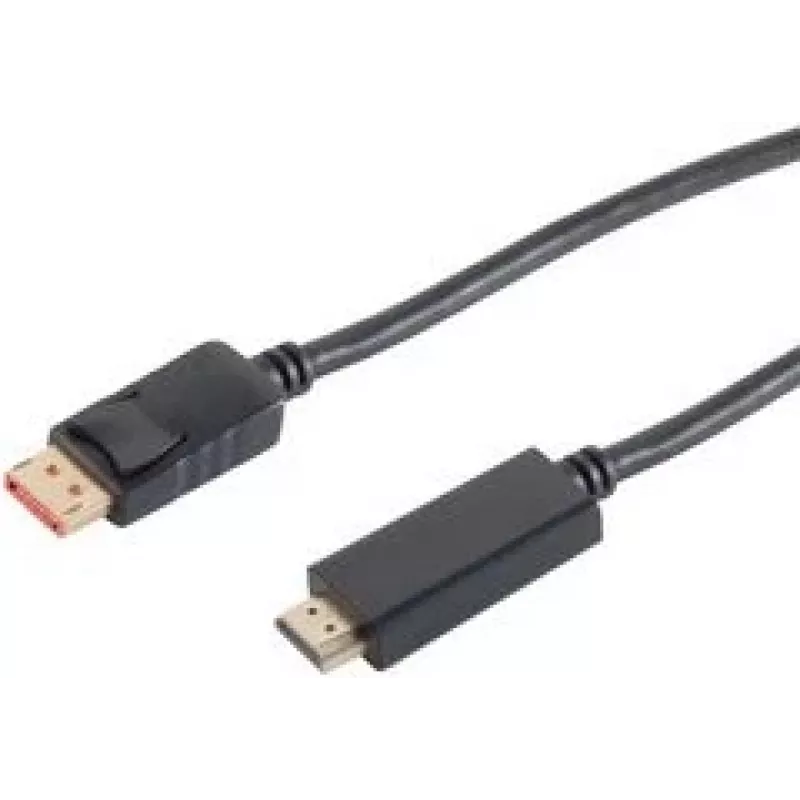
The ShiverPeaks BS10-71035 is a 2-meter video cable adapter that converts a DisplayPort output to an HDMI input, providing a straightforward connection between computers and HDMI displays. Designed for desktop PCs and laptops with a DisplayPort socket, this black cable supports high-definition video... Read More
Stock 7 Code 1511591 Brand SHIVERPEAKS Model BS10-71035 Warranty 2 Years

Shipping & Returns

Estimated delivery Tuesday, October 6
You will be kept updated through our detailed tracking system
Payment options
EFTPayFastBank CardSnapScanZapperGoogle PayApple PayMobicredMoreTymePay on Arrival

The ShiverPeaks BS10-71035 is a 2-meter video cable adapter that converts a DisplayPort output to an HDMI input, providing a straightforward connection between computers and HDMI displays. Designed for desktop PCs and laptops with a DisplayPort socket, this black cable supports high-definition video transmission and plug-and-play operation without additional drivers.

Advantages

High-quality construction and shielding reduce signal interference and help maintain stable image output over the full 2 m length. The adapter supports standard HDMI displays and projectors, enabling clear video up to compatible resolutions. The cable’s flexible jacket and compact connectors make routing and installation simple in both home and office environments.

Suitable for

  • Connecting laptops or desktops with DisplayPort to HDMI monitors or TVs
  • Presentations using projectors with HDMI input
  • Home entertainment setups where a DisplayPort source must feed an HDMI display

Key specifications

  • Connector 1: DisplayPort (source)
  • Connector 2: HDMI (display)
  • Cable length: 2 m
  • Colour: Black
  • Function: Passive DisplayPort-to-HDMI video conversion

How to use

Connect the DisplayPort end to the video output of your laptop or desktop and plug the HDMI end into the target display or projector. Ensure both devices are powered on; most systems will detect the external display automatically and configure output via the operating system display settings. If needed, adjust resolution and scaling in the computer’s display control panel to match the HDMI display’s native resolution.

Recommendations

For reliable results, use the cable at its intended length and avoid tight bends near the connector ends. Verify that the source device supports passive DisplayPort-to-HDMI signaling if you require audio over HDMI or higher HDMI-specific features; in some setups an active adapter may be necessary for certain resolutions or multi-stream transport configurations.

Key Highlights
  • Connecting laptops or desktops with DisplayPort to HDMI monitors or TVs
  • Presentations using projectors with HDMI input
  • Home entertainment setups where a DisplayPort source must feed an HDMI display
  • Connector 1: DisplayPort (source)
  • Connector 2: HDMI (display)
  • Cable length: 2 m
  • Colour: Black
  • Function: Passive DisplayPort-to-HDMI video conversion
Specifications
3D
Yes
Cable length
2 m
Connector 1
DisplayPort
Connector 1 form factor
Straight
Connector 1 gender
Male
Connector 2
HDMI
Connector 2 form factor
Straight
Connector 2 gender
Male
Data transfer rate
18 Gbit/s
HDCP
Yes
High Dynamic Range (HDR) supported
Yes
Maximum refresh rate
60 Hz
Maximum resolution
3840 x 2160
Plug and Play
Yes
Product colour
Black
Quantity per pack
1 pc(s)
Price history over the last 6 months
Video Cable Adapter ShiverPeaks BS10-71035
Current
R553
Lowest
R543
Highest
R701
Change 24H
+R9   +2%
Week
-R143   -21%
Month
-R143   -21%

Popular products in this category

WhatsApp
Hi, I’m DistriNode’s AI assistant. I can help you find products, compare options, create quote PDFs, or open support requests.