Account Contact
Your Cart
Pay the courier with no extra fees.
Need help? DistriNode AI can handle any task on our site.

USB Pinheader Connector DeLOCK 41763

USB Pinheader Connector DeLOCK 41763
R403
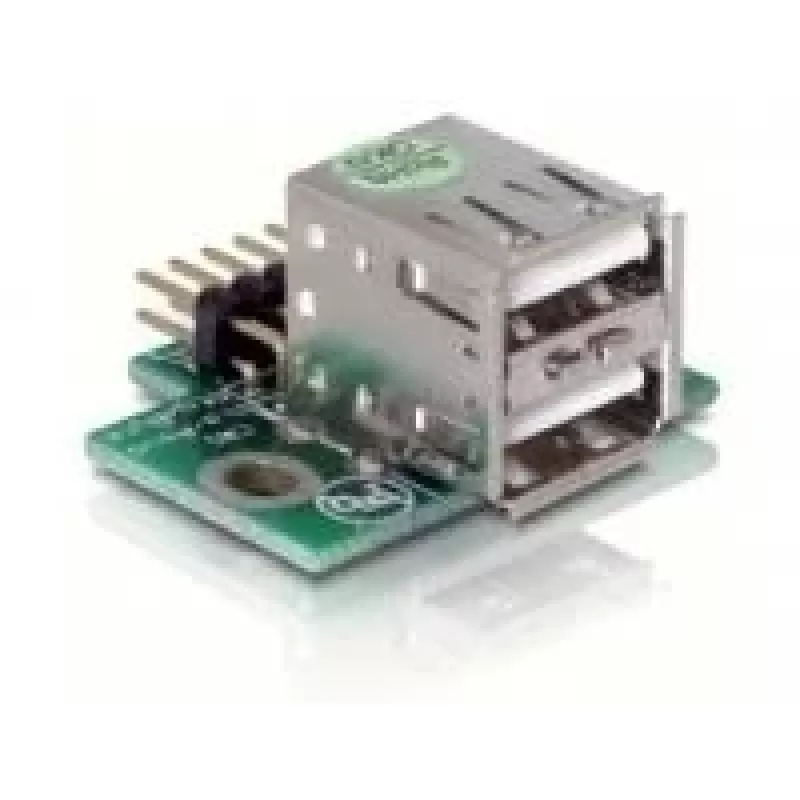
This USB Pinheader-male adapter from DELOCK (model 41763) connects to a free USB pinheader on a motherboard via cable to add two internal USB 2.0 A ports. The silver-coloured connector provides a compact internal extension that lets you attach devices such as USB memory sticks or USB WLAN adapters w... Read More
Stock 500 Code 1739841 Brand DELOCK Model 41763 Warranty 2 Years

Shipping & Returns

Estimated delivery Thursday, October 1
You will be kept updated through our detailed tracking system
Payment options
EFTPayFastBank CardSnapScanZapperGoogle PayApple PayMobicredMoreTymePay on Arrival

This USB Pinheader-male adapter from DELOCK (model 41763) connects to a free USB pinheader on a motherboard via cable to add two internal USB 2.0 A ports. The silver-coloured connector provides a compact internal extension that lets you attach devices such as USB memory sticks or USB WLAN adapters while keeping connections directed upward from the motherboard pin 1 orientation.

Advantages

The adapter supports USB 2.0 A connections and installs directly to a motherboard pinheader to expand internal connectivity by two ports. Its silver finish and compact cable-mounted design allow convenient placement inside desktop cases without occupying external panel space. The product is compatible with standard USB 2.0 peripherals and is suitable for DIY upgrades and system expansions.

Suitable for

  • Adding two internal USB 2.0 ports to a desktop PC
  • Connecting USB memory sticks or USB WLAN adapters inside the case
  • DIY motherboard upgrades and internal peripheral connections

Key specifications

  • Brand: DELOCK
  • Model (MPN): 41763
  • EAN: 4043619417636
  • Connector type: USB 2.0 A (female ports)
  • Product colour: Silver

How to use

Locate a free USB pinheader on the motherboard and align the adapter cable connector with the pin 1 orientation shown on the board. Plug the male pinheader into the motherboard socket firmly but gently. Route the cable and position the two female USB 2.0 A ports upward or to a convenient internal location, then secure them if necessary to prevent movement inside the case. Once connected, boot the system and confirm the operating system recognises the new USB ports.

Recommendations

Use this adapter inside a powered-off system and handle the motherboard connector carefully to avoid bending pins. For optimal performance, connect USB 2.0 devices; while USB 1.1 devices will function, they will be limited to lower transfer speeds. Ensure cable routing does not interfere with fans or other components.

Key Highlights
  • Adding two internal USB 2.0 ports to a desktop PC
  • Connecting USB memory sticks or USB WLAN adapters inside the case
  • DIY motherboard upgrades and internal peripheral connections
  • Brand: DELOCK
  • Model (MPN): 41763
  • EAN: 4043619417636
  • Connector type: USB 2.0 A (female ports)
  • Product colour: Silver
Specifications
Connector 1
USB 2.0 A
Connector 1 gender
Male
Connector 2 gender
Female
Product colour
Silver
Price history over the last 6 months
USB Pinheader Connector DeLOCK 41763
Current
R403
Lowest
R389
Highest
R410
Change 24H
+R9   +2%
Week
+R13   +3%
Month
+R12   +3%

Popular products in this category

WhatsApp
Hi, I’m DistriNode’s AI assistant. I can help you find products, compare options, create quote PDFs, or open support requests.