Account Contact
Your Cart
Pay the courier with no extra fees.
Need help? DistriNode AI can handle any task on our site.

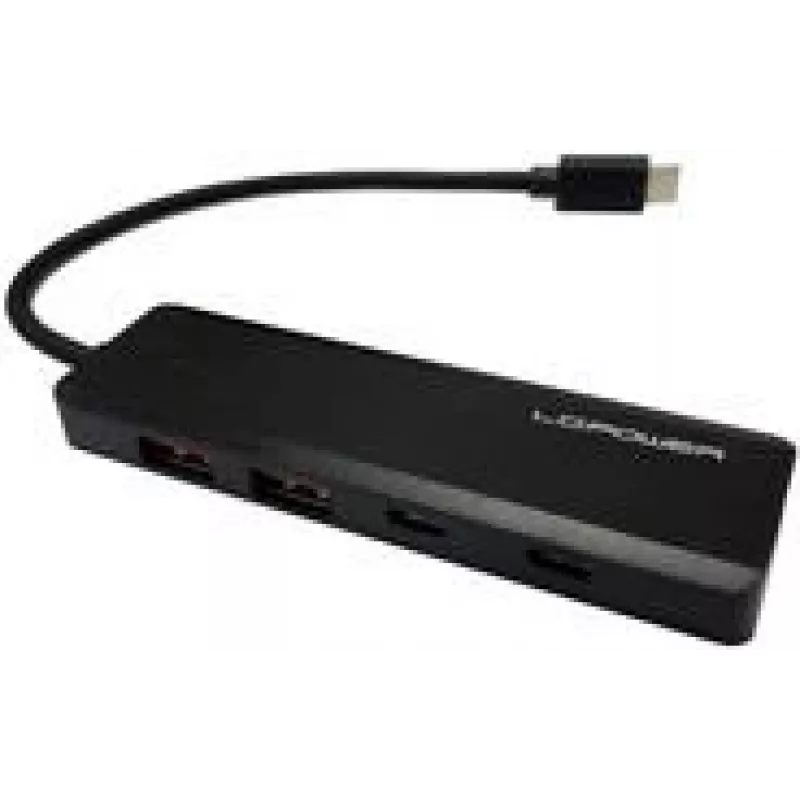
USB hub LC-Power LC-HUB-U3-4-C — 4-port USB 3.0 hub

USB hub LC-Power LC-HUB-U3-4-C — 4-port USB 3.0 hub
R256
LC-Power LC-HUB-U3-4-C is a compact 4-port USB 3.0 hub that expands a single USB connection into four high-speed USB 3.0 ports. It supports backward compatibility with USB 2.0 and USB 1.1 devices, allowing connection of external drives, flash drives, keyboards, mice and other peripherals. The hub is... Read More
Stock 4 Code 1398249 Brand LC-Power Model LC-HUB-U3-4-C Warranty 2 Years

Shipping & Returns

Estimated delivery Tuesday, October 6
You will be kept updated through our detailed tracking system
Payment options
EFTPayFastBank CardSnapScanZapperGoogle PayApple PayMobicredMoreTymePay on Arrival

LC-Power LC-HUB-U3-4-C is a compact 4-port USB 3.0 hub that expands a single USB connection into four high-speed USB 3.0 ports. It supports backward compatibility with USB 2.0 and USB 1.1 devices, allowing connection of external drives, flash drives, keyboards, mice and other peripherals. The hub is designed for use with laptops and desktops when extra USB ports are required and emphasizes a small footprint for desk or travel use.

Advantages

The LC-Power 4-port USB 3.0 hub delivers high transfer rates provided by USB 3.0 technology while maintaining compatibility with older USB standards. Its compact design offers easy placement on a desk or in a laptop bag. The hub provides multiple connection points from a single host USB port, enabling simultaneous connection of several peripherals without frequent cable swaps.

Suitable for

  • Connecting external hard drives and SSDs for data transfer
  • Expanding available ports on laptops and compact desktops
  • Attaching multiple input devices such as keyboards and mice
  • Using flash drives, card readers and other USB peripherals
  • Temporary setups at workstations, meetings or travel

Key specifications

  • Interface: USB 3.0 upstream and four USB 3.0 downstream ports
  • Compatibility: Backward compatible with USB 2.0 and USB 1.1
  • Form factor: Compact, lightweight hub suitable for desktop or portable use
  • Connectivity: Single host connection expanding to four downstream ports for multiple peripherals

How to use

Connect the hub's upstream USB 3.0 cable to an available USB port on your computer. Plug peripherals into the hub's downstream USB 3.0 ports. The operating system should automatically detect connected devices and install any required drivers for standard USB peripherals. For optimal transfer speeds, connect USB 3.0 devices to the hub and ensure the host port supports USB 3.0.

Recommendations

Place the hub on a stable surface and avoid excessive bending or tension on cables. For sustained high-speed data transfers, connect high-performance storage devices directly to the hub while ensuring the host port is USB 3.0 capable. If power-hungry devices are used simultaneously, use devices with their own power supply when possible to avoid drawing excessive power from the host.

Key Highlights
  • Connecting external hard drives and SSDs for data transfer
  • Expanding available ports on laptops and compact desktops
  • Attaching multiple input devices such as keyboards and mice
  • Using flash drives, card readers and other USB peripherals
  • Temporary setups at workstations, meetings or travel
  • Interface: USB 3.0 upstream and four USB 3.0 downstream ports
  • Compatibility: Backward compatible with USB 2.0 and USB 1.1
  • Form factor: Compact, lightweight hub suitable for desktop or portable use
  • Connectivity: Single host connection expanding to four downstream ports for multiple peripherals
Price history over the last 6 months
USB hub LC-Power LC-HUB-U3-4-C — 4-port USB 3.0 hub
Current
R256
Lowest
R243
Highest
R256
Change 24H
+R10   +4%
Week
+R12   +5%
Month
+R12   +5%

Popular products in this category

WhatsApp
Hi, I’m DistriNode’s AI assistant. I can help you find products, compare options, create quote PDFs, or open support requests.