Account Contact
Your Cart
Pay the courier with no extra fees.
Need help? DistriNode AI can handle any task on our site.

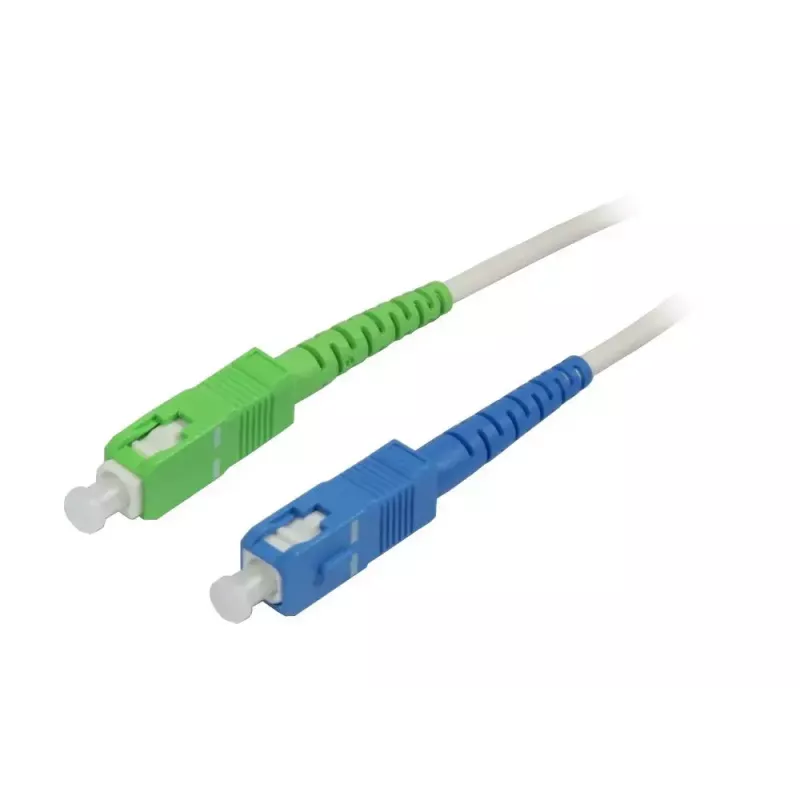
Fibre optic cable Synergy 21 S215619 1 m SC White

Fibre optic cable Synergy 21 S215619 1 m SC White
R325
The Synergy 21 S215619 1 m SC White is a single-mode OS2 fibre optic patch cable with SC connectors on both ends and a 9 µm core diameter. Designed for short interconnects in professional environments, this 1 metre cable provides low attenuation and stable optical performance suitable for high-speed... Read More
Stock 19 Code 2565924 Brand SYNERGY21 Model S215619 Warranty 2 Years

Shipping & Returns

Estimated delivery Tuesday, October 6
You will be kept updated through our detailed tracking system
Payment options
EFTPayFastBank CardSnapScanZapperGoogle PayApple PayMobicredMoreTymePay on Arrival

The Synergy 21 S215619 1 m SC White is a single-mode OS2 fibre optic patch cable with SC connectors on both ends and a 9 µm core diameter. Designed for short interconnects in professional environments, this 1 metre cable provides low attenuation and stable optical performance suitable for high-speed communication links in data centers and telecom infrastructures. The white jacket offers a neutral appearance and helps with cable identification in mixed installations.

Advantages

This OS2 fibre cable delivers consistent single-mode transmission characteristics with minimal signal loss over short runs. The SC connectors ensure reliable push‑pull mating and simple installation in patch panels and equipment ports. The compact 1 m length reduces excess slack in dense cable environments, while the durable jacket protects the fibre from bending and mechanical stress during routine handling.

Suitable for

  • Data center patching and rack-to-rack connections
  • Telecommunications backbone links requiring single-mode fibre
  • High-performance network equipment interconnects
  • Optical patch panels and fibre distribution frames

Key specifications

  • Fibre type: single-mode (OS2)
  • Core diameter: 9 µm
  • Connector type: SC to SC (both ends)
  • Length: 1 metre
  • Jacket color: white
  • Typical use: indoor patching and short interconnects

How to use

Inspect connector end faces for cleanliness before insertion; contaminated end faces can degrade optical performance. Gently insert the SC connector into the corresponding SC adapter until it clicks, avoiding sharp bends in the cable; maintain minimum bend radius as recommended for single-mode fibre. For removal, depress the SC latch and pull straight out to prevent stress on the connector. Use appropriate fibre management in racks and panels to prevent microbends and to keep the 1 m cable neatly routed.

Recommendations

Keep spare dust caps on unused connectors and perform end-face inspection and cleaning with approved fibre cleaning tools. Route the cable to avoid tight bends and mechanical strain; for critical links, verify insertion loss with an optical power meter or test source after installation.

Key Highlights
  • Data center patching and rack-to-rack connections
  • Telecommunications backbone links requiring single-mode fibre
  • High-performance network equipment interconnects
  • Optical patch panels and fibre distribution frames
  • Fibre type: single-mode (OS2)
  • Core diameter: 9 µm
  • Connector type: SC to SC (both ends)
  • Length: 1 metre
  • Jacket color: white
  • Typical use: indoor patching and short interconnects
Specifications
Cable diameter
3 mm
Cable length
1 m
Cladding diameter
125 µm
Connector 1
SC
Connector 2
SC
Core diameter
9 µm
Fiber mode structure
Single-mode
Fibre optic type
OS2
Jacket material
Low smoke zero halogen (LSZH)
Product colour
White
Quantity per pack
1 pc(s)
Price history over the last 6 months
Fibre optic cable Synergy 21 S215619 1 m SC White
Current
R325
Lowest
R302
Highest
R892
Change 24H
+R10   +3%
Week
-R524   -62%
Month
-R524   -62%

Popular products in this category

WhatsApp
Hi, I’m DistriNode’s AI assistant. I can help you find products, compare options, create quote PDFs, or open support requests.