Account Contact
Your Cart
Pay the courier with no extra fees.
Need help? DistriNode AI can handle any task on our site.

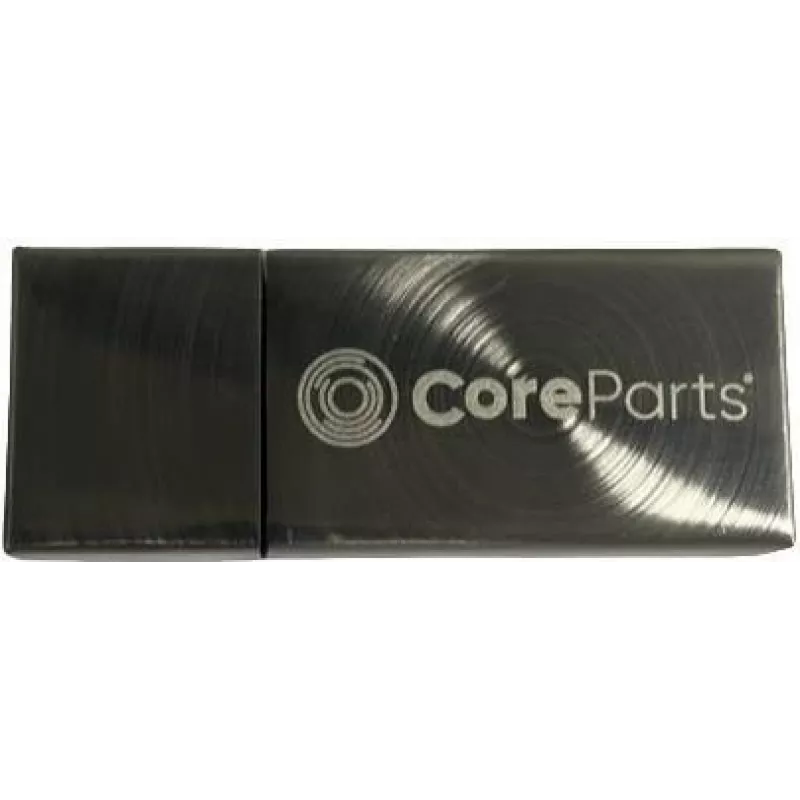
USB Flash Drive CoreParts MMUSB3.0-16GB 16GB USB Type-A 3.2 Gen 1

USB Flash Drive CoreParts MMUSB3.0-16GB 16GB USB Type-A 3.2 Gen 1
R831
The CoreParts MMUSB3.0-16GB is a compact USB flash drive with 16 GB capacity, a USB Type-A connector and USB 3.2 Gen 1 support. It delivers up to 80 MB/s read speed and 20 MB/s write speed in a lightweight cap form factor (7.5 g), providing portable and reliable storage for everyday file transfer an... Read More
Stock 75 Code 2456591 Brand COREPARTS Model MMUSB3.0-16GB Warranty 2 Years

Shipping & Returns

Estimated delivery Tuesday, October 6
You will be kept updated through our detailed tracking system
Payment options
EFTPayFastBank CardSnapScanZapperGoogle PayApple PayMobicredMoreTymePay on Arrival

The CoreParts MMUSB3.0-16GB is a compact USB flash drive with 16 GB capacity, a USB Type-A connector and USB 3.2 Gen 1 support. It delivers up to 80 MB/s read speed and 20 MB/s write speed in a lightweight cap form factor (7.5 g), providing portable and reliable storage for everyday file transfer and backup needs.

Advantages

The drive combines USB 3.2 Gen 1 performance with a small, lightweight design that fits standard USB Type-A ports. Measured read and write speeds allow faster transfers than USB 2.0 devices, while the 16 GB capacity is suitable for documents, media files and routine backups. Manufactured by established suppliers, the product aims to match original flash memory performance and offers consistent interoperability across consumer and industrial environments.

Suitable for

  • Transferring and sharing photos, documents and videos
  • Portable backups of important files
  • Use with laptops and desktop PCs that have USB Type-A ports
  • General-purpose storage for office and home use

Key specifications

  • Capacity: 16 GB
  • Interface: USB Type-A
  • Standard: USB 3.2 Gen 1
  • Read speed: up to 80 MB/s
  • Write speed: up to 20 MB/s
  • Form factor: compact cap
  • Weight: 7.5 g
  • Brand: CoreParts
  • MPN: MMUSB3.0-16GB
  • EAN: 5715063079201

How to use

Insert the USB Type-A connector into an available USB port on your computer or compatible device. Wait for the operating system to recognize the drive, then copy, move or open files as needed using your file manager. Safely eject the drive through the operating system before removal to prevent data loss. No additional drivers are typically required for modern Windows, macOS or Linux systems.

Recommendations

For best results, use the drive with USB 3.2 Gen 1 or USB 3.0 ports to achieve advertised transfer speeds. Keep a backup of important data on another medium and avoid sudden removal during file operations. If you require custom branding or gift packaging, CoreParts offers logo print and box options.

Key Highlights
  • Transferring and sharing photos, documents and videos
  • Portable backups of important files
  • Use with laptops and desktop PCs that have USB Type-A ports
  • General-purpose storage for office and home use
  • Capacity: 16 GB
  • Interface: USB Type-A
  • Standard: USB 3.2 Gen 1
  • Read speed: up to 80 MB/s
  • Write speed: up to 20 MB/s
  • Form factor: compact cap
  • Weight: 7.5 g
  • Brand: CoreParts
  • MPN: MMUSB3.0-16GB
  • EAN: 5715063079201
Specifications
Capacity
16 GB
Depth
9.6 mm
Device interface
USB Type-A
Fingerprint reader
No
Form factor
Cap
Height
55 mm
Package depth
20 mm
Package height
60 mm
Package weight
17 g
Package width
20 mm
PIN-secured access
No
Quantity per pack
1 pc(s)
Read speed
80 MB/s
USB version
3.2 Gen 1 (3.1 Gen 1)
Weight
0.0075 kg
Width
21 mm
Write speed
20 MB/s
Price history over the last 6 months
USB Flash Drive CoreParts MMUSB3.0-16GB 16GB USB Type-A 3.2 Gen 1
Current
R831
Lowest
R819
Highest
R845
Change 24H
-R14   -2%
Week
—   
Month
—   

Popular products in this category

WhatsApp
Hi, I’m DistriNode’s AI assistant. I can help you find products, compare options, create quote PDFs, or open support requests.