Account Contact
Your Cart
Pay the courier with no extra fees.
Need help? DistriNode AI can handle any task on our site.

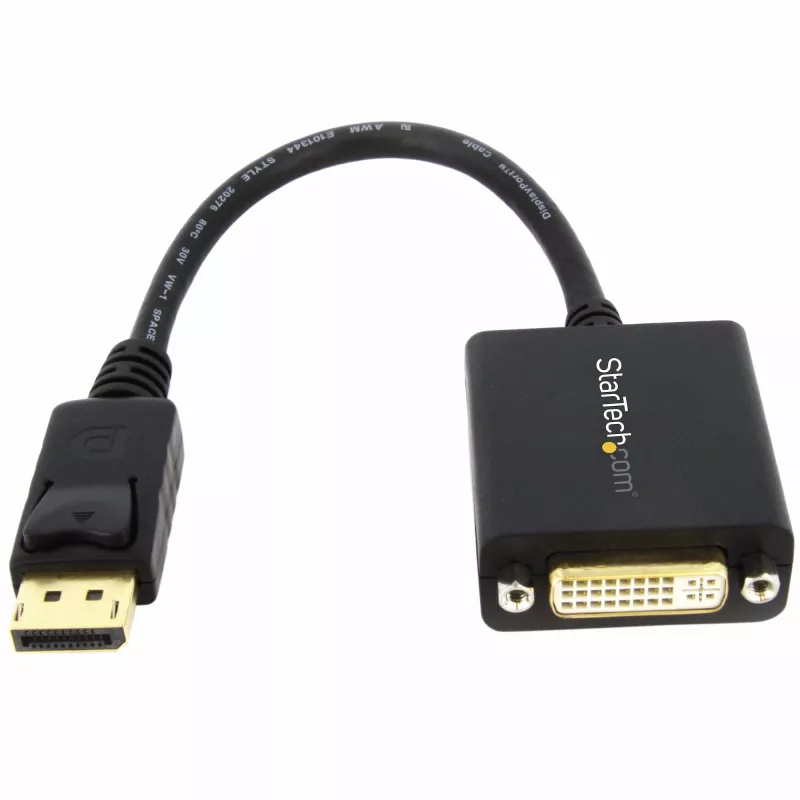
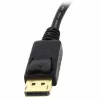
StarTech.com DisplayPort to DVI Adapter - DisplayPort to DVI-D Adapter Video Converter 1080p - DP 1.2 to DVI Monitor/Display Cable Adapter Dongle - DP to DVI Adapter - Latching DP Connector

StarTech.com DisplayPort to DVI Adapter - DisplayPort to DVI-D Adapter Video Converter 1080p - DP 1.2 to DVI Monitor/Display Cable Adapter Dongle - DP to DVI Adapter - Latching DP Connector
R382
Connect your DVI monitor to a DisplayPort equipped computerThe DP2DVI2 DisplayPort® to DVI Video Adapter Converter lets you connect a DVI monitor to DisplayPort-enabled desktop or laptop computers.Supporting display resolutions of up to 1920x1200 allowing you to take full advantage of single link DV... Read More
Stock 868 Code 878814 Brand StarTech Model DP2DVI2 Warranty 2 Years

Shipping & Returns

Estimated delivery Thursday, October 8
You will be kept updated through our detailed tracking system
Payment options
EFTPayFastBank CardSnapScanZapperGoogle PayApple PayMobicredMoreTymePay on Arrival
Connect your DVI monitor to a DisplayPort equipped computer

The DP2DVI2 DisplayPort® to DVI Video Adapter Converter lets you connect a DVI monitor to DisplayPort-enabled desktop or laptop computers.

Supporting display resolutions of up to 1920x1200 allowing you to take full advantage of single link DVI capability. DP2DVI2 is a passive adapter that requires a DP++ port (DisplayPort++), meaning that DVI and HDMI signals can also be passed through the port.

StarTech.com also offers the DP2DVIS, an Active DisplayPort to DVI adapter.

Backed by a StarTech.com 3-year warranty and free lifetime technical support.

The StarTech.com Advantage

StarTech.com DisplayPort to DVI Adapter - DisplayPort to DVI-D Adapter Video Converter 1080p - DP 1.2 to DVI Monitor/Display Cable Adapter Dongle - DP to DVI Adapter - Latching DP Connector. Cable length: 0.152 m, Connector 1: DisplayPort, Connector 2: DVI-I. Compliance certificates: RoHS, Certification: CE, FCC, REACH. Weight: 43 g, Width: 42 mm, Depth: 254 mm. Package width: 200 mm, Package depth: 220 mm, Package height: 19 mm. Quantity per pack: 1 pc(s)

Key Highlights
  • DISPLAYPORT TO DVI ADAPTER: DisplayPort 1.2 HBR2 to DVI-D (digital only) single-link adapter connects DVI display/projector / 1920x1200/1080p 60Hz; HDCP 1.4 / 6" (15cm) attached cable / DisplayPort Certified
  • COMPATIBILITY: Passive video converter supports DP++ source incl workstations, desktops (AMD/Nvidia), laptops, small form factor computers & docking stations
  • CONNECT A PRIMARY OR SECONDARY DISPLAY: Connect a DVI monitor or projector, or add a second display to your workstation using the DP to DVI adapter / Tested w/ DVI cables up to 25ft / EDID & DDC pass-through ensure compatibility between source & display
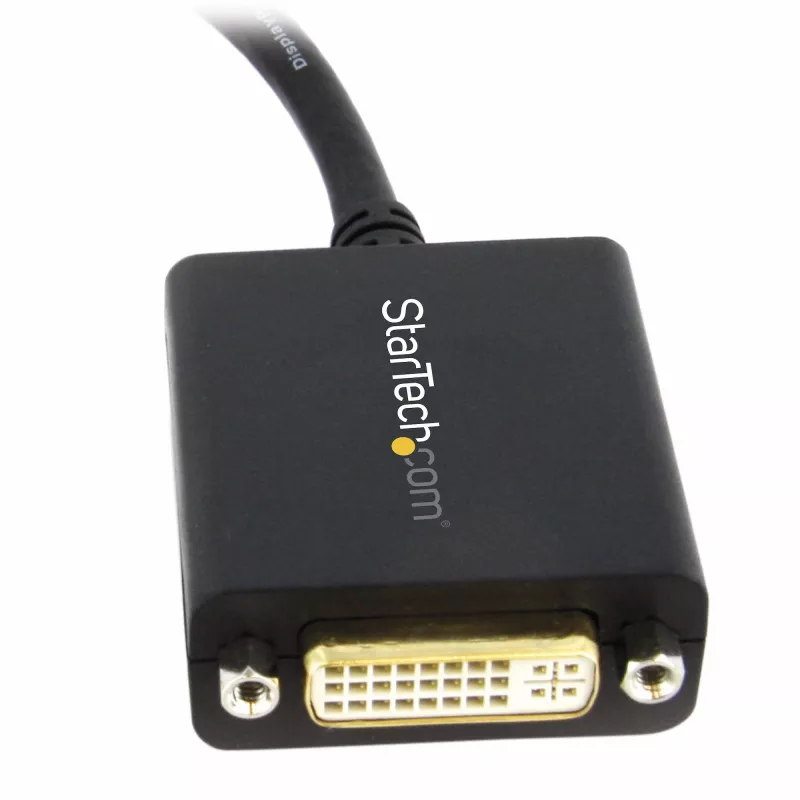
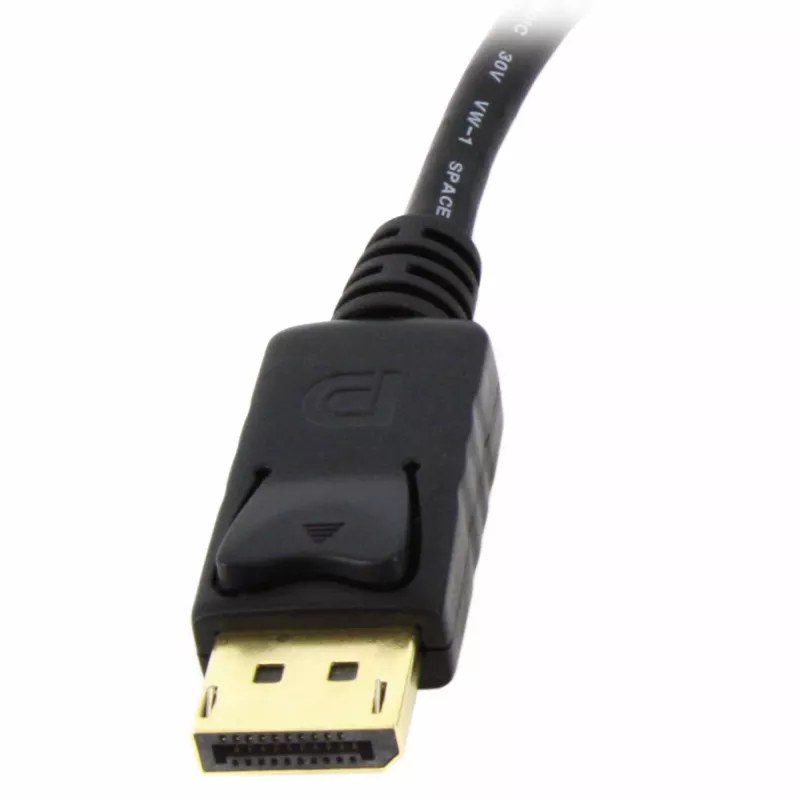
  • LATCHING DISPLAYPORT & SCREW LOCKING DVI: Latching DP connector ensures a solid host connection / Supports DVI screw locking cable to prevent cable from coming loose or accidental disconnection / Compact design
  • EASY TO USE: With no software or drivers required, the DP to DVI adapter converter works w/ any OS / DisplayPort male to DVI female adapter dongle / Connector is DVI-I, however only a digital signal (DVI-D) passes through
  • 0.152 m
  • DisplayPort Straight Male
  • DVI-I Straight Female
  • 1920 x 1200 pixels 60 Hz
  • Black
  • 1 pc(s)
Specifications
Cable length
0.152 m
Certification
CE, FCC, REACH
Compliance certificates
RoHS
Connector 1
DisplayPort
Connector 1 form factor
Straight
Connector 1 gender
Male
Connector 2
DVI-I
Connector 2 form factor
Straight
Connector 2 gender
Female
Converter type
Passive video converter
Depth
254 mm
DisplayPort version
1.2
Dual Link DVI
No
Harmonized System (HS) code
84733080
HBR2 support
Yes
HDCP
Yes
HDCP version
1.4
Height
17 mm
Master (outer) case height
220 mm
Master (outer) case length
500 mm
Master (outer) case width
325 mm
Maximum refresh rate
60 Hz
Maximum resolution
1920 x 1200 pixels
Operating relative humidity (H-H)
5 - 90%
Operating temperature (T-T)
0 - 70 °C
Package depth
220 mm
Package height
19 mm
Package weight
52 g
Package width
200 mm
Plug and Play
Yes
Product colour
Black
Products per master (outer) case
140 pc(s)
Quantity per pack
1 pc(s)
Storage temperature (T-T)
-10 - 80 °C
Supported graphics resolutions
640 x 480 (VGA), 800 x 600 (SVGA), 1024 x 768 (XGA), 1152 x 864 (XGA+), 1280 x 1024 (SXGA), 1280 x 720 (HD 720), 1280 x 768 (WXGA), 1280 x 800 (WXGA), 1280 x 960, 1360 x 768 (WXGA), 1366 x 768, 1400 x 1050 (SXGA+), 1440 x 900, 1600 x 600, 1680 x 1050 (WSXGA+), 1920 x 1080 (HD 1080), 1920 x 1200 (WUXGA)
Supported video modes
480p, 720p, 1080p
Weight
43 g
Width
42 mm

Leaflet

Open Leaflet
Price history over the last 6 months
StarTech.com DisplayPort to DVI Adapter - DisplayPort to DVI-D Adapter Video Converter 1080p - DP 1.2 to DVI Monitor/Display Cable Adapter Dongle - DP to DVI Adapter - Latching DP Connector
Current
R382
Lowest
R327
Highest
R382
Change 24H
+R1   +0%
Week
+R41   +12%
Month
+R52   +16%

Popular products in this category

WhatsApp
Hi, I’m DistriNode’s AI assistant. I can help you find products, compare options, create quote PDFs, or open support requests.