Account Contact
Your Cart
Pay the courier with no extra fees.
Need help? DistriNode AI can handle any task on our site.

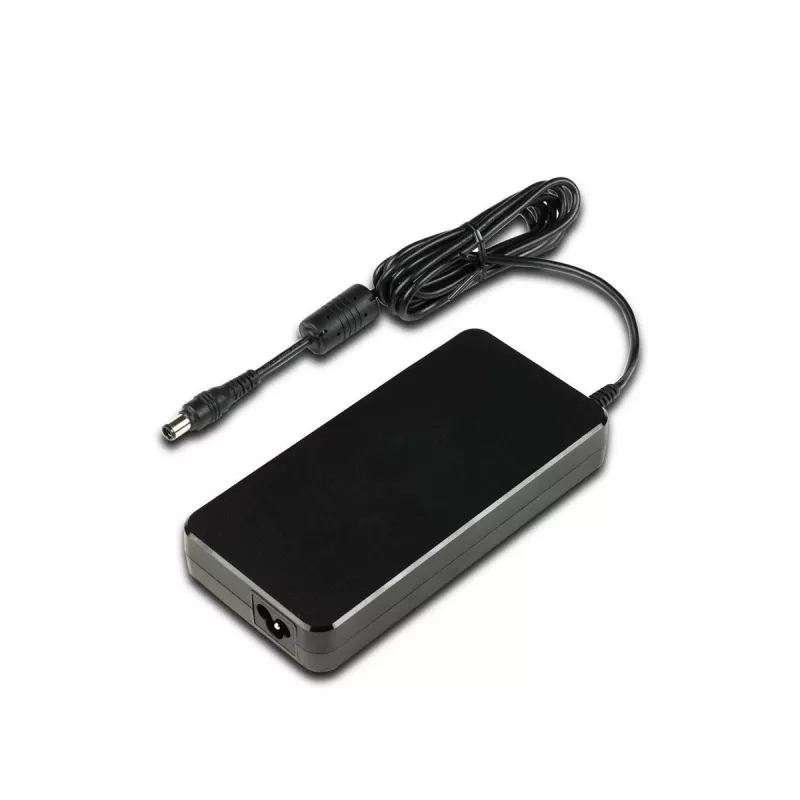
Shuttle PE180 power adapter/inverter Indoor 180 W Black

Shuttle PE180 power adapter/inverter Indoor 180 W Black
R2,476
The Shuttle PE180 is an external indoor power adapter designed for Shuttle XPC slim Barebone XH510G2 when used with the Shuttle XPC Accessory PRC01. It delivers 180 W of DC output power through a compact black housing and includes AC cables. The adapter supports universal input voltage (100–240 V) a... Read More
Stock 2 Code 1729572 Brand SHUTTLE Model POZ-PE180E01 Warranty 2 Years

Shipping & Returns

Estimated delivery Tuesday, October 6
You will be kept updated through our detailed tracking system
Payment options
EFTPayFastBank CardSnapScanZapperGoogle PayApple PayMobicredMoreTymePay on Arrival

The Shuttle PE180 is an external indoor power adapter designed for Shuttle XPC slim Barebone XH510G2 when used with the Shuttle XPC Accessory PRC01. It delivers 180 W of DC output power through a compact black housing and includes AC cables. The adapter supports universal input voltage (100–240 V) and input frequency (50–60 Hz), and is certified to CE and WEEE standards. Its passive cooling design and small dimensions (167.5 mm × 82 mm × 25.4 mm) make it suitable for space-constrained desktop setups.

Advantages

The PE180 provides a stable 19.5 V DC output at up to 180 W, ensuring compatibility with the Shuttle XPC slim Barebone XH510G2 when paired with the PRC01 accessory. Universal input (100–240 V, 50–60 Hz) allows use in different regions without an external transformer. The compact form factor and passive cooling reduce noise and save desk space, while included AC cables and industry certifications (CE, WEEE) simplify installation and compliance.

Suitable for (tasks / use cases)

Key specifications

How to use

Connect the AC cable to the PE180 and plug it into a compatible mains outlet (100–240 V, 50–60 Hz). Attach the DC output connector to the Shuttle XPC slim Barebone XH510G2 via the PRC01 accessory according to the Shuttle installation instructions. Ensure connections are secure before powering on the system. Do not block ventilation around the adapter to maintain passive cooling performance.

Recommendations

Use the adapter indoors only and keep it on a flat, stable surface. Verify that your system requires a 19.5 V, 180 W external adapter before use. Avoid exposure to liquids, extreme temperatures, and direct sunlight. Replace only with the Shuttle PE180 (MPN: PE180, EAN: 4046047103768) or an approved equivalent to maintain warranty and safety compliance.
Key Highlights
  • Powering Shuttle XPC slim Barebone XH510G2 systems with PRC01 accessory
  • Small desktop PCs and compact workstation setups
  • Environments requiring a quiet, passively cooled external adapter
  • Output power: 180 W
  • Output voltage: 19.5 V DC
  • Input voltage: 100–240 V AC
  • Input frequency: 50–60 Hz
  • Cooling: passive
  • Colour: Black
  • Dimensions (W × D × H): 167.5 mm × 82 mm × 25.4 mm
  • Includes: AC cables
  • Certifications: CE, WEEE
Specifications
Brand compatibility
Shuttle
Cables included
AC
Certification
CE, WEEE
Compatibility
Shuttle Slim PC XH510G2
Cooling type
Passive
Depth
82 mm
Harmonized System (HS) code
85044095
Height
25.4 mm
Input current
2.5 A
Input frequency
50 - 60 Hz
Input voltage
100 - 240 V
Operating relative humidity (H-H)
10 - 90%
Operating temperature (T-T)
5 - 35 °C
Output current
9.23 A
Output power
180 W
Output voltage
19.5 V
Power current type
AC-to-DC
Power supply type
Indoor
Product colour
Black
Purpose
PC
Quantity per pack
1 pc(s)
Quick installation guide
Yes
Weight
845 g
Width
167.5 mm

Leaflet

Open Leaflet
Price history over the last 6 months
Shuttle PE180 power adapter/inverter Indoor 180 W Black
Current
R2,476
Lowest
R2,442
Highest
R2,476
Change 24H
+R28   +1%
Week
—   
Month
—   

Popular products in this category

WhatsApp
Hi, I’m DistriNode’s AI assistant. I can help you find products, compare options, create quote PDFs, or open support requests.