Account Contact
Your Cart
Pay the courier with no extra fees.
Need help? DistriNode AI can handle any task on our site.

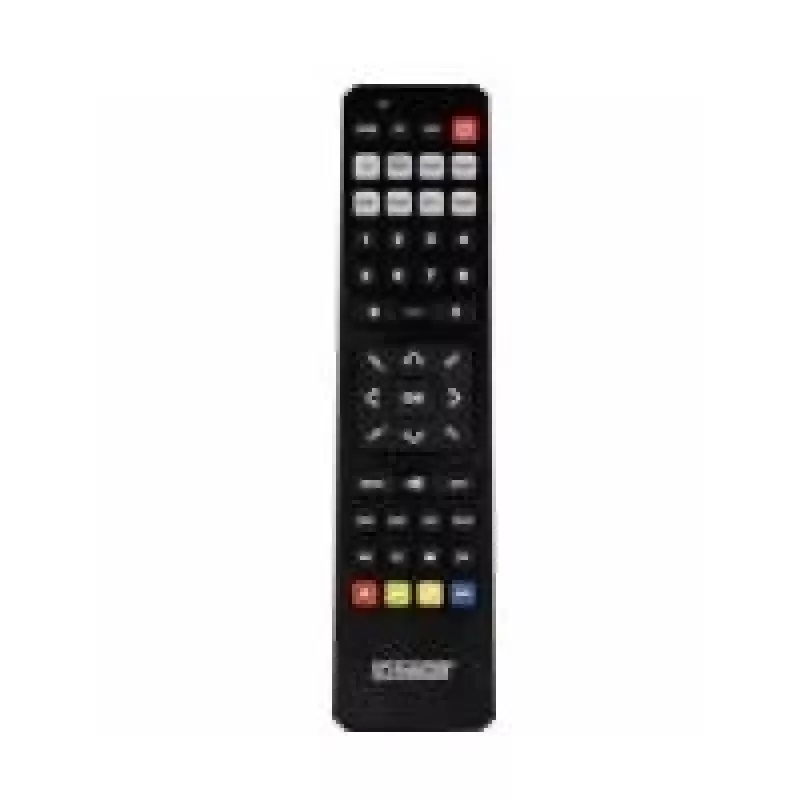
Remote Control IR Wireless Schwaiger UFB4801 031

Remote Control IR Wireless Schwaiger UFB4801 031
R520
The Schwaiger UFB4801 031 is an IR wireless remote control compatible with DVD and Blu-ray players, satellite receivers, televisions and VCRs. In a compact black housing it provides a familiar press-button input layout that supports direct control of common consumer AV devices using infrared signals... Read More
Stock 30 Code 1510884 Brand SCHWAIGER Model UFB4801031 Warranty 2 Years

Shipping & Returns

Estimated delivery Thursday, October 8
You will be kept updated through our detailed tracking system
Payment options
EFTPayFastBank CardSnapScanZapperGoogle PayApple PayMobicredMoreTymePay on Arrival

The Schwaiger UFB4801 031 is an IR wireless remote control compatible with DVD and Blu-ray players, satellite receivers, televisions and VCRs. In a compact black housing it provides a familiar press-button input layout that supports direct control of common consumer AV devices using infrared signals. The remote is designed for basic navigation, playback control and device selection without requiring device-specific programming for many popular models.

Advantages

This IR wireless remote offers straightforward operation via tactile press buttons and a universal layout that reduces the learning curve when switching between devices. Its infrared interface works with line-of-sight setups typical in home entertainment systems and consumes no rechargeable battery circuitry, simplifying maintenance. The black housing and standard button arrangement ensure broad compatibility with living room setups while keeping the device lightweight and easy to hold.

Suitable for

  • Controlling DVD and Blu-ray players
  • Operating satellite (SAT) receivers
  • Basic TV control including channel and volume functions
  • Managing VCR playback and transport functions

Key specifications

  • Interface: IR (infrared) wireless
  • Primary use: Remote control for home AV devices (DVD/Blu-ray, SAT, TV, VCR)
  • Input type: Press buttons
  • Colour: Black
  • Power: Battery-powered (non-rechargeable — uses replaceable batteries)

How to use

Point the remote toward the infrared sensor on the target device and press the corresponding buttons for power, navigation, playback or device selection. Replace batteries when the response becomes weak or intermittent. No special software installation is required; for most devices the remote works out of the box. If a device does not respond, consult the device manual for IR learning or code compatibility options and ensure there is a clear line of sight between remote and device sensor.

Lýsingas ieteikumi

For reliable operation, keep the IR emitter area free of dust and avoid obstructions between the remote and device sensor. Store the remote in a dry place and remove batteries if the remote will not be used for an extended period to prevent leakage.

Key Highlights
  • Controlling DVD and Blu-ray players
  • Operating satellite (SAT) receivers
  • Basic TV control including channel and volume functions
  • Managing VCR playback and transport functions
  • Interface: IR (infrared) wireless
  • Primary use: Remote control for home AV devices (DVD/Blu-ray, SAT, TV, VCR)
  • Input type: Press buttons
  • Colour: Black
  • Power: Battery-powered (non-rechargeable — uses replaceable batteries)
Specifications
Battery technology
Alkaline
Battery type
AAA
Built-in display
No
Input type
Press buttons
Interface
IR Wireless
Number of batteries supported
2
Product colour
Black
Rechargeable
No
Remote control proper use
DVD/Blu-ray, SAT, TV, VCR
Price history over the last 6 months
Remote Control IR Wireless Schwaiger UFB4801 031
Current
R520
Lowest
R482
Highest
R649
Change 24H
+R9   +2%
Week
+R14   +3%
Month
+R13   +2%

Popular products in this category

WhatsApp
Hi, I’m DistriNode’s AI assistant. I can help you find products, compare options, create quote PDFs, or open support requests.