Account Contact
Your Cart
No Upfront Payments. We deliver first, you pay on arrival.
14-Day Returns. No questions asked.
Need help? DistriNode AI can handle any task on our site.

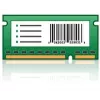
Printer Kit Lexmark 40C9200

Printer Kit Lexmark 40C9200
R5,270
The Lexmark 40C9200 Printer Kit includes the Lexmark Forms and Bar Code Card functionality for compatible Lexmark printers (such as CS72x and CX725). It eliminates the need for pre-printed forms by storing electronic forms directly in the printer’s flash memory or hard disk and supports form generat... Read More
Stock 1 Code 877854 Brand LEXMARK Model 40C9200 Warranty 2 Years

Shipping & Returns

Estimated delivery by Wednesday, 01 July
You will be kept updated through our advanced order tracking system
Payment options
EFT PayFast Bank Card SnapScan Zapper Google Pay Apple Pay Mobicred MoreTyme Pay on Arrival

The Lexmark 40C9200 Printer Kit includes the Lexmark Forms and Bar Code Card functionality for compatible Lexmark printers (such as CS72x and CX725). It eliminates the need for pre-printed forms by storing electronic forms directly in the printer’s flash memory or hard disk and supports form generation, storage, merge and print operations over the network. The kit is intended to reduce costs and simplify deployment for environments that require on-demand printing of variable-data forms and bar codes.

Advantages

The card stores forms inside the printer, removing the need for a dedicated server and lowering the initial investment for small deployments. It supports fast merge-and-print operations using only variable ASCII text data transmitted over the network and monitors incoming ASCII, SAP RDI or PCL data to initiate form merges. The card also provides access to more than 47 industry-standard one- and two-dimensional bar code types when using PCL or PostScript commands. Lexmark Forms Manager enables uploading and management of forms, firmware updates and changing card modes (Print, Data Capture, Disabled, Archive and Archive Only), with archive modes requiring a hard disk.

Suitable for

  • On-demand printing of variable-data forms (invoices, shipping labels, receipts)
  • Office or departmental printers requiring embedded forms and bar code printing
  • Environments using ASCII, SAP RDI or PCL data streams
  • Setups where minimizing servers and reducing pre-printed form costs is desired

Key specifications

  • Compatibility: Lexmark printers (e.g., CS72x, CX725) — requires flash memory or hard disk for form storage
  • Supported data formats: ASCII, SAP RDI, PCL; PCL and PostScript access for bar codes
  • Bar codes: Support for over 47 industry-standard 1D and 2D bar codes
  • Management: Lexmark Forms Manager for upload, firmware update and mode changes
  • Modes: Print, Data Capture, Disabled, Archive, Archive Only (archive modes require hard disk)
  • Note: Only one expansion card of this type (Forms and Bar Code, IPDS or PRESCRIBE) can be installed at a time in the same connector

How to use

Create electronic forms with Lexmark Forms Composer, save them to the printer’s flash memory or hard disk using Lexmark Forms Manager, then configure the card mode to Print or Data Capture as needed. Send variable ASCII, SAP RDI or PCL data from the host over the network; the card monitors incoming data and automatically initiates a merge process when the data matches a resident form. For bar code printing, include appropriate PCL or PostScript commands in the print stream. Use Lexmark Forms Manager to upload new forms, change modes and update firmware.

Recommendations

Ensure the target Lexmark printer has the required flash memory or an installed hard disk before enabling Archive modes. Only install one of the mutually exclusive expansion cards (Forms and Bar Code, IPDS or PRESCRIBE) in the single available connector. For SAP environments, use the Lexmark SAP R/3 Device Type for PCL to enable SAP RDI support.

Key Highlights
  • On-demand printing of variable-data forms (invoices, shipping labels, receipts)
  • Office or departmental printers requiring embedded forms and bar code printing
  • Environments using ASCII, SAP RDI or PCL data streams
  • Setups where minimizing servers and reducing pre-printed form costs is desired
  • Compatibility: Lexmark printers (e.g., CS72x, CX725) — requires flash memory or hard disk for form storage
  • Supported data formats: ASCII, SAP RDI, PCL; PCL and PostScript access for bar codes
  • Bar codes: Support for over 47 industry-standard 1D and 2D bar codes
  • Management: Lexmark Forms Manager for upload, firmware update and mode changes
  • Modes: Print, Data Capture, Disabled, Archive, Archive Only (archive modes require hard disk)
  • Note: Only one expansion card of this type (Forms and Bar Code, IPDS or PRESCRIBE) can be installed at a time in the same connector
Specifications
Brand compatibility
Lexmark
Compatibility
CS72x, CX725
Harmonized System (HS) code
84439990
Price history over the last 6 months
Printer Kit Lexmark 40C9200
Current
R5,270
Lowest
R5,268
Highest
R5,270
Change 24H
R0   0%
Week
—   
Month
—   
WhatsApp
Hi, I’m DistriNode’s AI assistant. I can help you find products, compare options, create quote PDFs, or open support requests.