Account Contact
Your Cart
Pay the courier with no extra fees.
Need help? DistriNode AI can handle any task on our site.

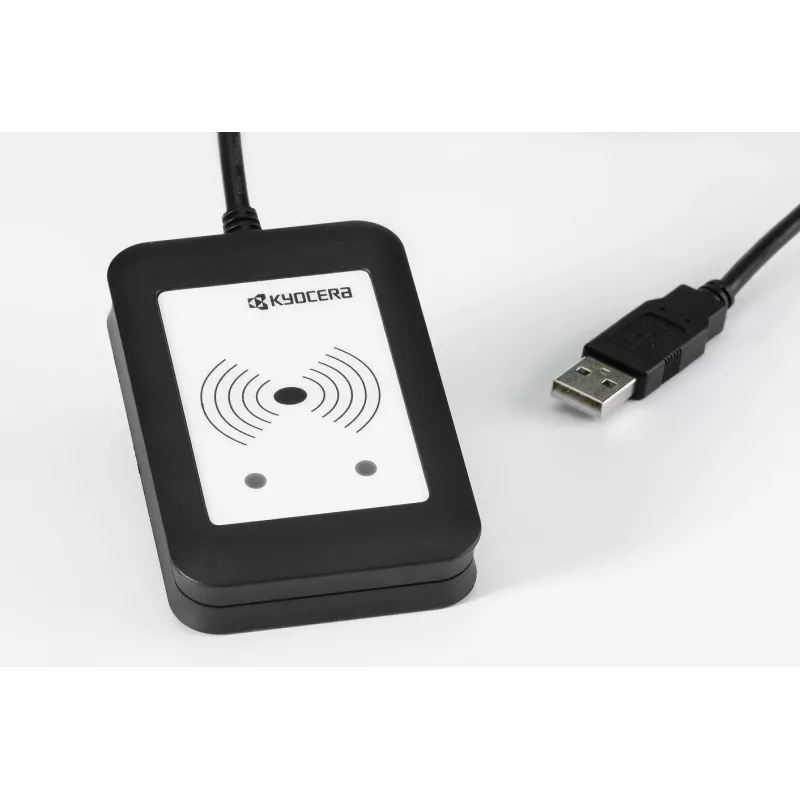
Smart card reader passive holder Kyocera 870LS95009, indoor use, black

Smart card reader passive holder Kyocera 870LS95009, indoor use, black
R257
KYOCERA USB card readers enable secure user authentication for KYOCERA devices by reading ID media at the device. When a user swipes their ID in front of the reader, they log on to the device to access functions and retrieve print jobs. The readers support local authentication without additional sof... Read More
Stock 16 Code 365797 Brand KYOCERA Model 870LS95009 Warranty 2 Years

Shipping & Returns

Estimated delivery Tuesday, September 29
You will be kept updated through our detailed tracking system
Payment options
EFTPayFastBank CardSnapScanZapperGoogle PayApple PayMobicredMoreTymePay on Arrival

KYOCERA USB card readers enable secure user authentication for KYOCERA devices by reading ID media at the device. When a user swipes their ID in front of the reader, they log on to the device to access functions and retrieve print jobs. The readers support local authentication without additional software and can also be integrated with server-based solutions for expanded authentication and accounting features.

Advantages

These compact USB smart card readers provide seamless integration with KYOCERA printers and multifunction devices, allowing quick user login and secure access to device functions. They are compatible with local authentication workflows for straightforward deployment, and can be combined with server solutions when centralized management or advanced features are required. The black passive holder design ensures discreet installation near the device.

Key specifications

  • Form factor: Indoor passive holder
  • Device type: Smart card reader (USB)
  • Color: Black

How to use

Connect the USB card reader to the KYOCERA device according to the device installation instructions. Place the reader in the designated holder location near the control panel. To authenticate, swipe or present the authorised ID media in front of the reader; the device will recognise the card and grant access to permitted functions and queued print jobs. For server-based setups, follow the server solution documentation to link the reader and enable centralized authentication and accounting.

Recommendations

For reliable operation, install the reader indoors and protect it from direct exposure to moisture and extreme temperatures. Use compatible ID media and consult KYOCERA documentation or your IT administrator when integrating with server-based authentication solutions.
Key Highlights
  • Indoor Passive holder
  • Mobile device type: Smart card reader
  • Black
Specifications
Built-in speaker(s)
No
Mobile device type
Smart card reader
Power source type
Not supported
Product colour
Black
Proper use
Indoor
Type
Passive holder

Leaflet

Open Leaflet
Price history over the last 6 months
Smart card reader passive holder Kyocera 870LS95009, indoor use, black
Current
R257
Lowest
R245
Highest
R302
Change 24H
+R11   +5%
Week
+R7   +3%
Month
+R6   +2%

Popular products in this category

WhatsApp
Hi, I’m DistriNode’s AI assistant. I can help you find products, compare options, create quote PDFs, or open support requests.