Account Contact
Your Cart
Pay the courier with no extra fees.
Need help? DistriNode AI can handle any task on our site.

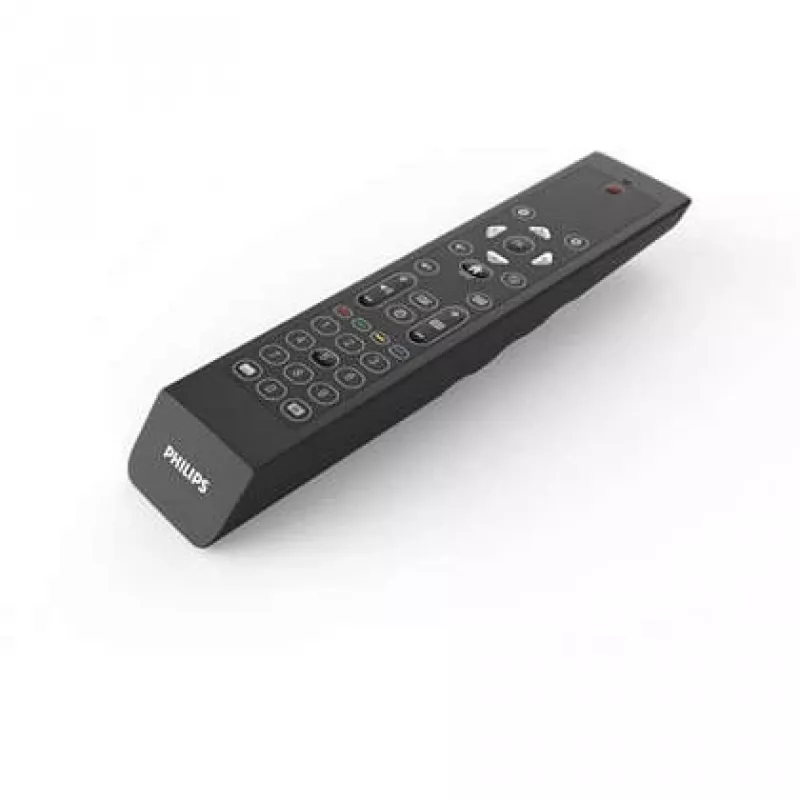
Philips 22AV2204A/00 remote control TV Press buttons

Philips 22AV2204A/00 remote control TV Press buttons
R703
The Philips 22AV2204A/00 remote control is a compact, user-oriented accessory designed to operate a single Philips television. Finished in black with a press-button input layout, this remote provides straightforward channel, volume and menu navigation without complex setup. It is intended for direct... Read More
Stock 100 Code 1170292 Brand PHILIPS Model 22AV2204A/00 Warranty 2 Years

Shipping & Returns

Estimated delivery Thursday, October 1
You will be kept updated through our detailed tracking system
Payment options
EFTPayFastBank CardSnapScanZapperGoogle PayApple PayMobicredMoreTymePay on Arrival

The Philips 22AV2204A/00 remote control is a compact, user-oriented accessory designed to operate a single Philips television. Finished in black with a press-button input layout, this remote provides straightforward channel, volume and menu navigation without complex setup. It is intended for direct TV control and is compatible with the Philips TV models that accept this remote format.

Advantages

This remote control offers a simple, tactile interface with clearly separated press buttons for reliable operation. Its single-device focus reduces configuration steps and minimizes confusion when replacing an original remote. The compact black housing is lightweight and easy to hold, making daily TV control convenient for a wide range of users.

Suitable for

  • Replacing a lost or damaged Philips TV remote
  • Basic TV operation: changing channels and adjusting volume
  • Households that prefer a simple, button-based remote
  • Elderly users or guests who need an intuitive control

Key specifications

  • Device support: 1 device (single TV)
  • Intended use: TV control
  • Input type: Press buttons
  • Colour: Black
  • Power: uses replaceable batteries (not rechargeable)

How to use

Insert the required batteries into the battery compartment following polarity markings, point the remote toward the television and press the corresponding buttons to control power, channel selection, volume and menu functions. No complex pairing is required for compatible Philips TVs; if the TV does not respond, consult the TV user manual for model-specific setup steps or try replacing the batteries. Keep the remote aimed at the IR sensor on the TV and maintain a clear line of sight for best response.

Recommendations

Store the remote in a dry, room-temperature location and replace batteries when response weakens. Avoid dropping the unit or exposing it to liquids. For prolonged storage, remove batteries to prevent leakage.

Key Highlights
  • Replacing a lost or damaged Philips TV remote
  • Basic TV operation: changing channels and adjusting volume
  • Households that prefer a simple, button-based remote
  • Elderly users or guests who need an intuitive control
  • Device support: 1 device (single TV)
  • Intended use: TV control
  • Input type: Press buttons
  • Colour: Black
  • Power: uses replaceable batteries (not rechargeable)
Specifications
Batteries included
Yes
Battery life (max)
43830 h
Battery technology
Alkaline
Battery type
AA
Brand compatibility
Philips
Built-in battery
No
Depth
46 mm
Height
23 mm
Input type
Press buttons
Number of batteries supported
2
Number of devices supported
1
Product colour
Black
Quantity per pack
1 pc(s)
Rechargeable
No
Remote control proper use
TV
Width
215 mm

Leaflet

Open Leaflet
Price history over the last 6 months
Philips 22AV2204A/00 remote control TV Press buttons
Current
R703
Lowest
R677
Highest
R1,450
Change 24H
+R26   +4%
Week
-R544   -44%
Month
-R548   -44%

Popular products in this category

WhatsApp
Hi, I’m DistriNode’s AI assistant. I can help you find products, compare options, create quote PDFs, or open support requests.