Account Contact
Your Cart
Pay on delivery – no extra fees
Need help? Ask our AI

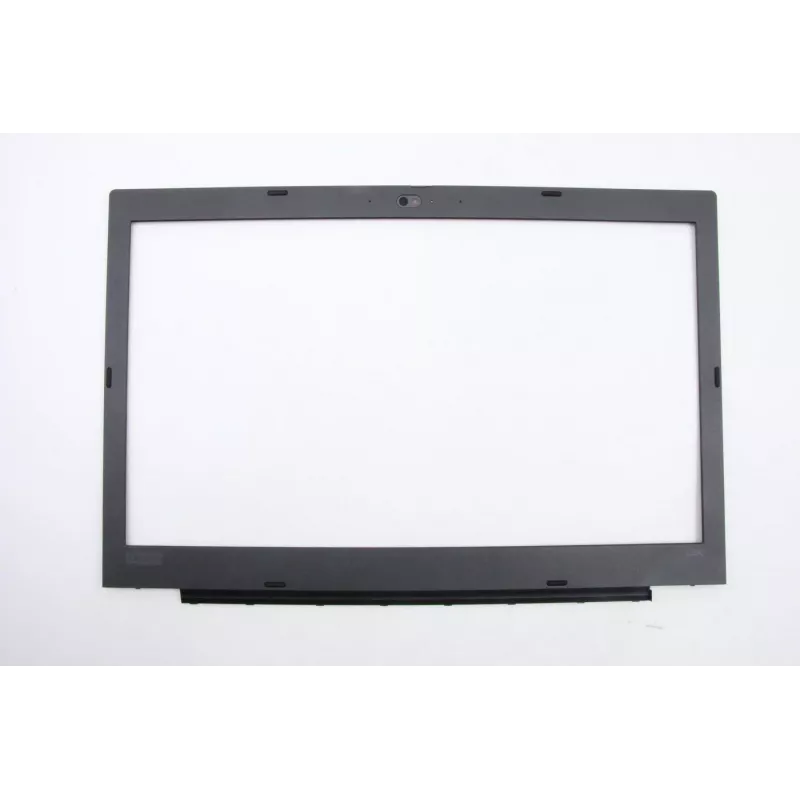
Optical Drive Bezel Cover for Lenovo FL590 B (replacement front panel)

Optical Drive Bezel Cover for Lenovo FL590 B (replacement front panel)
R1,004
Replacement front bezel cover designed for the Lenovo FL590 B optical drive. This external faceplate restores the appearance of an optical disc drive, providing a neat finish for desktop chassis where the original bezel is damaged, discolored, or missing. The bezel is made to align with the drive sl... Read More
Stock 1 Code 1460187 Brand LENOVO Model 02DM313 Warranty 2 Years

Shipping & Returns

Estimated delivery Monday, November 2
You will be kept updated through our detailed tracking system
Payment options
EFTPayFastBank CardSnapScanZapperGoogle PayApple PayMobicredMoreTymePay on Arrival

Replacement front bezel cover designed for the Lenovo FL590 B optical drive. This external faceplate restores the appearance of an optical disc drive, providing a neat finish for desktop chassis where the original bezel is damaged, discolored, or missing. The bezel is made to align with the drive slot and front panel mounting points so the drive presents a uniform look with the rest of the system.

Advantages

The bezel cover returns the optical drive to a factory-like external appearance without altering drive function. It offers a precise fit for compatible Lenovo FL590 B ODD units, maintaining correct alignment of the eject button and activity indicator openings. The replacement part is a cost-effective solution for repair and refurbishment projects, reducing the need to replace the entire drive when only the front panel is defective.

Suitable for

  • Repairing desktops with missing or damaged optical drive front panels
  • Refurbishment of Lenovo systems that use FL590 B form-factor optical drives
  • Maintaining consistent chassis appearance in office or public-facing machines

Key specifications

  • Compatibility: designed for Lenovo FL590 B optical drive form factor
  • Function: external front bezel / faceplate for optical disc drive
  • Material: durable plastic construction suitable for front-panel use
  • Finish: color and texture matched to standard Lenovo desktop bezels
  • Interface features: openings for eject button and drive activity indicator

How to use

Power off the computer and unplug the system before beginning work. Remove the optical drive from the chassis following the manufacturer’s service instructions, then detach the damaged bezel from the drive by releasing clips or screws as applicable. Align the replacement bezel with the drive front and secure it using the original retaining clips or screws. Reinstall the drive into the chassis, restore power, and verify correct alignment of the eject button and indicator.

Recommendations

Handle the bezel with care to avoid scratches or deformation during installation. Use only compatible Lenovo FL590 B optical drives to ensure correct fit. If the drive still fails to operate after panel replacement, inspect connections and drive functionality rather than assuming the bezel is the cause.

Key Highlights
  • Repairing desktops with missing or damaged optical drive front panels
  • Refurbishment of Lenovo systems that use FL590 B form-factor optical drives
  • Maintaining consistent chassis appearance in office or public-facing machines
  • Compatibility: designed for Lenovo FL590 B optical drive form factor
  • Function: external front bezel / faceplate for optical disc drive
  • Material: durable plastic construction suitable for front-panel use
  • Finish: color and texture matched to standard Lenovo desktop bezels
  • Interface features: openings for eject button and drive activity indicator
Price history is not available yet
We are still collecting enough daily price data for this product.

Popular products in this category

WhatsApp
Hi, I’m DistriNode’s AI assistant. I can help you find products, compare options, create quote PDFs, or open support requests.