Account Contact
Your Cart
Pay on delivery – no extra fees
Need help? Ask our AI

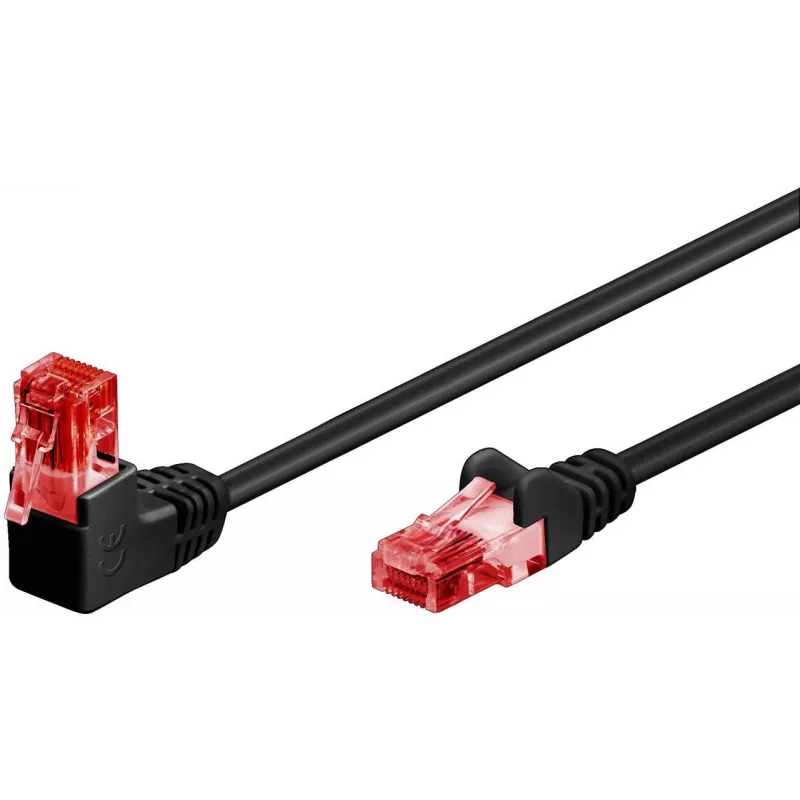
Microconnect UTP602BA networking cable Black 2 m Cat6 U/UTP (UTP)

Microconnect UTP602BA networking cable Black 2 m Cat6 U/UTP (UTP)
60 mo.free
Microconnect UTP602BA networking cable Black 2 m Cat6 U/UTP (UTP)
R123
PDF
PDF
Stock 67 Code 1188991 Model UTP602BA Warranty 5 Years

Shipping & Returns

Estimated delivery Wednesday, December 2
You will be kept updated through our detailed tracking system
Payment options
EFTPayFastBank CardSnapScanZapperGoogle PayApple PayMobicredMoreTymePay on Arrival

Ask a question – the AI assistant answers instantly.

Description

The Microconnect UTP602BA is a 2 m Cat6 U/UTP networking cable with RJ-45 connectors on both ends, designed for reliable high-speed data transmission in home and office environments. With Cat6 specification and unshielded/overall shielding construction, the cable reduces interference and supports standard Ethernet connections between devices such as switches, modems, routers, patch panels and keystone jacks. Its black jacket provides a discreet appearance and the cable is suitable for patching and short horizontal runs.

Advantages

This networking cable complies with Cat6 standards to support higher bandwidth and improved signal integrity compared with lower-category cables. The U/UTP construction helps minimise external interference while maintaining flexibility for routing in confined spaces. Both ends feature standard RJ-45 connectors for broad device compatibility, and the connector latch protection reduces the risk of connector damage during tight installations.

Suitable for

  • Connecting switches, routers or modems to patch panels or wall outlets
  • Small office and home network patching
  • Short horizontal runs and workstation connections
  • Entertainment devices and networked media players

Key specifications

  • Model: Microconnect UTP602BA
  • Category: Cat6 (U/UTP)
  • Length: 2 m
  • Connectors: RJ-45 to RJ-45
  • Colour: Black
  • Weight: 0.02 kg
  • MPN: UTP602BA
  • EAN: 5704174836230

How to use

Plug RJ-45 connectors firmly into the network ports of devices such as switches, routers, modems or wall jacks until the latch clicks into place. Route the cable to avoid tight bends and sharp edges, and keep it clear of sources of strong electromagnetic interference where possible. For installations through tight openings, press and guide the connector carefully to protect the latch and avoid damaging the plug.

Recommendations

For best performance, use the cable for runs up to typical horizontal distances (2 m in this case) and pair it with Cat6-compliant equipment. Avoid kinking the cable and maintain bend radii greater than the cable diameter to preserve signal quality.
Key Highlights
  • Connecting switches, routers or modems to patch panels or wall outlets
  • Small office and home network patching
  • Short horizontal runs and workstation connections
  • Entertainment devices and networked media players
  • Model: Microconnect UTP602BA
  • Category: Cat6 (U/UTP)
  • Length: 2 m
  • Connectors: RJ-45 to RJ-45
  • Colour: Black
  • Weight: 0.02 kg
  • MPN: UTP602BA
  • EAN: 5704174836230

Specifications

Specifications
Cable length
2 m
Cable shielding
U/UTP (UTP)
Cable standard
Cat6
Connector 1
RJ-45
Connector 1 gender
Male
Connector 2
RJ-45
Connector 2 gender
Male
Harmonized System (HS) code
84733080
Package weight
50 g
Product colour
Black
Quantity per pack
1 pc(s)
Weight
20 g

Leaflet

Open Leaflet
Price history over the last 6 months
Microconnect UTP602BA networking cable Black 2 m Cat6 U/UTP (UTP)
Current
R123
Lowest 7d
R122
Highest 7d
R123
Change 24H
+R1   +1%
Change 7D
-R0   0%
Change 30D
+R0   +0%

Write a review

Rating *
Your name will be shown publicly – you can use a nickname. We invite buyers to write reviews; we check reviews before publishing and publish critical ones too.

More MICROCONNECT products in this category

12

Popular products in this category

8
WhatsApp
Messenger
Hi, I’m DistriNode’s AI assistant. I can help you find products, compare options, create quote PDFs, or open support requests.
All categories