Account Contact
Your Cart
Pay on delivery – no extra fees
Need help? Ask our AI

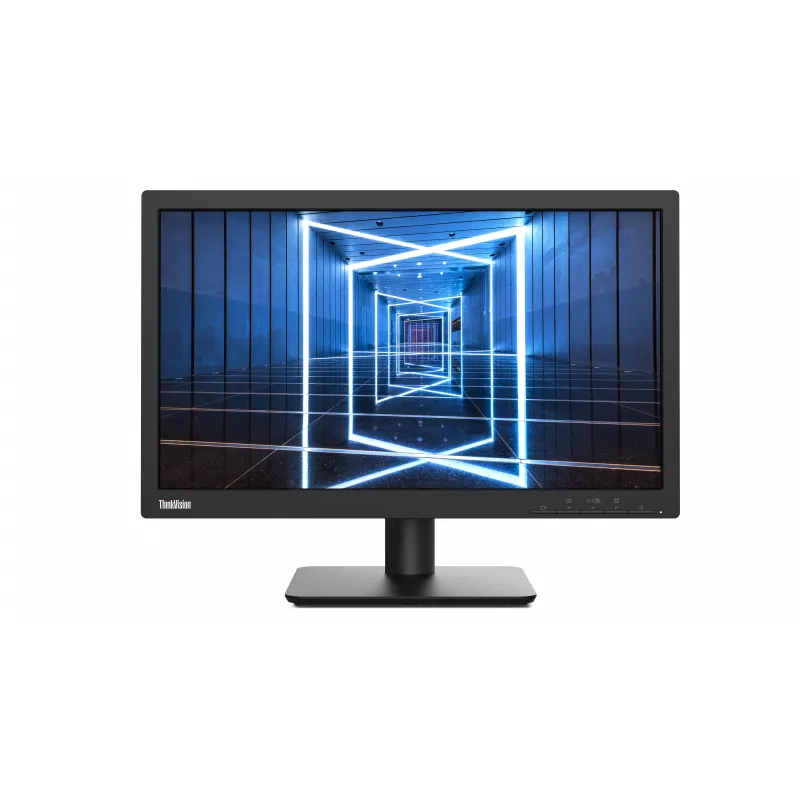
Lenovo ThinkVision E20-30 LED Monitor 19.5 inch TN 1600x900 VGA HDMI Tilt VESA 100x100 Black

Lenovo ThinkVision E20-30 LED Monitor 19.5 inch TN 1600x900 VGA HDMI Tilt VESA 100x100 Black
R5,057
The Lenovo ThinkVision E20-30 is a 19.5-inch LED monitor designed for everyday productivity. With a TN panel delivering 1600x900 resolution, 250 cd/m² brightness, and 1000:1 contrast ratio, it offers clear visuals for office tasks. The monitor features a tilt-adjustable stand and VESA mount compatib... Read More
Stock Out Of StockNo Stock Code 2858625 Brand LENOVO Model 62F7KAT4EU Warranty 2 Years
CategoryComputer Monitors

Shipping & Returns

The Lenovo ThinkVision E20-30 is a 19.5-inch LED monitor designed for everyday productivity. With a TN panel delivering 1600x900 resolution, 250 cd/m² brightness, and 1000:1 contrast ratio, it offers clear visuals for office tasks. The monitor features a tilt-adjustable stand and VESA mount compatibility for flexible setups. Connectivity includes HDMI and VGA ports. It is TÜV Rheinland certified for low blue light and flicker-free performance, reducing eye strain during extended use.

Advantages

Energy-efficient with typical power consumption of only 12W. Space-saving 19.5-inch size fits compact desks. Reliable Lenovo quality with a 3-year warranty.

Suitable for

  • Office workers needing a reliable secondary display
  • Home users for web browsing, document editing, and multimedia
  • Educational environments and call centers

Key specifications

  • Display: 19.5 inch TN, 1600x900 (HD+), 16:9
  • Brightness: 250 cd/m², Contrast: 1000:1
  • Response Time: 5ms (GtG), Refresh Rate: 60Hz
  • Viewing Angles: 170° horizontal / 160° vertical
  • Color Support: 16.7 million (6-bit+FRC), 72% NTSC
  • Inputs: 1x HDMI 1.4, 1x VGA
  • Ergonomics: Tilt (-5° to 22°)
  • VESA Mount: 100x100mm
  • Power Consumption: 12W typical, <0.5W standby
  • Low Blue Light & Flicker-Free (TÜV certified)

Recommendations

For a budget-friendly monitor that covers basic needs, the Lenovo ThinkVision E20-30 is a solid choice. Its compact size and low power consumption make it ideal for multi-monitor setups or small workspaces.

Key Highlights
  • 49.5 cm (19.5") Black
  • HDMI HDMI version: 1.4
  • Screen shape: Flat
  • Maximum refresh rate: 60 Hz Response time: 2 ms
  • 1600 x 900 pixels Panel type: TN
  • Energy efficiency class (SDR): D ENERGY STAR, EPEAT Silver, TCO RoHS
Specifications
AMD FreeSync
No
Brand
Lenovo
Built-in speaker(s)
No
Cables included
HDMI cable, VGA cable
Category
Monitors
Colour name
Black
Contrast ratio (typical)
1000:1
Display brightness (typical)
250 cd/m²
Display diagonal
49.5 cm (19.5")
Display resolution
1600 x 900 pixels
Display technology
LED
DisplayPorts quantity
0
EAN
196119950937
HD type
HD+
HDCP
No
HDMI ports quantity
1
HDMI version
1.4
Height adjustment
No
Market positioning
Business
Maximum refresh rate
60 Hz
Model
ThinkVision E20-30
MPN
62F7KAT4EU
Native aspect ratio
16:9
NVIDIA G-SYNC
No
Panel mounting interface
100 x 100 mm
Panel type
TN
Pivot
No
Power consumption (max)
12 W
Power consumption (off)
0.3 W
Power consumption (standby)
0.5 W
Product colour
Black
Screen shape
Flat
Swivelling
No
VESA mounting
Yes
Warranty period
3 years
Weight
2.2 kg

Leaflet

Open Leaflet

Leaflet

Open Leaflet

Manual

Open Manual

Document

Open Document

Energy label

Open Energy label
Price history over the last 6 months
Lenovo ThinkVision E20-30 LED Monitor 19.5 inch TN 1600x900 VGA HDMI Tilt VESA 100x100 Black
Current
R5,057
Lowest
R3,215
Highest
R5,057
Change 24H
+R1,724   +52%
Week
+R1,828   +57%
Month
—   

Write a review

Rating *
Your name will be shown publicly – you can use a nickname. We invite buyers to write reviews; we check reviews before publishing and publish critical ones too.

Popular products in this category

WhatsApp
Messenger
Hi, I’m DistriNode’s AI assistant. I can help you find products, compare options, create quote PDFs, or open support requests.
All categories