Account Contact
Your Cart
Pay on delivery – no extra fees
Need help? Ask our AI

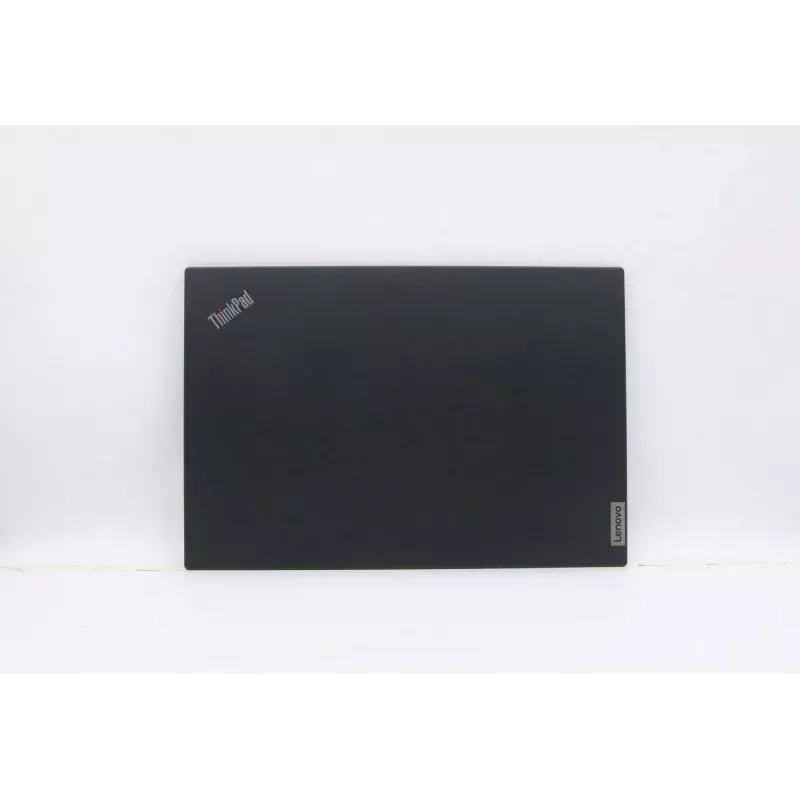
Laptop part Lenovo FRU cover assembly for WWAN — replacement cover for wireless WAN module

Laptop part Lenovo FRU cover assembly for WWAN — replacement cover for wireless WAN module
R2,375
This replacement part is a Lenovo FRU cover assembly for WWAN designed to house and protect a wireless wide area network module inside compatible Lenovo notebook models. It is a structural component used during installation, repair, or upgrade of mobile broadband hardware, providing a secure fit and... Read More
Stock 1 Code 1467213 Brand LENOVO Model 5CB0S95457 Warranty 2 Years

Shipping & Returns

Estimated delivery Monday, November 2
You will be kept updated through our detailed tracking system
Payment options
EFTPayFastBank CardSnapScanZapperGoogle PayApple PayMobicredMoreTymePay on Arrival

This replacement part is a Lenovo FRU cover assembly for WWAN designed to house and protect a wireless wide area network module inside compatible Lenovo notebook models. It is a structural component used during installation, repair, or upgrade of mobile broadband hardware, providing a secure fit and shielding for the WWAN card and its connectors.

Advantages

The cover assembly restores the original mounting and alignment for the WWAN module, ensuring reliable electrical contact and mechanical stability. Made to match Lenovo notebook form factors, it helps prevent dust ingress and reduces the risk of accidental damage to the module and antenna connections. As a purpose-built replacement part, it supports straightforward installation and maintains the notebook’s internal layout.

Suitable for

  • Repairing or replacing a damaged WWAN module cover in compatible Lenovo laptops
  • Upgrading a notebook with a new WWAN/mobile broadband card
  • Maintenance tasks that require removal and reinstallation of internal WWAN hardware

Key specifications

  • Function: Protective and mounting cover for WWAN module
  • Compatibility: Designed for compatible Lenovo notebook models that accept a WWAN card
  • Material: Durable plastic or composite consistent with Lenovo internal components
  • Form factor: Sized to fit standard WWAN module bay and connector positions in supported notebooks
  • Finish: Internal OEM-style finish to match original component mounting and grounding requirements

How to use

Power off the notebook and disconnect any power sources and batteries according to the device manufacturer’s safety instructions. Access the WWAN module bay by removing the notebook service panel or keyboard as required for your specific model. Position the WWAN module in its slot, align connectors, and secure it following Lenovo’s service procedures. Place the replacement cover assembly over the module, ensuring tabs and screw locations align, then fasten screws or clips to secure the cover. Reassemble the service panel and restore power.

Recommendations

Use appropriate ESD protection when handling internal components. Verify compatibility with your specific Lenovo model before installation and follow official service manuals or qualified technician guidance if uncertain.

Key Highlights
  • Repairing or replacing a damaged WWAN module cover in compatible Lenovo laptops
  • Upgrading a notebook with a new WWAN/mobile broadband card
  • Maintenance tasks that require removal and reinstallation of internal WWAN hardware
  • Function: Protective and mounting cover for WWAN module
  • Compatibility: Designed for compatible Lenovo notebook models that accept a WWAN card
  • Material: Durable plastic or composite consistent with Lenovo internal components
  • Form factor: Sized to fit standard WWAN module bay and connector positions in supported notebooks
  • Finish: Internal OEM-style finish to match original component mounting and grounding requirements
Price history is not available yet
We are still collecting enough daily price data for this product.

Popular products in this category

WhatsApp
Hi, I’m DistriNode’s AI assistant. I can help you find products, compare options, create quote PDFs, or open support requests.