Account Contact
Your Cart
Pay on delivery – no extra fees
Need help? Ask our AI

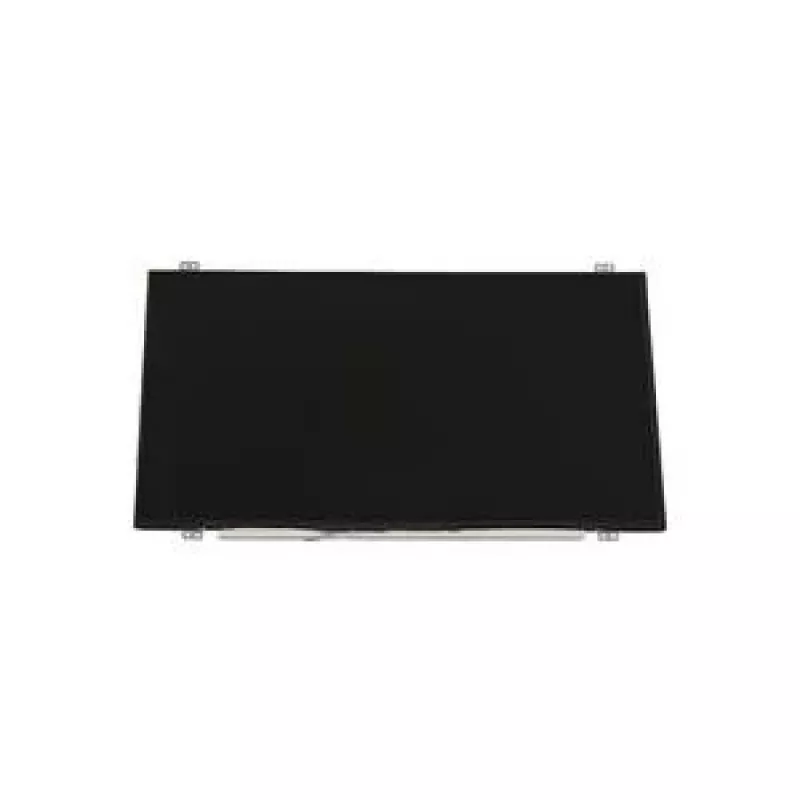
Laptop LCD panel Lenovo AUO 14.0 inch HD AG 1366x768 display FRU04X0378

Laptop LCD panel Lenovo AUO 14.0 inch HD AG 1366x768 display FRU04X0378
R3,001
Replacement 14.0-inch Lenovo AUO laptop LCD panel with HD 1366x768 resolution and anti-glare (AG) coating. This display is designed to match the original form factor for compatible Lenovo notebooks, providing native HD resolution and surface treatment that reduces reflections and improves viewing co... Read More
Stock 1 Code 1503415 Brand LENOVO Model FRU04X0378 Warranty 2 Years

Shipping & Returns

Estimated delivery Thursday, November 5
You will be kept updated through our detailed tracking system
Payment options
EFTPayFastBank CardSnapScanZapperGoogle PayApple PayMobicredMoreTymePay on Arrival

Replacement 14.0-inch Lenovo AUO laptop LCD panel with HD 1366x768 resolution and anti-glare (AG) coating. This display is designed to match the original form factor for compatible Lenovo notebooks, providing native HD resolution and surface treatment that reduces reflections and improves viewing comfort in typical indoor lighting. The panel restores image sharpness, contrast and color reproduction to OEM-like levels for repair or refurbishment projects.

Advantages

The AUO 14.0" HD panel offers clear 1366x768 resolution with a durable anti-glare surface that minimizes reflections and fingerprints. Its direct-fit design follows Lenovo OEM dimensions and mounting points to simplify replacement and reduce installation time. The display maintains consistent brightness and color performance suitable for everyday computing, office work and media playback. Built to original mechanical specifications, it supports a straightforward swap-in process without extensive frame modification.

Key specifications

  • Screen size: 14.0 inches
  • Resolution: 1366 x 768 (HD)
  • Surface: Anti-glare (AG) coating
  • Panel type: AUO LCD module, standard thickness for 14.0" laptop panels
  • Aspect ratio: 16:9
  • Mounting: OEM-compatible mounting points and connector position for Lenovo form factors

How to use

Turn off the laptop, disconnect power and remove the battery if possible before beginning. Carefully separate the bezel and remove the damaged panel by unscrewing the retaining brackets and detaching the flat flex cable from the display connector. Align the replacement AUO panel in the frame, secure it with the original screws or brackets, and reconnect the display cable, ensuring proper orientation and a secure connection. Reattach the bezel, reconnect power and perform a display test to confirm correct operation and image alignment.

Recommendations

Handle the panel by its edges and avoid touching the LCD surface. Use anti-static precautions when working inside the laptop, and verify connector compatibility and cable orientation before applying power. If unsure about compatibility or installation, consult a qualified technician or service manual for the specific Lenovo model.

Key Highlights
  • Замена повреждённого или мерцающего дисплея в совместимых ноутбуках Lenovo
  • Ремонтные мастерские и сервис-центры, выполняющие восстановление экранов
  • Самостоятельный ремонт пользователями, имеющими базовые навыки по разборке ноутбука
  • Обновление комплектации при восстановлении б/у ноутбуков перед продажей
  • Screen size: 14.0 inches
  • Resolution: 1366 x 768 (HD)
  • Surface: Anti-glare (AG) coating
  • Panel type: AUO LCD module, standard thickness for 14.0" laptop panels
  • Aspect ratio: 16:9
  • Mounting: OEM-compatible mounting points and connector position for Lenovo form factors
Specifications
Weight
2 kg
Price history over the last 6 months
Laptop LCD panel Lenovo AUO 14.0 inch HD AG 1366x768 display FRU04X0378
Current
R3,001
Lowest
R2,646
Highest
R3,001
Change 24H
+R355   +13%
Week
—   
Month
—   

Popular products in this category

WhatsApp
Messenger
Hi, I’m DistriNode’s AI assistant. I can help you find products, compare options, create quote PDFs, or open support requests.