Account Contact
Your Cart
Pay the courier with no extra fees.
Need help? DistriNode AI can handle any task on our site.

KVM Switch ATEN CS1942DPA 2‑Port USB 3.0 Dual‑Display DisplayPort 8K 60Hz

KVM Switch ATEN CS1942DPA 2‑Port USB 3.0 Dual‑Display DisplayPort 8K 60Hz
R7,433
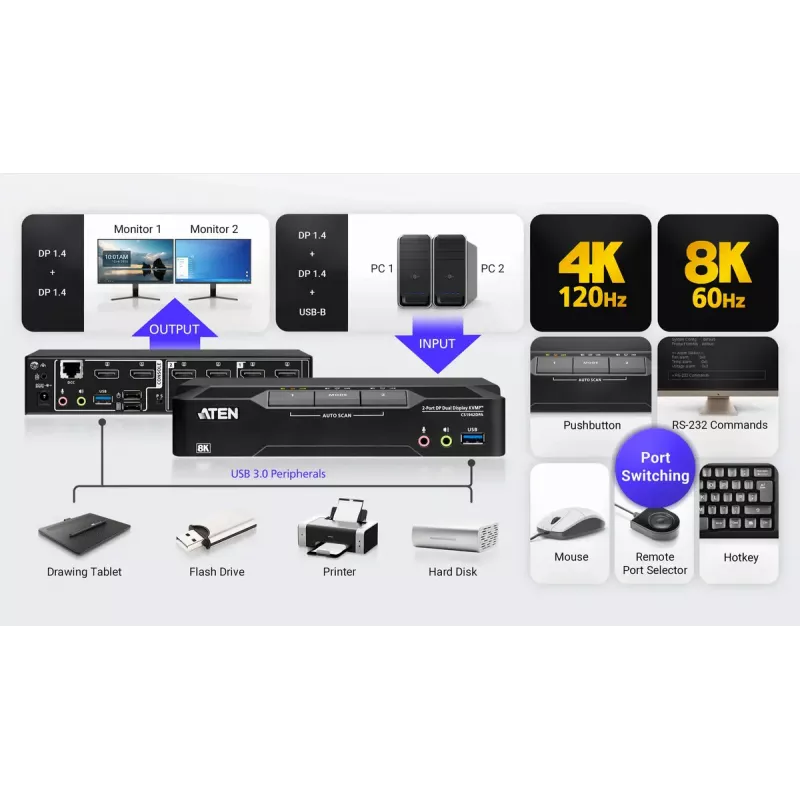
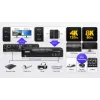
The ATEN CS1942DPA 2‑Port USB 3.0 Dual‑Display DisplayPort 8K 60Hz KVMP™ switch allows control of two DisplayPort computers using a single USB keyboard and mouse while driving two DisplayPort monitors at resolutions up to 7680 × 4320 @ 60 Hz. The unit integrates a USB 3.0 hub for peripheral sharing,... Read More
Stock 4 Code 2359337 Brand ATEN Model CS1942DPA Warranty 2 Years

Shipping & Returns

Estimated delivery Wednesday, October 7
You will be kept updated through our detailed tracking system
Payment options
EFTPayFastBank CardSnapScanZapperGoogle PayApple PayMobicredMoreTymePay on Arrival

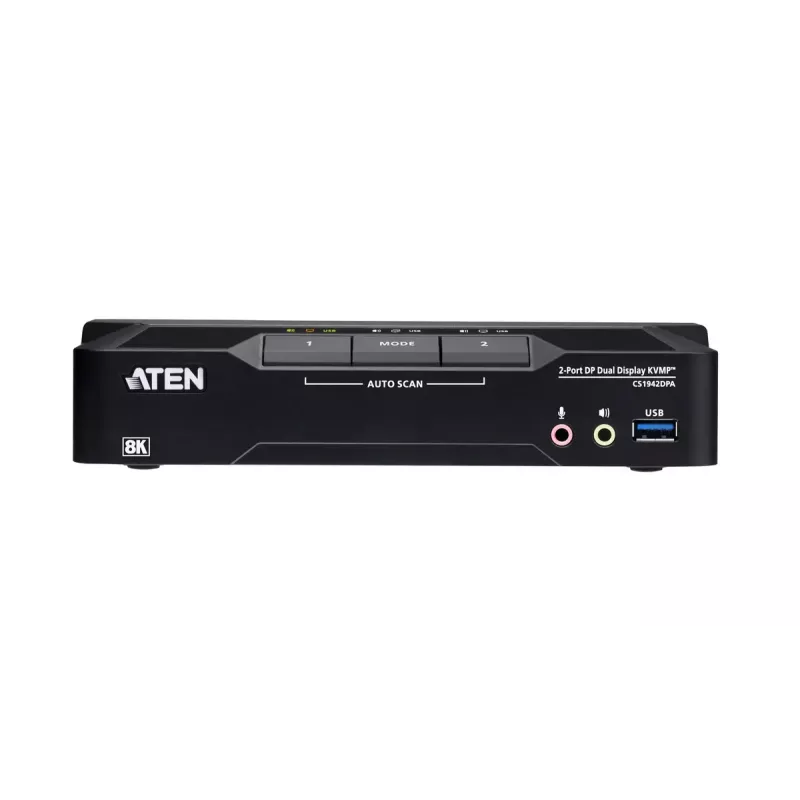
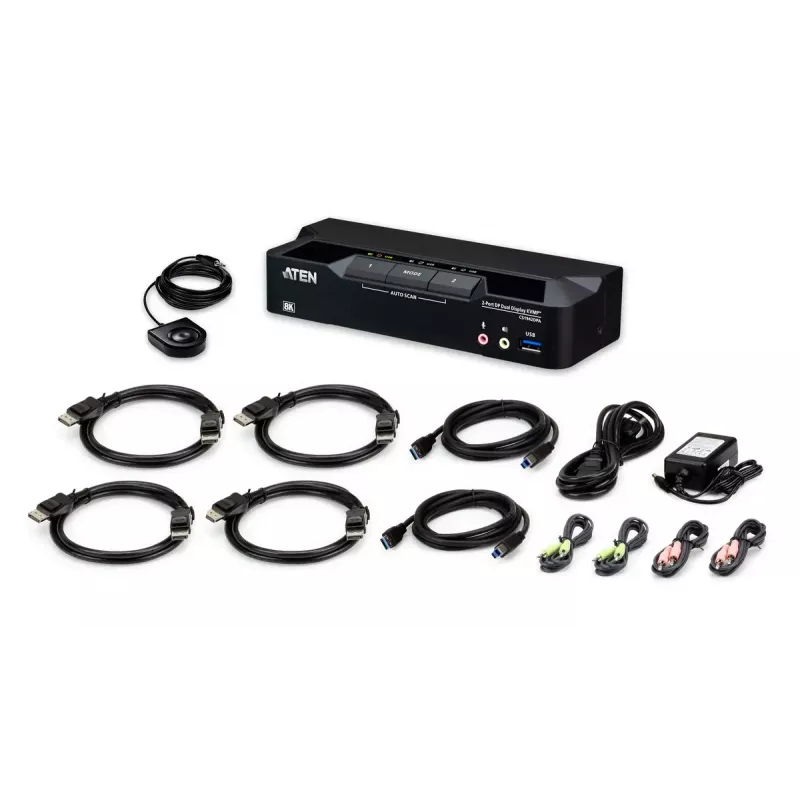
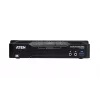
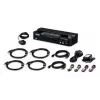
The ATEN CS1942DPA 2‑Port USB 3.0 Dual‑Display DisplayPort 8K 60Hz KVMP™ switch allows control of two DisplayPort computers using a single USB keyboard and mouse while driving two DisplayPort monitors at resolutions up to 7680 × 4320 @ 60 Hz. The unit integrates a USB 3.0 hub for peripheral sharing, includes all DisplayPort/USB connection cables and a 12 V DC power adapter, and comes in a compact black enclosure suitable for desktop workstation setups that require high-resolution dual‑display switching and device sharing.

Advantages

The CS1942DPA supports high video bandwidths for ultra-high-definition workflows, including up to 8K@60 Hz and multi-resolution compatibility such as 5120×2880@60 Hz and 4096×2160@120 Hz. It simplifies multi‑system operation by combining KVM switching with a USB 3.0 hub so you can share keyboards, mice and high-speed peripherals at up to 5 Gbps. Multiple selection methods including front-panel pushbuttons, hotkeys, mouse switching, remote port selector and RS-232 commands provide flexible control options. Included cables and the power adapter reduce installation time and enable a cleaner desk layout.

Suitable for

  • Workstations that require dual DisplayPort monitors with ultra‑high resolutions (creative and design workflows)
  • Financial or trading desks that manage two computers with a single console
  • Hybrid office setups where one keyboard/mouse must control multiple systems
  • Environments needing fast peripheral sharing via USB 3.0 (external drives, webcams, input devices)

Key specifications

  • Maximum resolution: up to 7680 × 4320 pixels at 60 Hz
  • Supported additional resolutions: 5120 × 2880 @ 60 Hz, 4096 × 2160 @ 120 Hz
  • Video interface: DisplayPort (dual‑display per PC)
  • USB host interface: USB 3.0 for peripheral sharing (up to 5 Gbps)
  • Number of computers controlled: 2
  • Control methods: front pushbuttons, hotkeys, mouse switching, remote port selector, RS-232
  • Power input: DC 12 V; typical power consumption: 3.18 W
  • Physical dimensions (W × D × H): 71.8 mm × 200 mm × 43 mm
  • Product weight: 0.47 kg
  • Colour: Black

How to use

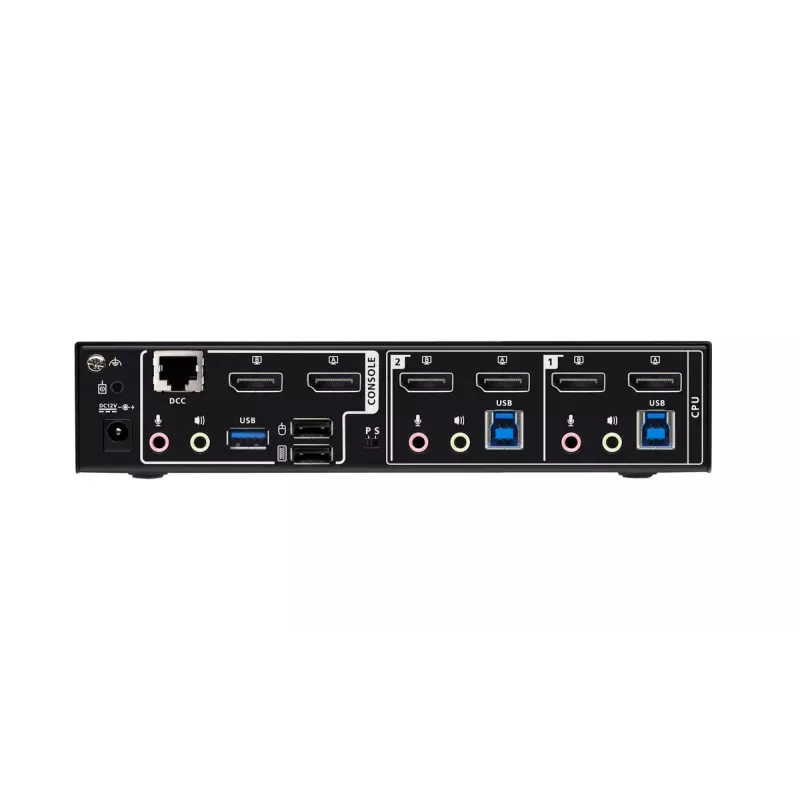
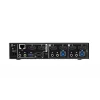
Place the CS1942DPA on your desk and connect each computer to the unit using the supplied DisplayPort and USB cables. Connect your keyboard and mouse to the front or rear USB console ports and attach your dual DisplayPort monitors to the display outputs. Plug the 12 V DC power adapter into the unit and a mains outlet. Use the front-panel pushbuttons, keyboard hotkeys, the mouse switching feature, or the optional remote port selector to switch control between the two connected computers. For automation or advanced integration, control commands can also be sent via RS-232 according to the manufacturer’s interface specifications.

What to consider before purchase

  • Ensure your computers and monitors have DisplayPort connections or plan for appropriate adapters
  • Confirm that your workflows require the supported high resolutions (8K/60 Hz or alternate rates)
  • Check available desk space for a small desktop KVM unit and cable routing needs
  • Verify that a 12 V DC power outlet is accessible where the switch will be installed

Recommendations

For reliable 8K@60 performance, use high-quality DisplayPort cables and verify display and GPU compatibility. When using USB 3.0 peripherals, connect devices directly to the CS1942DPA’s USB 3.0 ports and avoid long passive USB extension cables to maintain throughput. If you intend to scale to four displays, consider daisy-chaining two compatible units as documented by the manufacturer.

Key Highlights
  • Workstations that require dual DisplayPort monitors with ultra‑high resolutions (creative and design workflows)
  • Financial or trading desks that manage two computers with a single console
  • Hybrid office setups where one keyboard/mouse must control multiple systems
  • Environments needing fast peripheral sharing via USB 3.0 (external drives, webcams, input devices)
  • Maximum resolution: up to 7680 × 4320 pixels at 60 Hz
  • Supported additional resolutions: 5120 × 2880 @ 60 Hz, 4096 × 2160 @ 120 Hz
  • Video interface: DisplayPort (dual‑display per PC)
  • USB host interface: USB 3.0 for peripheral sharing (up to 5 Gbps)
  • Number of computers controlled: 2
  • Control methods: front pushbuttons, hotkeys, mouse switching, remote port selector, RS-232
  • Power input: DC 12 V; typical power consumption: 3.18 W
  • Physical dimensions (W × D × H): 71.8 mm × 200 mm × 43 mm
  • Product weight: 0.47 kg
  • Colour: Black
  • Ensure your computers and monitors have DisplayPort connections or plan for appropriate adapters
  • Confirm that your workflows require the supported high resolutions (8K/60 Hz or alternate rates)
  • Check available desk space for a small desktop KVM unit and cable routing needs
  • Verify that a 12 V DC power outlet is accessible where the switch will be installed
Specifications
Built-in display
No
Console DisplayPorts ports quantity
4
Console ports
3.5mm headphone, DisplayPort, USB A
Console RJ-45 ports quantity
1
Console USB ports quantity
2
Country of origin
Thailand
DC-in jack
Yes
Depth
200 mm
DisplayPorts quantity
4
Harmonized System (HS) code
84718000
HD type
8K Ultra HD
Headphone outputs
4
Height
43 mm
Input voltage
12
Keyboard port type
USB
LED indicators
Y
Maximum refresh rate
240 Hz
Maximum resolution
7680 x 4320
Mouse port type
USB
Number of computers controlled
2
Number of microphone inputs
4
Operating relative humidity (H-H)
0 - 80
Operating temperature (T-T)
0 - 50
Power consumption (typical)
3.18 W
Power source
DC
Product colour
Black
Push button
Yes
Quick installation guide
Yes
Rack mounting
No
Scan interval
1, 99
Storage relative humidity (H-H)
0 - 80
Storage temperature (T-T)
-20 - 60
USB 3.2 Gen 1 (3.1 Gen 1) Type-A hub ports quantity
2
USB 3.2 Gen 1 (3.1 Gen 1) Type-B ports quantity
2
USB connector type
USB Type-A, USB Type-B
USB hub
Yes
Video bandwidth
60 Hz
Video port type
DisplayPort
Weight
0.47 kg
Width
71.8 mm

Leaflet

Open Leaflet
Price history over the last 6 months
KVM Switch ATEN CS1942DPA 2‑Port USB 3.0 Dual‑Display DisplayPort 8K 60Hz
Current
R7,433
Lowest
R5,690
Highest
R7,433
Change 24H
+R21   +0%
Week
+R1,742   +31%
Month
—   

Popular products in this category

WhatsApp
Hi, I’m DistriNode’s AI assistant. I can help you find products, compare options, create quote PDFs, or open support requests.