Account Contact
Your Cart
Pay the courier with no extra fees.
Need help? DistriNode AI can handle any task on our site.

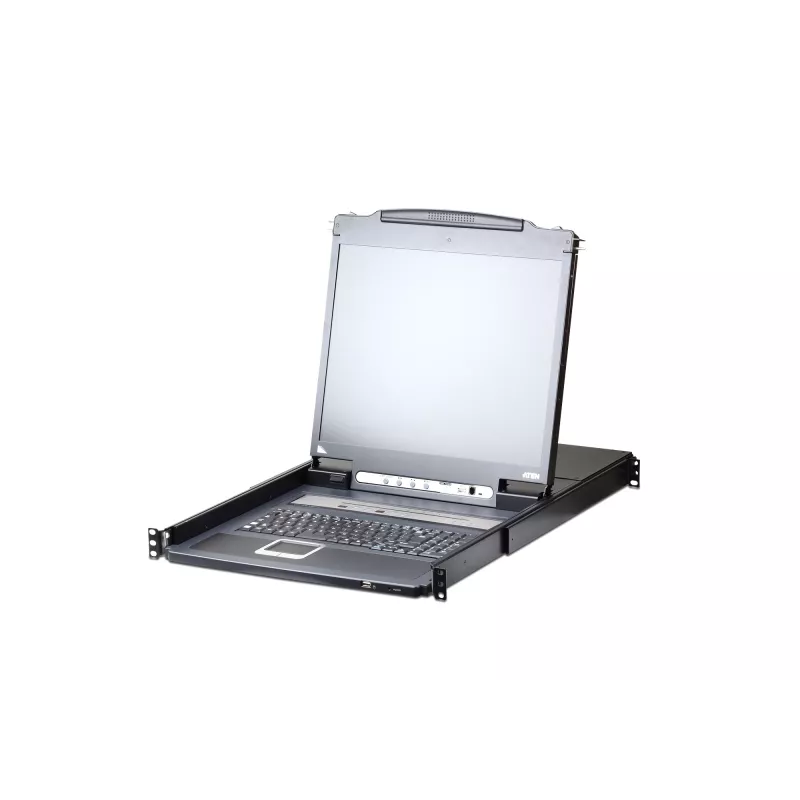
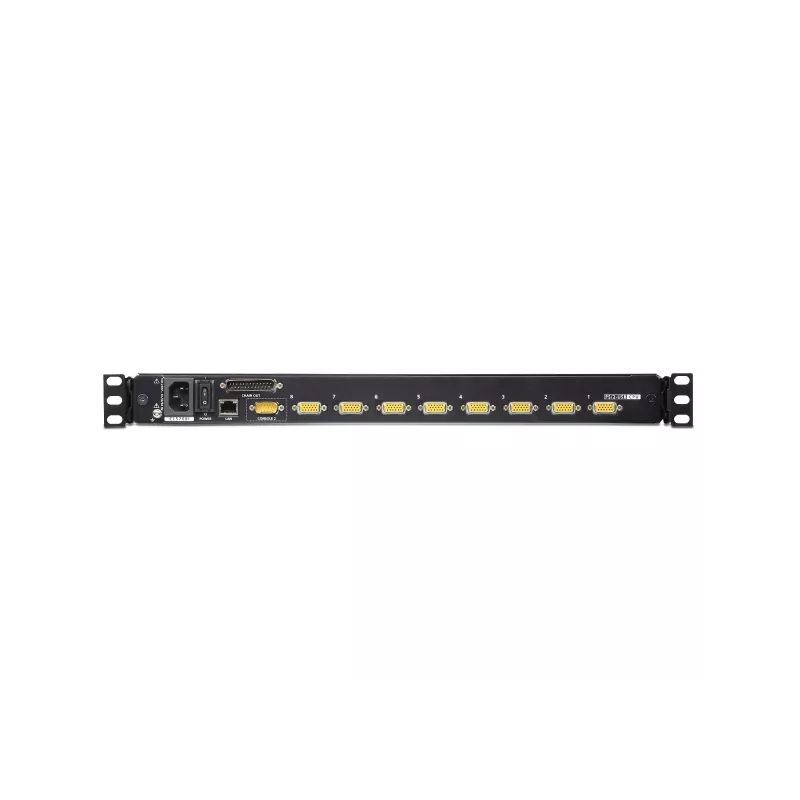
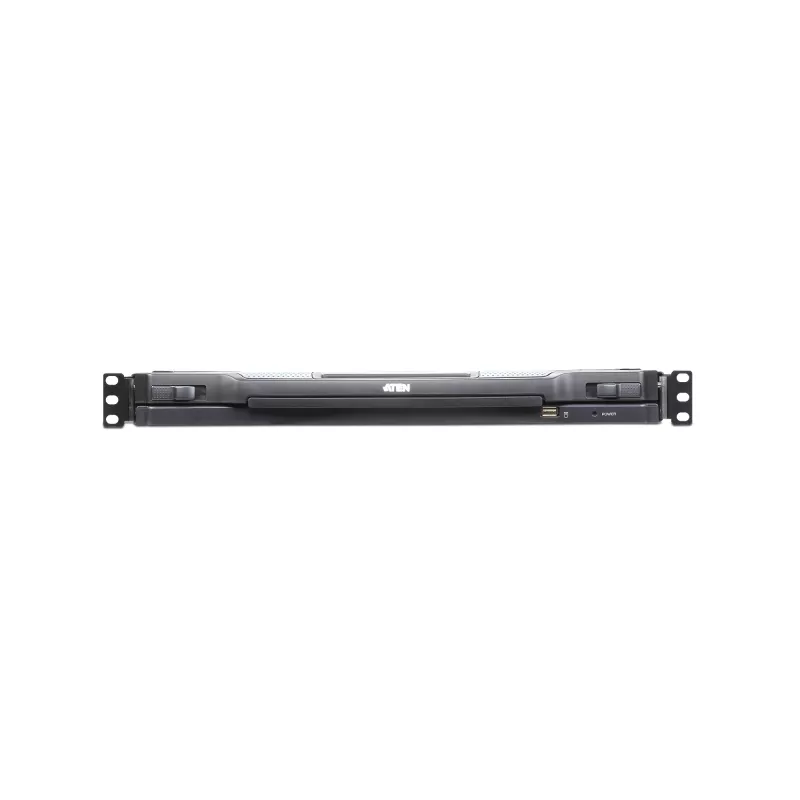
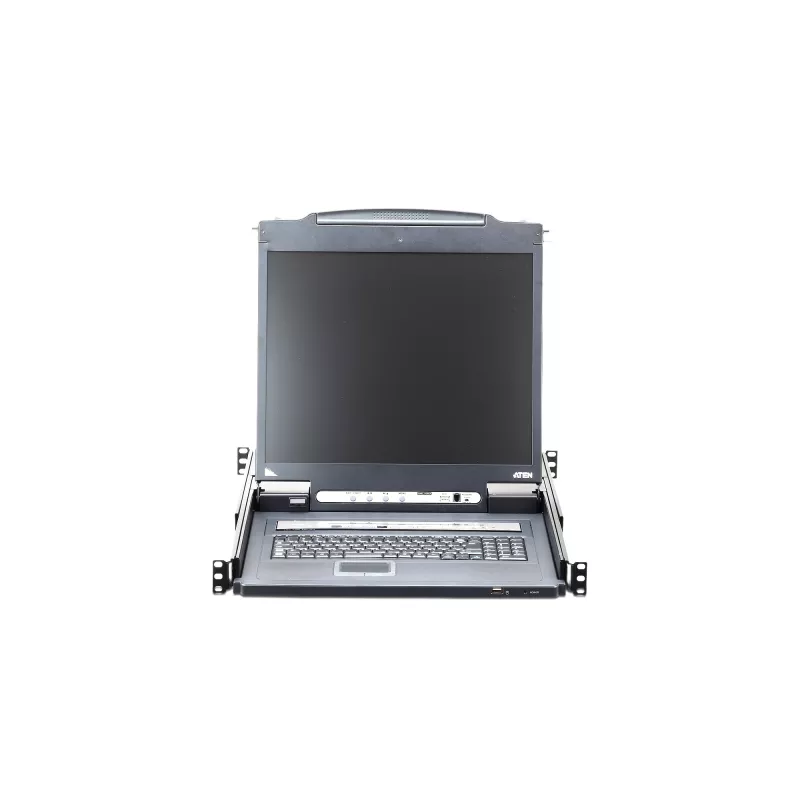
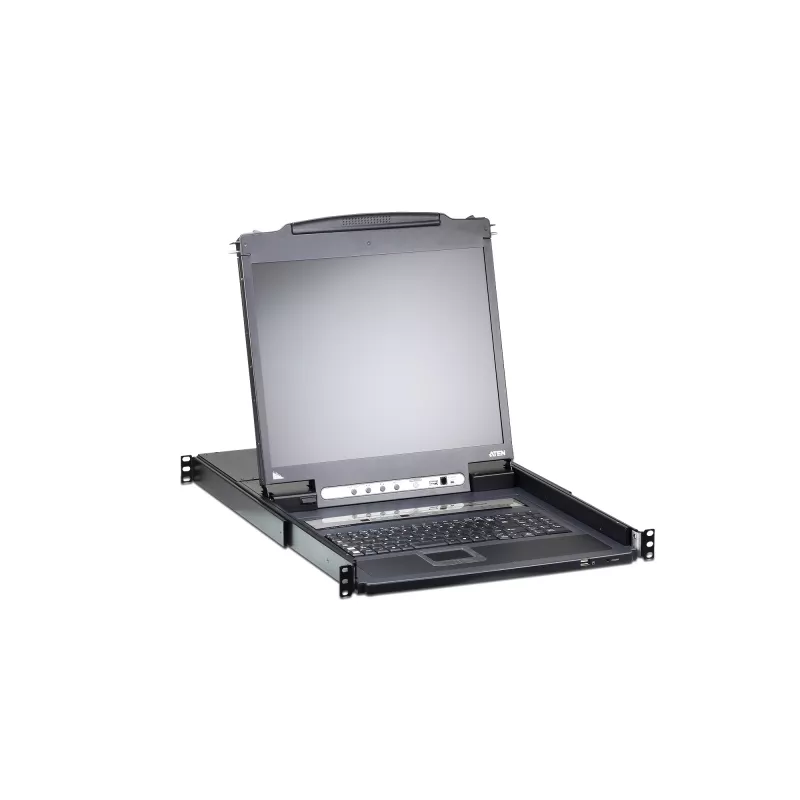
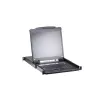
ATEN L5708IM-ATA-2XK06FG rack console 43.2 cm (17 inch) Black 1U

ATEN L5708IM-ATA-2XK06FG rack console 43.2 cm (17 inch) Black 1U
R26,712
The CL5708I Slideaway™ LCD KVM Switch is a control unit that allows access to multiple computers from a single PS/2 or USB KVM (keyboard, video, and mouse) console. A single CL5708I can control up to 8 computers. As many as 15 additional KVM switches can be daisychained to the CL5708I, so that up to... Read More
Stock 4 Code 1491840 Brand ATEN Model CL5708IM-ATA-FG Warranty 2 Years

Shipping & Returns

Estimated delivery Wednesday, October 7
You will be kept updated through our detailed tracking system
Payment options
EFTPayFastBank CardSnapScanZapperGoogle PayApple PayMobicredMoreTymePay on Arrival
The CL5708I Slideaway™ LCD KVM Switch is a control unit that allows access to multiple computers from a single PS/2 or USB KVM (keyboard, video, and mouse) console. A single CL5708I can control up to 8 computers. As many as 15 additional KVM switches can be daisychained to the CL5708I, so that up to 128 computers can all be controlled from a single KVM console.

The CL5708I LCD KVM Switch is an IP-based KVM control unit that allows both local and remote operators to monitor and access multiple computers. Remote users access the switches over the Internet by means of a web browser using TCP/IP for its remote communications protocol. The CL5708I supports up to 32 concurrent user logins for a single-bus computer access. A built-in feature that resembles an Internet chat program - the Message Board - lets them communicate with each other. The ability to exchange information in real time allows them to cooperatively manage the installation in a smooth and efficient manner.

The CL5708I offers a space-saving, streamlined approach to KVM switch technology by integrating a keyboard, 17" or 19" LED-backlit LCD monitor, and touchpad in a 1U rack-mountable sliding housing. In addition, since the CL5708I is built on a modular design, the KVM section can be detached from the switch section for convenient maintenance and repair.

Among CL5708I's other outstanding features, the Panel Array Mode provides the ability to monitor the video output of the servers on the installation; while the Mouse DynaSync™ feature automatically synchronizes the local and remote mouse pointer movements for perfect alignment regardless of what the mouse acceleration settings on the server are.

The CL5708I supports the highest security protocols, such as TLS 1.2 encryption for the browser, and RC4 128 bit encryption for secure keyboard, mouse, and video data transmission. For easier and more efficient user management integration, the CL5708I also supports authentication and authorization via 3rd party authorized servers, such as RADIUS, LDAP, LDAPS, and MS Active Directory.

Hardware
-Exclusive LED illumination light - designed by ATEN to illuminate the keyboard and touchpad to allow visibility in low-light conditions
-Integrated KVM console with 17" or 19" LED-backlit LCD monitor in a Slideaway™ housing
-Space saving technology - up to two consoles (one bus) control up to 8 computers
-Daisy chain up to 15 additional units – control up to 128 computers from a single console (With compatible KVM Switches: ACS1208A, ACS1216A, CS1708A,CS1716A)
-Extra console port – manage computers from an external console (VGA monitor, USB or PS/2 keyboard and mouse)
-Superior video quality - up to 1280 x 1024 @75 Hz; DDC2B for the local console; up to 1920 x 1200 @ 60Hz / 24 bit color depth for remote sessions
-Dual Interface - supports computers and console with PS/2 or USB keyboards and mice
-LCD module USB port allows connected computers to access USB peripherals*
-Auto-sensing of station's position on daisy chained installations; no need for manual dip switch setting; front panel LED indicates station's position
-Hot pluggable - add or remove computers without having to power down the switch
-Keyboard and mouse emulation (PS/2 and USB) for smooth switching and simultaneous booting of multiple computers even when the console focus is elsewhere
-Supports multimedia USB keyboards for Windows, Mac and Sun
-Supports external USB mouse
-Video DynaSync™ - stores the console monitor's EDID (Extended Display Identification Data) to optimize display resolution
-Rack mountable in a 1U system rack
-LCD module rotates up to 115 degrees for a more comfortable viewing angle

* The USB peripheral function only works with USB cable set connections. It will not work with PS/2 cable set connections.

Management
-Convenient computer selection via front panel pushbuttons, hotkeys and multilingual on-screen display (OSD) menus
-Up to 32 concurrent logins
-Multilanguage web UI support featuring a tree-structured local and remote OSD
-Adjustable video quality for flexible adaptation to diverse network environments
-Auto Scan mode enables continuous monitoring of user-selected computers
-Broadcast mode: operations from the keyboard can be simultaneously performed on all selected computers on the installation (software installation, system-wide shutdown, etc.)
-Firmware upgrades to all the daisy-chained KVM switches (CS1708A, CS1716A) at the same time via the daisy-chain cable
-Integration with CC2000 Centralized Management Software
-Backup and restore configuration and user account settings
-Event logging
-IPv6 capable

Ease-to-Use Interface
-Browser-based and AP GUIs, together with a menu-driven OSD for the local console, provide a powerful, intuitive, user-friendly, multi-language interface to minimize user training time and increase productivity
-Multiplatform support - Windows, Linux, Mac, and Sun
-Multi-browser support (IE, Mozilla, Firefox, Safari, Opera, Netscape)
-Panel array mode enables user to monitor multiple servers from single screen at the same time - each selected server's video output appears in a separate panel - users can easily select the number of panels to view
-Windows client and Java client software support; Java client works with all operating systems
-Beeper on/off via hotkey and OSD
-Keyboard Language support: English (US), English (UK), French, German, German (Swiss), Greek, Hungarian, Italian, Japanese, Korean, Russian, Spanish, Swedish and Traditional Chinese

Advanced Security
-Secure keyboard/mouse/video transmission via RC4 128 bit encryption
-Supports TLS 1.2 data encryption and RSA 2048 bit certificates for secure user logins from a browser
-Two level password security - only authorized users can view and control computers; up to 64 user accounts with separate profiles for each
-External (Remote) authentication support: RADIUS, LDAP, LDAPS, MS Active Directory
-Support for IP/MAC Filter
-Local and remote access logged and authenticated

Virtual Remote Desktop
-Resizable remote desktop window
-Message board allows logged-in users to communicate with each other, and allows a user to take exclusive control of the KVM functions
-Mouse DynaSync™
-On-screen keyboard with multi-language support
-BIOS-level access

ATEN L5708IM-ATA-2XK06FG. Display diagonal: 43.2 cm (17"), Display: LCD. Keyboard port type: USB, PS/2, Mouse port type: USB, PS/2, Video port type: VGA. Keyboard language: French, Keyboard layout: AZERTY. Input current: 1 A. Width: 642.7 mm, Height: 44 mm, Depth: 480 mm

How to use

Install the unit in a standard 19-inch rack occupying 1U of space and secure it according to rack mounting instructions. Connect monitor output to the VGA port on the KVM switch and attach the keyboard and mouse to the appropriate USB or PS/2 ports. Use the provided KVM cabling to connect each target computer to the switch. Power on the KVM switch and connected computers, then select the desired computer using the front-panel controls or any supported selection method. Verify video output and input device responsiveness, and adjust display settings on connected computers if necessary to match the 1280 x 1024 resolution.

Recommendations

For reliable operation, use high-quality VGA and peripheral cables and ensure all server video drivers are up to date. When mixing USB and PS/2 devices, confirm compatibility for each connected computer before deployment. Reserve the device for environments where the specified resolution and VGA connectivity meet display requirements, and perform routine physical inspections of rack mounting and cable connections to maintain stable operation.

Key Highlights
  • Server rooms and data centers requiring central control of multiple machines
  • IT maintenance and system administration workstations
  • Environments with a mix of USB and PS/2 peripherals or legacy systems
  • Rack installations where space-saving 1U equipment is needed
  • Video port type: VGA
  • Maximum supported resolution: 1280 x 1024 pixels
  • Keyboard ports: USB and PS/2
  • Mouse ports: USB and PS/2
  • Integrated display: 17" LCD
  • Rack form factor: 1U
  • Number of computers controllable: up to 128
  • Product colour: Black
  • Construction materials: metal and plastic
  • Weight: 13.49 kg
Specifications
AC input frequency
50 - 60
Built-in display
Yes
Cables included
AC, KVM
Cabling technology
10/100/1000Base-T(X)
Console ports
VGA (D-Sub)
Daisy chain
Yes
DDC2B support
Yes
Depth
642.7 mm
Display
LCD
Display diagonal
17 "
Ethernet LAN
Yes
Ethernet LAN (RJ-45) ports
1
Firmware upgradeable
Yes
HD type
SXGA
Height
44 mm
Hot keys
Yes
Hot-Plug support
Yes
Housing material
Metal, Plastic
Input current
1
Input voltage
100 - 240
Keyboard language
French
Keyboard port type
USB, PS/2
LED indicators
Y
Linux operating systems supported
Y
Mac operating systems supported
Y
Manual
Yes
Maximum resolution
1280 x 1024
Mouse port type
USB, PS/2
Number of computers controlled
128
On Screen Display (OSD)
Yes
Operating relative humidity (H-H)
0 - 80
Operating temperature (T-T)
0 - 50
Power consumption (typical)
27.7 W
Power source
AC
Product colour
Black
Push button
Yes
Quick installation guide
Yes
Rack capacity
1U
Rack mount kit
Yes
Rack mounting
Yes
Scan interval
1, 255
Storage temperature (T-T)
-20 - 60
Sustainability certificates
RoHS
VGA (D-Sub) ports quantity
8
Video bandwidth
75 Hz
Video port type
VGA
Weight
13.49 kg
Width
480 mm
Windows operating systems supported
Y

Leaflet

Open Leaflet

Manual

Open Manual
Price history over the last 6 months
ATEN L5708IM-ATA-2XK06FG rack console 43.2 cm (17 inch) Black 1U
Current
R26,712
Lowest
R24,551
Highest
R26,712
Change 24H
+R981   +4%
Week
+R1,149   +4%
Month
+R1,942   +8%

Popular products in this category

WhatsApp
Hi, I’m DistriNode’s AI assistant. I can help you find products, compare options, create quote PDFs, or open support requests.