Account Contact
Your Cart
Pay on delivery – no extra fees
Need help? Ask our AI

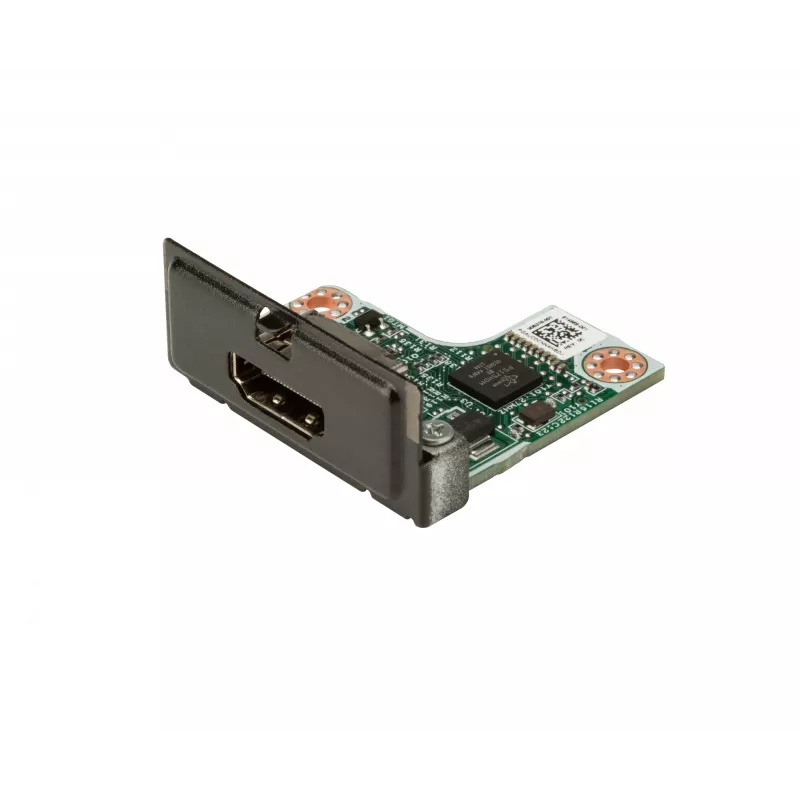
Internal HDMI Flex Port interface card HP 69D47AA Black

Internal HDMI Flex Port interface card HP 69D47AA Black
R1,164
PDF
PDF
Stock Out Of StockNo Stock Code 1503215 Model 69D47AA Warranty 2 Years

Shipping & Returns

Ask a question – the AI assistant answers instantly.

Description

The HP HDMI Flex Port interface card 69D47AA Black provides an internal HDMI host interface designed to expand display and audio connectivity within compatible HP systems. Engineered for internal installation, this black interface card delivers HDMI signal routing for video and audio, enabling connection to external displays, projectors, and AV receivers without occupying external ports. The card is intended for use in systems that support HP Flex Port modular expansion, offering a compact and integrated solution for adding HDMI capability.

Advantages

This internal HDMI Flex Port card offers a compact footprint and integrated installation that preserves external chassis aesthetics while adding HDMI output. The black finish matches system interiors and contributes to uniform appearance. Designed for internal mounting, it reduces cable clutter and provides a direct, stable HDMI host connection for reliable transmission of high-definition video and audio. The card is purpose-built to interface cleanly with compatible HP chassis and expansion frameworks.

Suitable for

  • Adding HDMI output to compatible HP workstations or servers
  • Connecting internal systems to external monitors, projectors, or AV receivers
  • Environments where preserving external ports and reducing cable runs is desired

Key specifications

  • Host interface: HDMI
  • Installation type: Internal card for Flex Port-equipped systems
  • Product colour: Black
  • Function: Provides HDMI video and audio output from the host system

How to use

Install the card into the designated Flex Port slot inside a compatible HP system following the system service manual and safety procedures. After securing the card and reassembling the chassis, connect an HDMI cable from the card’s internal or routed HDMI connector to an external display or AV device. Power on the host system and configure display settings within the operating system or firmware as required to enable the new HDMI output.

Recommendations

Verify compatibility with the target HP system and consult the system documentation for supported Flex Port modules before installation. Use a high-quality HDMI cable and ensure secure connections to maintain signal integrity. For multi-display setups or specific resolution and refresh rate requirements, adjust operating system display settings and update system firmware or drivers as recommended by HP.

Key Highlights
  • Adding HDMI output to compatible HP workstations or servers
  • Connecting internal systems to external monitors, projectors, or AV receivers
  • Environments where preserving external ports and reducing cable runs is desired
  • Host interface: HDMI
  • Installation type: Internal card for Flex Port-equipped systems
  • Product colour: Black
  • Function: Provides HDMI video and audio output from the host system

Specifications

Specifications
Country of origin
China
Depth
38.9 mm
General Product Safety Regulation (GPSR) URL
https://support.hp.com/us-en/document/ish_6126692-6126777-16?openCLC=true
Height
16.3 mm
Package depth
305 mm
Package height
25.4 mm
Package width
216 mm
UNSPSC-code
39121408
Weight
11.3 g
Width
41.7 mm

Leaflet

Open Leaflet
Price history over the last 6 months
Internal HDMI Flex Port interface card HP 69D47AA Black
Current
R1,164
Lowest
R1,085
Highest
R1,623
Change 24H
+R9   +1%
Week
+R34   +3%
Month
+R23   +2%

Write a review

Rating *
Your name will be shown publicly – you can use a nickname. We invite buyers to write reviews; we check reviews before publishing and publish critical ones too.

More HP products in this category

8

Popular products in this category

7
WhatsApp
Messenger
Hi, I’m DistriNode’s AI assistant. I can help you find products, compare options, create quote PDFs, or open support requests.
All categories