Account Contact
Your Cart
Pay the courier with no extra fees.
Need help? DistriNode AI can handle any task on our site.

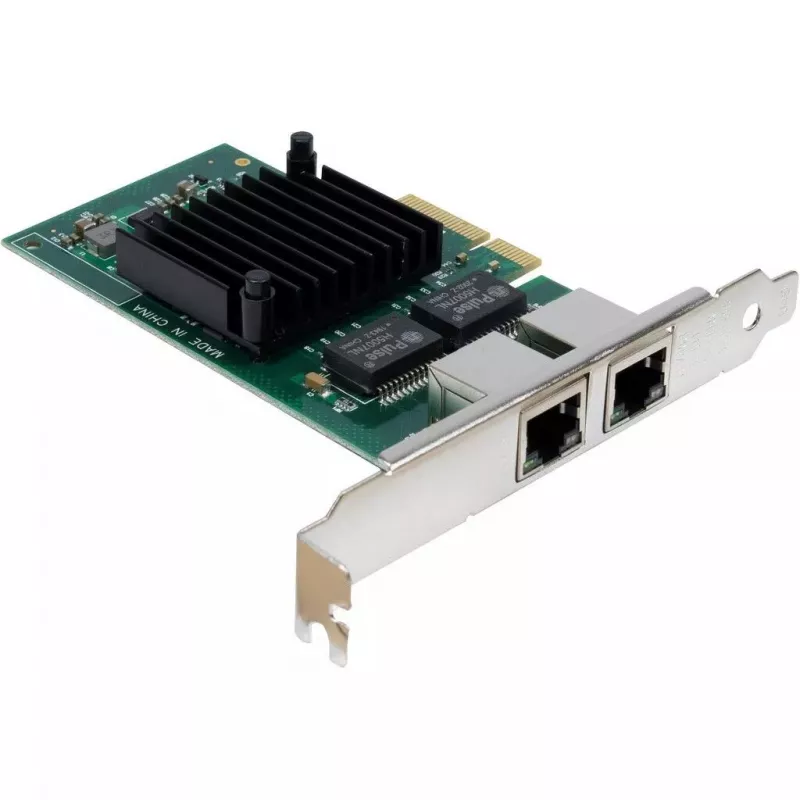
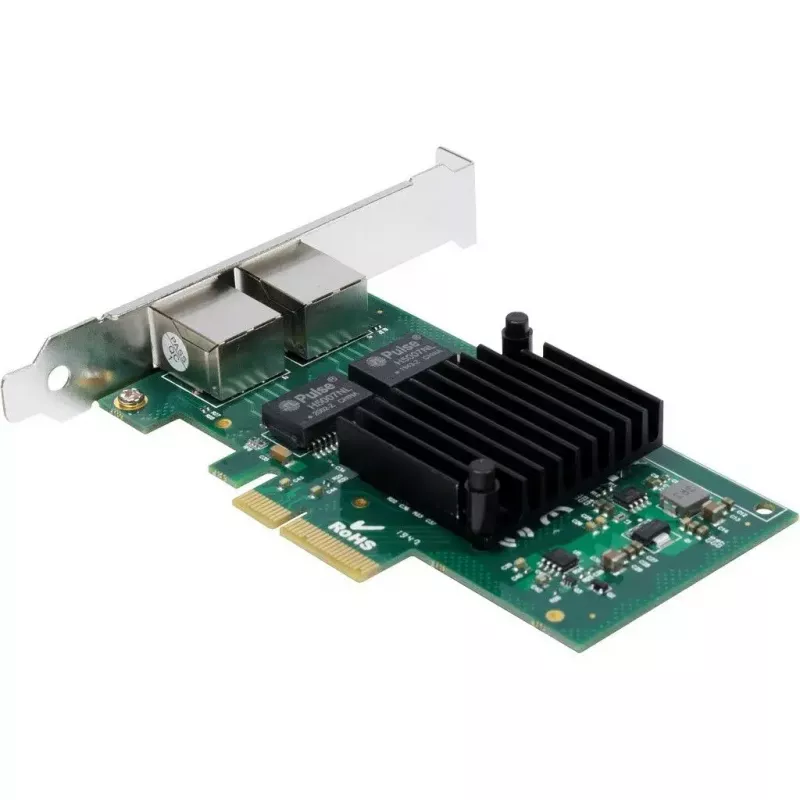
Internal Ethernet Card Inter-Tech ST-727

Internal Ethernet Card Inter-Tech ST-727
R1,403
The Inter-Tech ST-727 is an internal Ethernet card designed to add wired network connectivity to desktop systems through a PCI Express slot. The card supports gigabit speeds up to 1000 Mbit/s and provides a simple hardware solution for stable, high-bandwidth LAN connections. Its compact form factor ... Read More
Stock 55 Code 1468325 Brand INTER-TECH Model 77773002 Warranty 2 Years

Shipping & Returns

Estimated delivery Thursday, October 1
You will be kept updated through our detailed tracking system
Payment options
EFTPayFastBank CardSnapScanZapperGoogle PayApple PayMobicredMoreTymePay on Arrival

The Inter-Tech ST-727 is an internal Ethernet card designed to add wired network connectivity to desktop systems through a PCI Express slot. The card supports gigabit speeds up to 1000 Mbit/s and provides a simple hardware solution for stable, high-bandwidth LAN connections. Its compact form factor and standard interface make it compatible with most modern motherboards that include an available PCIe slot.

Advantages

The card delivers reliable gigabit performance suitable for file transfers, streaming, and latency-sensitive applications. Installation is straightforward and does not require external power cables, keeping internal cable routing tidy. The low weight and standard bracket design ensure easy mounting in desktop cases without the need for modifications.

Key specifications

  • Host interface: PCI Express
  • Maximum data transfer rate: 1000 Mbit/s (gigabit Ethernet)
  • Form factor: internal PCIe network adapter
  • Weight: 0.075 kg
  • Connection type: wired Ethernet

How to use

Power down the PC and disconnect all power sources before installation. Open the case, locate an available PCI Express slot and insert the network card firmly until the bracket aligns with the case opening. Secure the card with a screw, close the case, and reconnect power. On first boot, install the appropriate driver if the operating system does not automatically configure the adapter. After driver installation, configure network settings via the operating system or network management tools to connect to your LAN.

Recommendations

For optimal performance, connect the card to a gigabit-capable switch or router using Cat5e or Cat6 cabling. Ensure the motherboard BIOS and operating system are up to date and use manufacturer or OS-provided drivers for best compatibility. Avoid installing the card next to large heat-generating components to maintain stable operation.

Key Highlights
  • Подключения компьютера к проводной локальной сети
  • Организации высокоскоростной передачи данных и резервного копирования
  • Использования в рабочих станциях, серверах начального уровня и домашних ПК
  • Host interface: PCI Express
  • Maximum data transfer rate: 1000 Mbit/s (gigabit Ethernet)
  • Form factor: internal PCIe network adapter
  • Weight: 0.075 kg
  • Connection type: wired Ethernet
Specifications
Component for
PC
Connectivity technology
Wired
Depth
120 mm
Ethernet LAN (RJ-45) ports
2
Harmonized System (HS) code
85176990
Height
22 mm
Host interface
PCI Express
Interface
Ethernet
Internal
Yes
LAN controller
Intel I350
Linux operating systems supported
Y
Manual
Yes
Maximum data transfer rate
1000 Mbit/s
Mounting brackets included
Yes
Networking standards
IEEE 802.1as
Package weight
190 g
PCI version
2.0
Resource CD
Yes
Weight
0.075 kg
Width
135 mm
Windows operating systems supported
Windows 10, Windows 7, Windows 8, Windows 8.1
Price history over the last 6 months
Internal Ethernet Card Inter-Tech ST-727
Current
R1,403
Lowest
R1,365
Highest
R1,419
Change 24H
+R23   +2%
Week
+R38   +3%
Month
+R14   +1%

Popular products in this category

WhatsApp
Hi, I’m DistriNode’s AI assistant. I can help you find products, compare options, create quote PDFs, or open support requests.