Account Contact
Your Cart
Pay the courier with no extra fees.
Need help? DistriNode AI can handle any task on our site.

HDMI Cable Kindermann 5809002002 2m

HDMI Cable Kindermann 5809002002 2m
R611
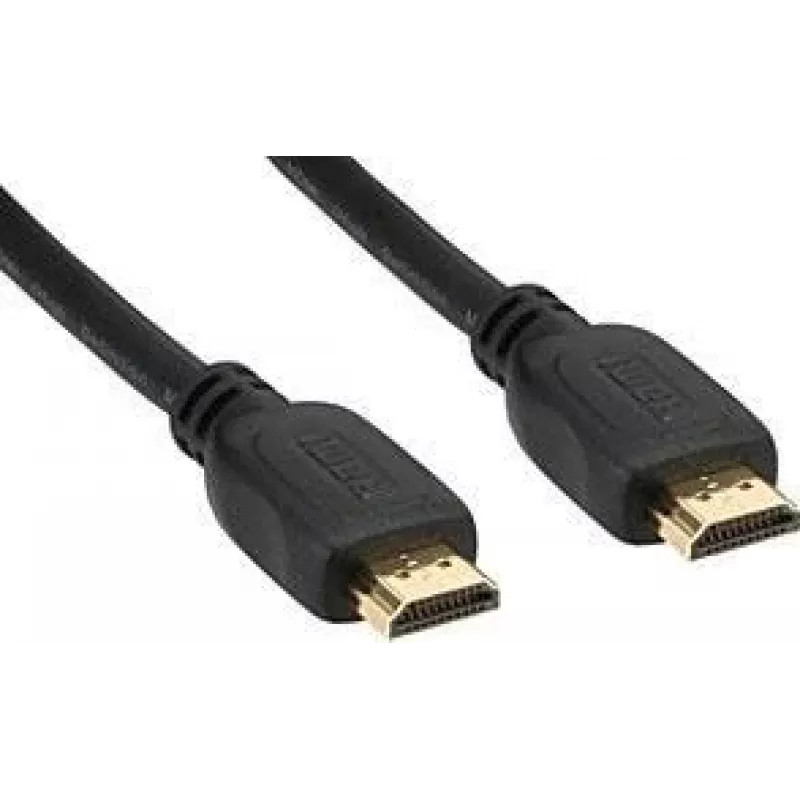
The Kindermann 5809002002 HDMI Cable 2m is a 2-metre HDMI connection cable with HDMI Type A (Standard) connectors on both ends. It supports HDMI version 2.0 with a data transfer rate up to 18 Gbit/s, enabling transmission of high-quality video and audio signals including 3D formats and Audio Return ... Read More
Stock 21 Code 1495656 Brand KINDERMANN Model K-17502P Warranty 2 Years

Shipping & Returns

Estimated delivery Tuesday, October 6
You will be kept updated through our detailed tracking system
Payment options
EFTPayFastBank CardSnapScanZapperGoogle PayApple PayMobicredMoreTymePay on Arrival

The Kindermann 5809002002 HDMI Cable 2m is a 2-metre HDMI connection cable with HDMI Type A (Standard) connectors on both ends. It supports HDMI version 2.0 with a data transfer rate up to 18 Gbit/s, enabling transmission of high-quality video and audio signals including 3D formats and Audio Return Channel (ARC). The cable comes in black and features gold-plated connectors to enhance contact quality and reduce oxidation for stable signal transfer when connecting TVs, projectors, monitors and media players.

Advantages

This HDMI cable offers compatibility with devices that use HDMI Type A ports and conforms to HDMI 2.0 signal requirements, providing reliable transmission of high-definition video and multi-channel audio. The 2 m length gives flexibility for typical home and office setups without excess cable slack. Gold-plated connectors improve contact performance and corrosion resistance, helping to maintain consistent image and sound quality over time.

Suitable for

Key specifications

How to use

Connect one HDMI Type A connector to the HDMI output of the source device (for example a set-top box, Blu-ray player, gaming console or computer) and the other HDMI Type A connector to the HDMI input on the display device (TV, monitor or projector). Ensure both devices are powered on and set to the correct input/output sources in their menus. For ARC functionality, connect the cable between the ARC-labelled HDMI ports on the TV and AV receiver and enable ARC in the device settings if required.

Recommendations

Route the cable avoiding sharp bends and excessive tension to preserve connector integrity and signal quality. For wall-mounted displays or in-wall installations follow local regulations and consider using conduits or cable management accessories. If you experience signal loss, check connector seating and try reseating the cable or testing with another HDMI input on your devices.

Key Highlights
  • Connecting HDTVs and displays to set-top boxes and Blu-ray players
  • Linking computers or laptops to monitors and projectors for presentations
  • Connecting gaming consoles to TVs or AV receivers
  • Integrating media players and streaming devices into home entertainment systems
  • Cable length: 2 m
  • Connector type: HDMI Type A (Standard) on both ends
  • Supported HDMI version: 2.0
  • Maximum data transfer rate: 18 Gbit/s
  • Supported features: 3D, Audio Return Channel (ARC)
  • Product colour: Black
  • Connector finish: Gold-plated contacts
Specifications
3D
Yes
Audio Return Channel (ARC)
Yes
Cable jacket material
Polyvinyl chloride (PVC)
Cable length
2 m
Connector 1
HDMI Type A (Standard)
Connector 1 form factor
Straight
Connector 1 gender
Male
Connector 2
HDMI Type A (Standard)
Connector 2 form factor
Straight
Connector 2 gender
Male
Connector contacts plating
Gold
Data transfer rate
18 Gbit/s
HDMI Ethernet channel
Yes
HDMI version
2.0
Product colour
Black
Quantity per pack
1 pc(s)
Supported graphics resolutions
3840 x 2160
Price history over the last 6 months
HDMI Cable Kindermann 5809002002 2m
Current
R611
Lowest
R600
Highest
R1,012
Change 24H
+R9   +1%
Week
-R383   -39%
Month
—   

Popular products in this category

WhatsApp
Hi, I’m DistriNode’s AI assistant. I can help you find products, compare options, create quote PDFs, or open support requests.