Account Contact
Your Cart
Pay the courier with no extra fees.
Need help? DistriNode AI can handle any task on our site.

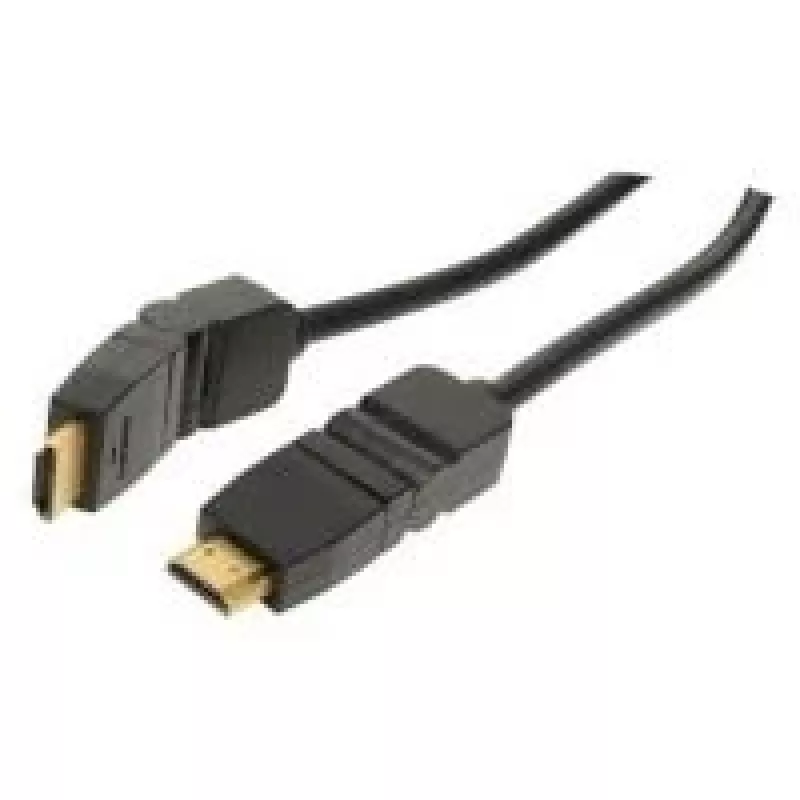
HDMI Cable shiverpeaks BASIC-S 2m

HDMI Cable shiverpeaks BASIC-S 2m
R360
The shiverpeaks BASIC-S 2m HDMI cable is a 2 metre black connection cable with HDMI Type A connectors at both ends and gold-plated contacts to support stable signal transfer. Designed for standard HDMI devices, it delivers a data transfer rate of up to 8.16 Gbit/s to carry high-quality video and aud... Read More
Stock 136 Code 2251538 Brand SHIVERPEAKS Model BS77472-9 Warranty 2 Years

Shipping & Returns

Estimated delivery Tuesday, October 6
You will be kept updated through our detailed tracking system
Payment options
EFTPayFastBank CardSnapScanZapperGoogle PayApple PayMobicredMoreTymePay on Arrival

The shiverpeaks BASIC-S 2m HDMI cable is a 2 metre black connection cable with HDMI Type A connectors at both ends and gold-plated contacts to support stable signal transfer. Designed for standard HDMI devices, it delivers a data transfer rate of up to 8.16 Gbit/s to carry high-quality video and audio between TVs, monitors, projectors and gaming consoles. The cable's construction emphasises compatibility with common home and office AV equipment while providing a simple plug-and-play connection.

Advantages

The shiverpeaks BASIC-S 2m combines gold-plated connector contacts for improved corrosion resistance and signal continuity with a flexible jacket suitable for routing in entertainment centers or behind displays. With a two-metre length it offers a practical reach for most living-room and desktop setups without excess slack. The cable supports reliable digital audio and video transmission at the specified data rate and is compatible with devices that use standard HDMI Type A ports.

Suitable for

  • Connecting HDTVs and set-top boxes
  • Linking projectors to laptops or media players
  • Connecting gaming consoles to monitors or TVs
  • Desktop dual-monitor or single-monitor setups with HDMI input

Key specifications

  • Cable length: 2 m
  • Connector type: HDMI Type A at both ends
  • Contact finish: gold-plated contacts
  • Colour: Black
  • Maximum data transfer rate: 8.16 Gbit/s

How to use

Plug one HDMI Type A connector into the HDMI output of the source device (for example, a Blu-ray player, console or laptop) and the other connector into the HDMI input of the display device (television, monitor or projector). Ensure connectors are fully seated in the ports; most devices will automatically detect the connection and switch to the correct input. For best results, route the cable away from high-interference sources such as power transformers and unshielded large appliances.

Recommendations

For stable performance, avoid sharp bends and repeated tight kinks in the cable, and unplug by the connector housing rather than pulling the cable itself. If longer runs or higher bandwidth features are required, consider cables specified for higher transfer rates or active/optical HDMI variants suited to your equipment.

Key Highlights
  • Connecting HDTVs and set-top boxes
  • Linking projectors to laptops or media players
  • Connecting gaming consoles to monitors or TVs
  • Desktop dual-monitor or single-monitor setups with HDMI input
  • Cable length: 2 m
  • Connector type: HDMI Type A at both ends
  • Contact finish: gold-plated contacts
  • Colour: Black
  • Maximum data transfer rate: 8.16 Gbit/s
Specifications
AWG wire size
30
Cable length
2 m
Cable material
Copper
Certification
ATC
Connector 1
HDMI Type A (Standard)
Connector 1 form factor
Rotating
Connector 1 gender
Male
Connector 2
HDMI Type A (Standard)
Connector 2 form factor
Rotating
Connector 2 gender
Male
Connector contacts plating
Gold
Data transfer rate
8.16 Gbit/s
Product colour
Black
Price history over the last 6 months
HDMI Cable shiverpeaks BASIC-S 2m
Current
R360
Lowest
R350
Highest
R360
Change 24H
+R9   +3%
Week
—   
Month
—   

Popular products in this category

WhatsApp
Hi, I’m DistriNode’s AI assistant. I can help you find products, compare options, create quote PDFs, or open support requests.