Account Contact
Your Cart
Pay the courier with no extra fees.
Need help? DistriNode AI can handle any task on our site.

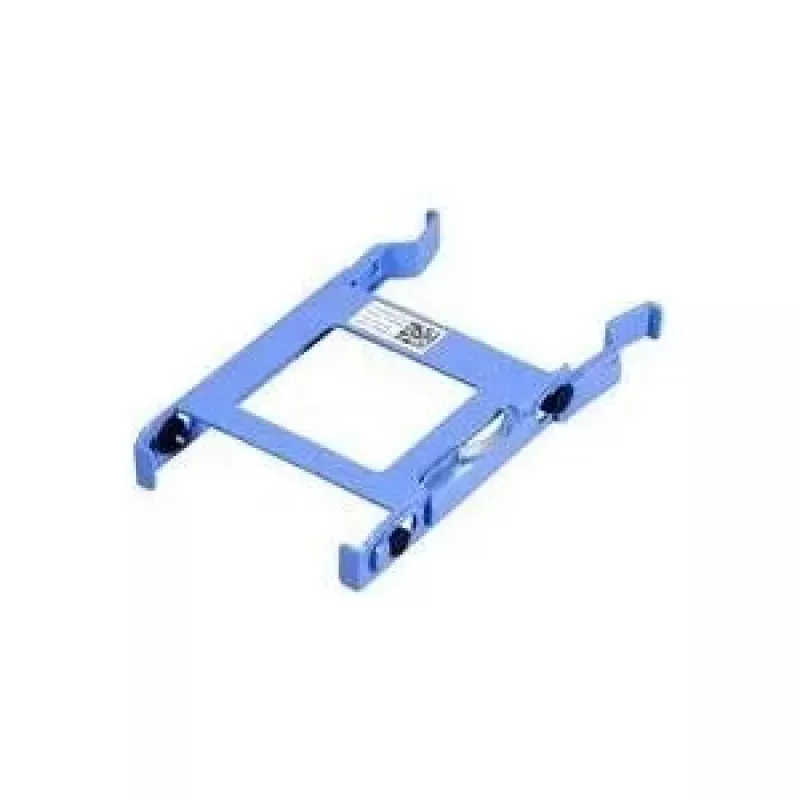
HDD caddy for Dell laptops, model X9FV3, fits 2.5-inch drives

HDD caddy for Dell laptops, model X9FV3, fits 2.5-inch drives
R1,299
Replacement HDD caddy designed for Dell laptops, model X9FV3, made to accept a standard 2.5-inch SATA hard drive or SSD. The caddy provides a secure mounting bay that fits into the laptop's optical drive or secondary drive slot, allowing users to add or replace a secondary storage device without mod... Read More
Stock 2 Code 2573702 Brand DELL Model X9FV3 Warranty 2 Years

Shipping & Returns

Estimated delivery Tuesday, October 6
You will be kept updated through our detailed tracking system
Payment options
EFTPayFastBank CardSnapScanZapperGoogle PayApple PayMobicredMoreTymePay on Arrival

Replacement HDD caddy designed for Dell laptops, model X9FV3, made to accept a standard 2.5-inch SATA hard drive or SSD. The caddy provides a secure mounting bay that fits into the laptop's optical drive or secondary drive slot, allowing users to add or replace a secondary storage device without modifying the main drive. Its form factor and mounting points match Dell specifications for compatible systems and maintain proper alignment for SATA connection.

Advantages

The caddy enables easy installation of a 2.5-inch SATA HDD or SSD in place of the optical drive, offering a practical way to expand storage capacity or set up a dedicated backup drive. It preserves the laptop's internal layout and SATA connector orientation to ensure reliable data transfer. The unit is lightweight and maintains drive stability under normal operating conditions, reducing vibration and protecting the drive mounting.

Suitable for

  • Adding a secondary 2.5-inch HDD or SSD to supported Dell laptop models
  • Replacing a malfunctioning optical drive with additional storage
  • Creating an internal backup or data partition without external enclosures
  • Installing a faster SSD while keeping the original drive for capacity

Key specifications

  • Compatible drive type: 2.5-inch SATA HDD or SATA SSD
  • Form factor: optical bay / secondary drive bay caddy compatible with Dell laptop dimensions
  • Material: metal and plastic construction for drive support and alignment
  • Connection: SATA connector alignment for internal drive interface
  • Mounting: screw-mount points matching Dell laptop bay mounting locations

How to use

Power off the laptop, remove the battery if applicable, and open the optical drive or bay cover according to the laptop manufacturer's instructions. Slide the 2.5-inch drive into the caddy, secure it with the provided screw holes, and insert the assembled caddy into the laptop bay until it seats and the SATA connector engages. Reassemble any retaining screws or bezels and power on the system. The operating system should detect the new drive; initialize, partition, and format it as needed using system disk management tools.

Recommendations

Use the caddy with compatible Dell laptop models that accept a standard optical bay conversion; verify physical fit before installation. Handle the 2.5-inch drive carefully to avoid shock while mounting. If the drive is not recognized after installation, check seating alignment and connectors, then confirm BIOS/UEFI settings and SATA mode. For best results, secure all mounting screws and reinstall any bay bezel to maintain proper airflow and structural support.

Key Highlights
  • Adding a secondary 2.5-inch HDD or SSD to supported Dell laptop models
  • Replacing a malfunctioning optical drive with additional storage
  • Creating an internal backup or data partition without external enclosures
  • Installing a faster SSD while keeping the original drive for capacity
  • Compatible drive type: 2.5-inch SATA HDD or SATA SSD
  • Form factor: optical bay / secondary drive bay caddy compatible with Dell laptop dimensions
  • Material: metal and plastic construction for drive support and alignment
  • Connection: SATA connector alignment for internal drive interface
  • Mounting: screw-mount points matching Dell laptop bay mounting locations
Price history over the last 6 months
HDD caddy for Dell laptops, model X9FV3, fits 2.5-inch drives
Current
R1,299
Lowest
R1,283
Highest
R1,299
Change 24H
+R11   +1%
Week
—   
Month
—   

Popular products in this category

WhatsApp
Hi, I’m DistriNode’s AI assistant. I can help you find products, compare options, create quote PDFs, or open support requests.