Account Contact
Your Cart
Pay on delivery – no extra fees
Need help? Ask our AI

Cooling Mounting Screws Kit Cryorig H7 (CR-S04) — compatible fasteners set

Cooling Mounting Screws Kit Cryorig H7 (CR-S04) — compatible fasteners set
R104
Cryorig Cooling Mounting Screws Kit Cryorig H7 (CR-S04) — compatible fasteners set contains the mounting fasteners required to attach the Cryorig H7 CPU cooler assembly to compatible processor sockets. The kit is intended for installation, replacement or repair when original screws or clips are miss... Read More
Stock Out Of StockNo Stock Code 308330 Brand CRYORIG Model CR-S02 Warranty 2 Years

Shipping & Returns

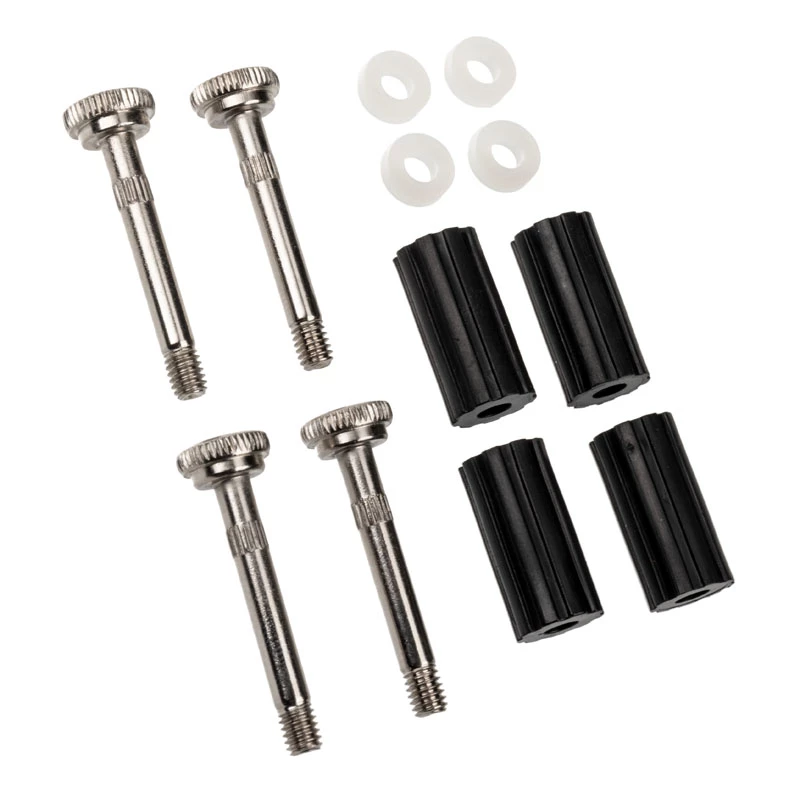
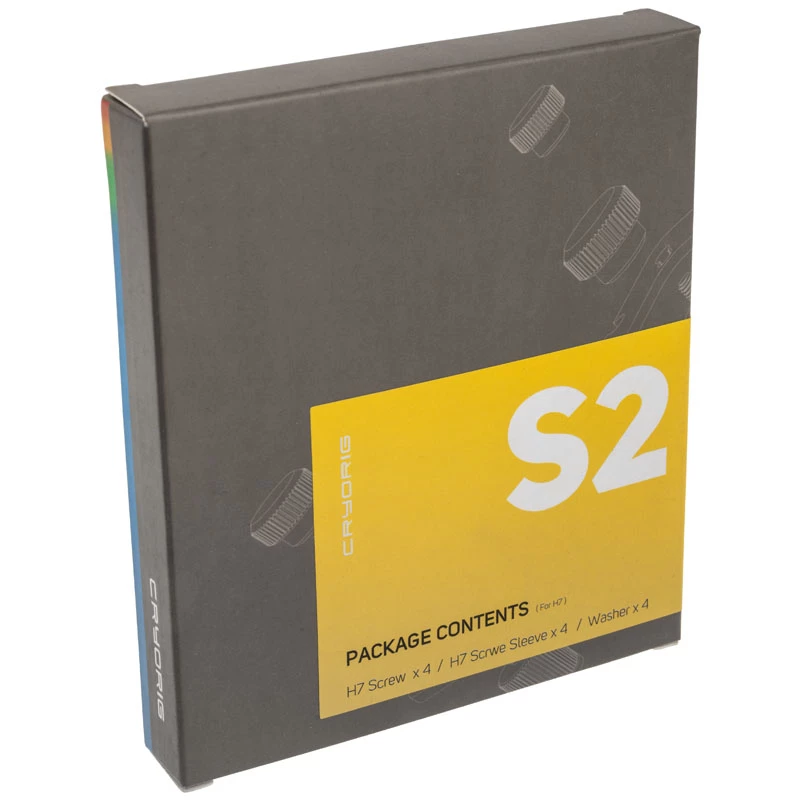
Cryorig Cooling Mounting Screws Kit Cryorig H7 (CR-S04) — compatible fasteners set contains the mounting fasteners required to attach the Cryorig H7 CPU cooler assembly to compatible processor sockets. The kit is intended for installation, replacement or repair when original screws or clips are missing or damaged, and provides parts necessary to secure the heatsink and fan of the Cryorig H7 cooling solution.

Advantages

The kit supplies compatible fasteners designed to restore proper mechanical attachment of the Cryorig H7 cooler without requiring a full cooler replacement. Using original-style components ensures correct alignment and load distribution on the heatsink, which helps maintain effective thermal contact and fan stability. The small package is convenient for service, upgrades, or maintenance tasks where only mounting hardware is needed.

Suitable for

  • Installation of Cryorig H7 CPU cooler on compatible desktop motherboards
  • Replacement of lost or damaged mounting screws and clips for Cryorig H7
  • Repair and maintenance of cooling assemblies where only fasteners are required
  • System builders and technicians performing cooler swaps or upgrades

Key specifications

  • Contents: mounting screws and compatible fasteners for Cryorig H7 cooler
  • Compatibility: designed for use with Cryorig H7 cooling assembly
  • Material: metal fasteners suitable for secure mechanical attachment
  • Intended use: attachment of heatsink and fan to CPU socket/platform

How to use

Ensure the system is powered off and the motherboard is placed on an anti-static surface. Remove the old or damaged fasteners, align the Cryorig H7 heatsink with the CPU and socket retention points according to the cooler’s installation instructions, then fit the replacement screws and clips from this kit. Tighten fasteners evenly in a cross pattern to achieve uniform pressure on the CPU interface, and verify that the heatsink and fan are securely mounted before powering the system.

Recommendations

Use the kit only with Cryorig H7 cooling assemblies or compatible layouts; follow Cryorig’s installation guidance for mounting torque and sequence. If thermal paste has been disturbed during replacement, clean and reapply thermal interface material according to CPU cooler instructions to ensure optimal thermal contact.

Key Highlights
  • Installation of Cryorig H7 CPU cooler on compatible desktop motherboards
  • Replacement of lost or damaged mounting screws and clips for Cryorig H7
  • Repair and maintenance of cooling assemblies where only fasteners are required
  • System builders and technicians performing cooler swaps or upgrades
  • Contents: mounting screws and compatible fasteners for Cryorig H7 cooler
  • Compatibility: designed for use with Cryorig H7 cooling assembly
  • Material: metal fasteners suitable for secure mechanical attachment
  • Intended use: attachment of heatsink and fan to CPU socket/platform
Price history is not available yet
We are still collecting enough daily price data for this product.

Popular products in this category

WhatsApp
Hi, I’m DistriNode’s AI assistant. I can help you find products, compare options, create quote PDFs, or open support requests.