Account Contact
Your Cart
Pay on delivery – no extra fees
Need help? Ask our AI

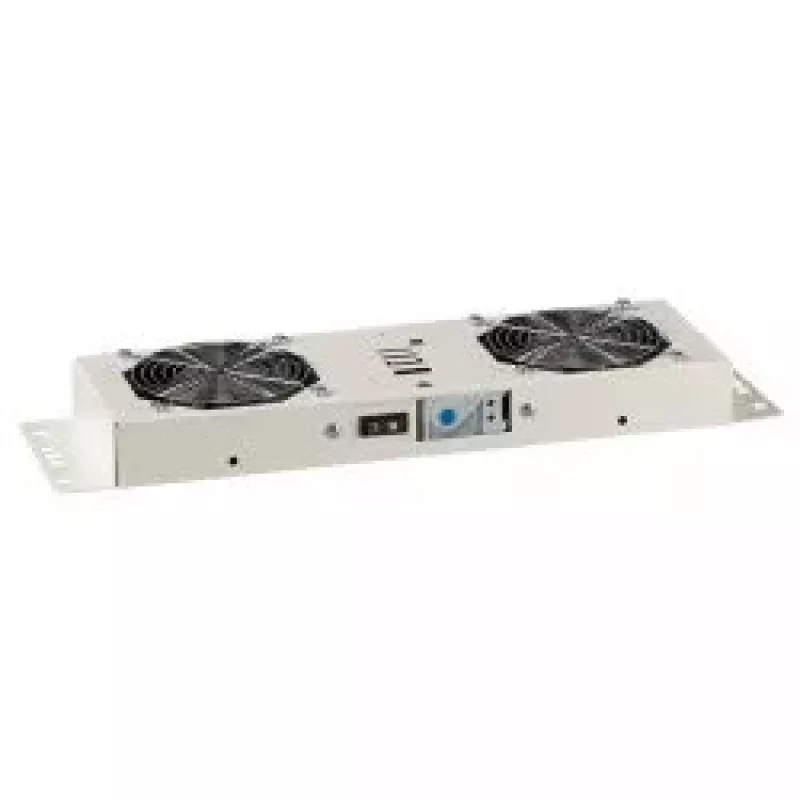
Cooling fan EFB Elektronik 691656WS

Cooling fan EFB Elektronik 691656WS
R2,489
PDF
PDF

Shipping & Returns

Estimated delivery Thursday, November 26
You will be kept updated through our detailed tracking system
Payment options
EFTPayFastBank CardSnapScanZapperGoogle PayApple PayMobicredMoreTymePay on Arrival

Ask a question – the AI assistant answers instantly.

Description

The EFB Elektronik 691656WS cooling fan is a compact, rack-compatible cooling component designed to provide reliable heat dissipation for electronic equipment. Housed in a robust steel frame and finished in white, this fan runs on an input voltage of 230 V and a frequency of 50 Hz. Its construction and airflow characteristics are intended to support stable operation of rack-mounted systems and other enclosures where space-efficient, continuous ventilation is required.

Advantages

The steel housing offers mechanical durability and helps maintain structural integrity in rack installations. Operating at standard mains voltage and frequency (230 V, 50 Hz) allows direct connection in many regions without additional converters. The compact footprint and neutral white colour make the fan suitable for integration in equipment cabinets and visible panels while providing consistent airflow to help prevent overheating and extend equipment lifetime.

Suitable for

  • Rack-mounted server cabinets and networking enclosures
  • Industrial control cabinets and panels
  • Cooling of power supplies and electronic modules inside housings
  • Replacement or upgrade of existing ventilation fans in 230 V systems

Key specifications

  • Type: Cooling fan for equipment ventilation
  • Housing material: Steel
  • Colour: White
  • Input voltage: 230 V
  • Frequency: 50 Hz
  • Mounting: rack/cabinet-compatible compact design

How to use

Install the cooling fan into the intended rack or cabinet location using appropriate mounting screws and fixtures for steel housings. Ensure the fan orientation matches the required airflow direction for your enclosure and that there is sufficient clearance for air intake and exhaust. Connect the fan to a 230 V, 50 Hz power source following local electrical safety standards and, if needed, switch off power before wiring. After installation, verify the fan runs smoothly and produces a steady airflow without excessive vibration or noise.

Recommendations

Regularly inspect the fan and surrounding vents for dust accumulation and clean as needed to maintain airflow efficiency. Confirm electrical connections are secure and compliant with local regulations. Replace the fan if signs of mechanical wear, abnormal noise, or reduced airflow are observed to avoid overheating of housed equipment.

Key Highlights
  • Rack-mounted server cabinets and networking enclosures
  • Industrial control cabinets and panels
  • Cooling of power supplies and electronic modules inside housings
  • Replacement or upgrade of existing ventilation fans in 230 V systems
  • Type: Cooling fan for equipment ventilation
  • Housing material: Steel
  • Colour: White
  • Input voltage: 230 V
  • Frequency: 50 Hz
  • Mounting: rack/cabinet-compatible compact design

Specifications

Specifications
AC input frequency
50
Built-in fan
Yes
Compatibility
BASIC, IP55
Harmonized System (HS) code
85389099
Housing material
Steel
Input voltage
230
Mounting kit
Yes
Number of fans
2 fan(s)
On/off switch
Yes
Product colour
White
Type
Cooling fan
Price history over the last 6 months
Cooling fan EFB Elektronik 691656WS
Current
R2,489
Lowest
R2,443
Highest
R2,734
Change 24H
+R2   +0%
Week
R0   0%
Month
-R6   0%

Write a review

Rating *
Your name will be shown publicly – you can use a nickname. We invite buyers to write reviews; we check reviews before publishing and publish critical ones too.

More EFB ELEKTRONIK products in this category

5

Popular products in this category

8
WhatsApp
Messenger
Hi, I’m DistriNode’s AI assistant. I can help you find products, compare options, create quote PDFs, or open support requests.
All categories