Account Contact
Your Cart
Pay the courier with no extra fees.
Need help? DistriNode AI can handle any task on our site.

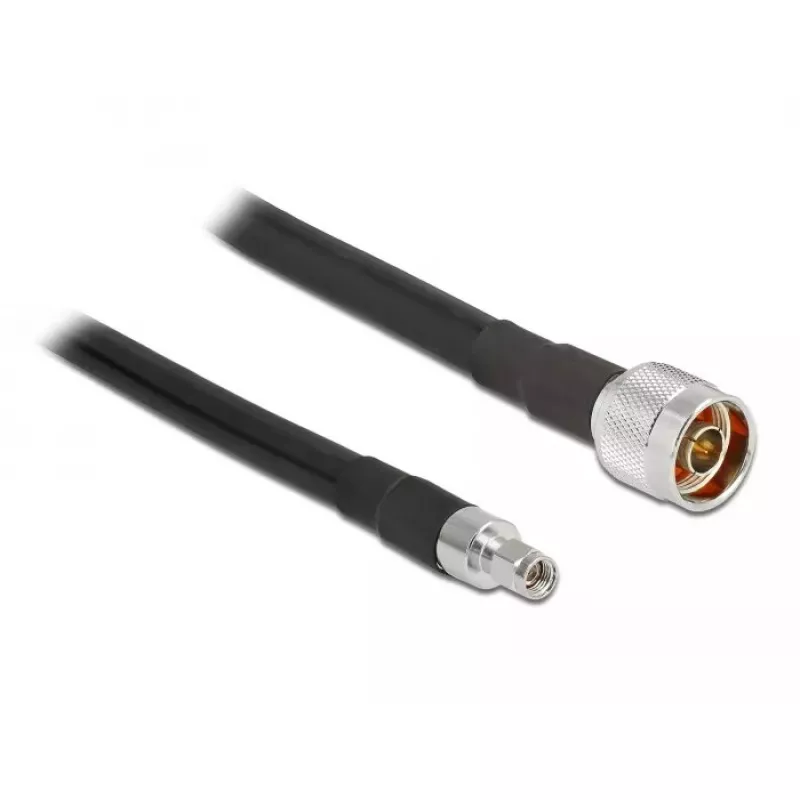
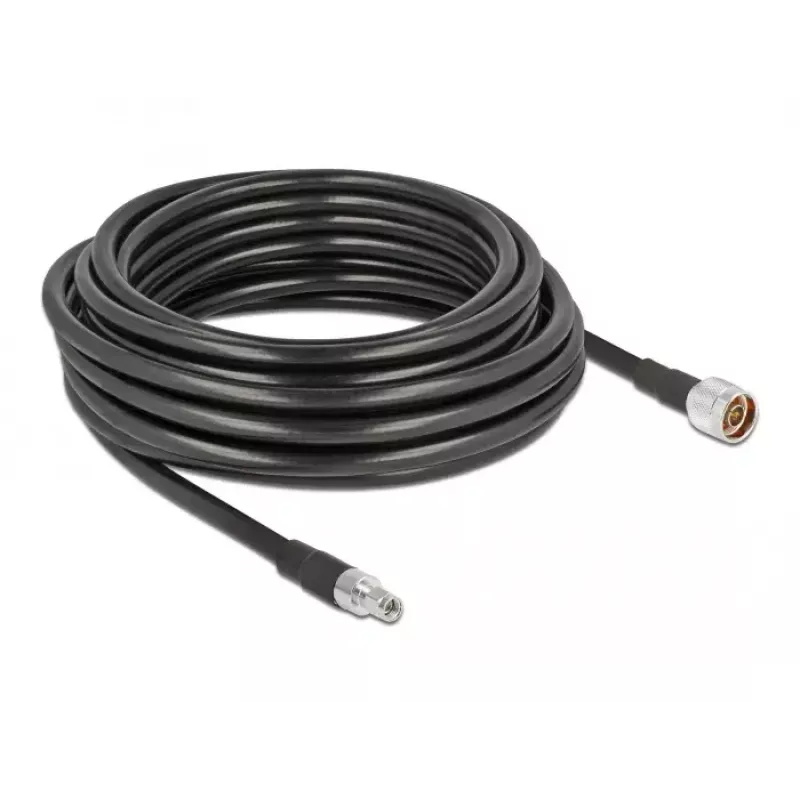
Connection cable DeLOCK 13028

Connection cable DeLOCK 13028
R2,245
The DeLOCK 13028 connection cable is a black RF cable with an RP-SMA antenna connector type designed to create or extend a reliable wireless link between a device and an external antenna. It provides a simple, low-loss connection for Wi‑Fi equipment and other wireless network devices that accept RP‑... Read More
Stock 51 Code 2225120 Brand DELOCK Model 13028 Warranty 2 Years

Shipping & Returns

Estimated delivery Thursday, October 1
You will be kept updated through our detailed tracking system
Payment options
EFTPayFastBank CardSnapScanZapperGoogle PayApple PayMobicredMoreTymePay on Arrival

The DeLOCK 13028 connection cable is a black RF cable with an RP-SMA antenna connector type designed to create or extend a reliable wireless link between a device and an external antenna. It provides a simple, low-loss connection for Wi‑Fi equipment and other wireless network devices that accept RP‑SMA terminations, helping to improve signal reach and network stability where the integrated antenna is insufficient.

Advantages

This connection cable offers a standardized RP‑SMA interface for broad compatibility with Wi‑Fi antennas and routers that use the same connector type. The black jacket provides a discreet appearance suitable for residential or professional installations. The cable construction reduces signal attenuation over short to medium distances and maintains consistent performance for typical wireless networking applications.

Suitable for

  • Connecting a router or access point to an external RP‑SMA antenna
  • Extending the reach of an existing antenna connection
  • Replacing a damaged antenna cable on compatible wireless devices
  • Laboratory setups or testing where a removable RP‑SMA cable is required

Key specifications

  • Connector type: RP‑SMA (as specified for antenna connection)
  • Cable colour: Black
  • Application: RF connection for Wi‑Fi and other wireless network devices
  • Compatibility: Devices and antennas using RP‑SMA interface

How to use

Ensure both the device and the antenna accept RP‑SMA connectors and that power to the device is turned off before connecting. Screw the RP‑SMA connector gently onto the antenna port of the router, modem or wireless adapter until hand-tight; avoid over-tightening. Route the cable to the desired antenna location, taking care to avoid sharp bends or kinks that could increase signal loss. After connection, power the device and verify link quality and signal strength using the device’s status indicators or network diagnostics.

Recommendations

For best performance, use the cable for short to medium-length runs and avoid coiling the cable tightly. When installing outdoors or in exposed locations, use appropriate weatherproofing at the connector interfaces. If stronger signal improvement is required, pair the cable with a higher-gain external antenna compatible with RP‑SMA connectors.

Key Highlights
  • Connecting a router or access point to an external RP‑SMA antenna
  • Extending the reach of an existing antenna connection
  • Replacing a damaged antenna cable on compatible wireless devices
  • Laboratory setups or testing where a removable RP‑SMA cable is required
  • Connector type: RP‑SMA (as specified for antenna connection)
  • Cable colour: Black
  • Application: RF connection for Wi‑Fi and other wireless network devices
  • Compatibility: Devices and antennas using RP‑SMA interface
Specifications
Antenna connector type
RP-SMA
Cable length
10 m
Product colour
Black
Product type
Connection cable
Quantity
1
Price history over the last 6 months
Connection cable DeLOCK 13028
Current
R2,245
Lowest
R2,208
Highest
R2,270
Change 24H
+R13   +1%
Week
+R37   +2%
Month
+R29   +1%

Popular products in this category

WhatsApp
Hi, I’m DistriNode’s AI assistant. I can help you find products, compare options, create quote PDFs, or open support requests.