Account Contact
Your Cart
Pay the courier with no extra fees.
Need help? DistriNode AI can handle any task on our site.

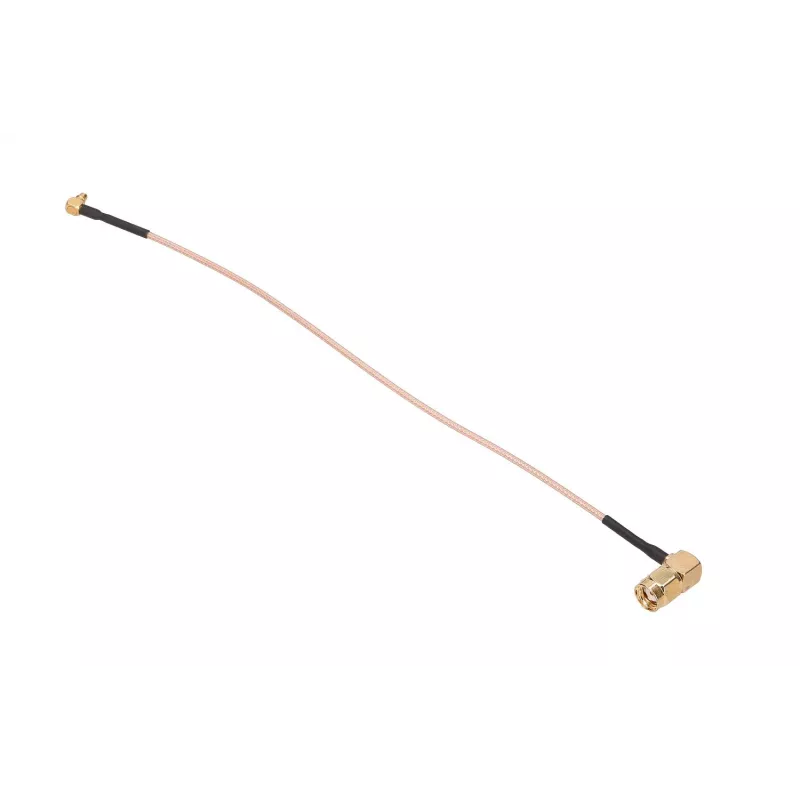
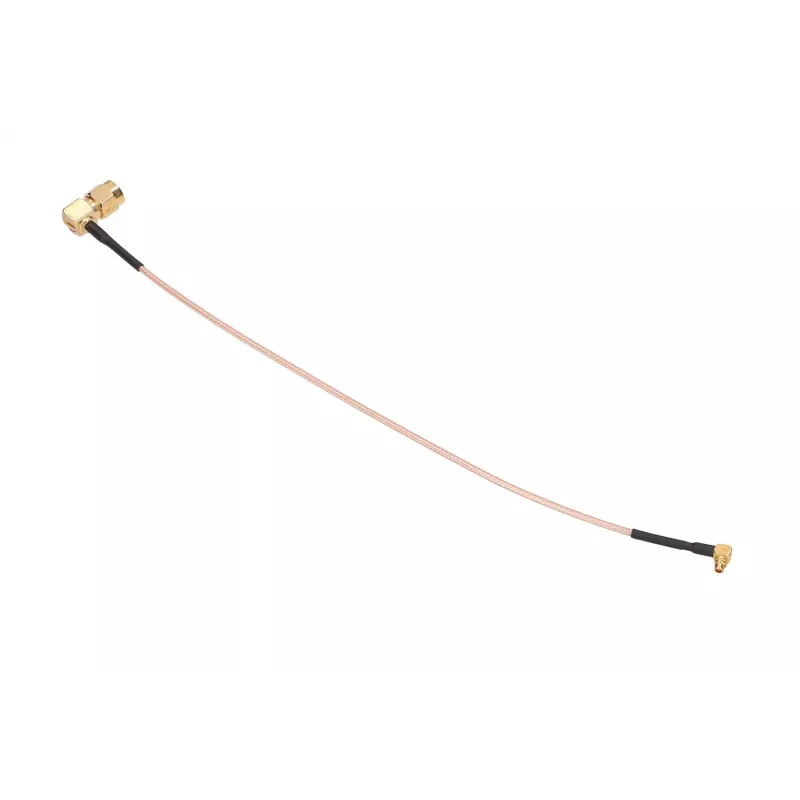
Coaxial pigtail cable Extralink MMCX-K to RP-SMA-K 20 cm

Coaxial pigtail cable Extralink MMCX-K to RP-SMA-K 20 cm
R34
Coaxial pigtail cable Extralink MMCX-K to RP-SMA-K 20 cm is a short RF jumper designed to connect an MMCX-K 90° angled connector to an RP‑SMA‑K 90° angled connector. With a 20 cm RG178 coaxial lead, this pigtail is intended for compact antenna or module connections where minimal cable length and rig... Read More
Stock 200 Code 1197988 Brand EXTRALINK Model PIGTAIL MMCX-K RPSMA-K 20CM Warranty 2 Years

Shipping & Returns

Estimated delivery Friday, October 2
You will be kept updated through our detailed tracking system
Payment options
EFTPayFastBank CardSnapScanZapperGoogle PayApple PayMobicredMoreTymePay on Arrival

Coaxial pigtail cable Extralink MMCX-K to RP-SMA-K 20 cm is a short RF jumper designed to connect an MMCX-K 90° angled connector to an RP‑SMA‑K 90° angled connector. With a 20 cm RG178 coaxial lead, this pigtail is intended for compact antenna or module connections where minimal cable length and right‑angle terminations reduce strain and save space. It is suitable for linking antennas, test equipment and wireless modules in IoT devices, routers and other radio frequency applications.

Advantages

This Extralink pigtail uses RG178 coaxial cable to maintain appropriate signal quality in short runs and minimize loss. The 90° angled MMCX and RP‑SMA terminations allow neat routing in tight enclosures and reduce connector stress when space is limited. The short 200 mm length offers a practical balance between flexibility and compactness, and the construction is intended for repeated connections in testing, prototyping and permanent installations where a compact RF link is required.

Suitable for

  • Connecting an external antenna to a radio module or Wi‑Fi/LoRa gateway
  • Short RF jumper for testing and measurement setups
  • Internal connections in routers, modems, and IoT devices
  • Relocating or replacing small form‑factor antennas

Key specifications

  • Connector A: MMCX‑K, 90° angled
  • Connector B: RP‑SMA‑K (male‑facing), 90° angled
  • Cable type: RG178 coaxial
  • Length: 200 mm (20 cm)
  • Application: short RF jumper for antenna and module connections

How to use

Align the MMCX‑K and RP‑SMA‑K connectors with their respective mating ports and press gently until the connectors engage; avoid excessive torque. Use the 90° orientation to route the cable along enclosure walls or PCB edges. For testing, connect the pigtail between the antenna and the device under test or between two RF modules as required. Inspect connectors before use to ensure they are clean and undamaged.

Recommendations

For reliable performance, keep the cable run as short as necessary and avoid repeated bending near the connector junctions. Use the right‑angle terminations to reduce strain in confined spaces. If the application requires low-loss or longer runs, consider a cable with larger diameter or a different coaxial type suited to the frequency and power levels in use.

Key Highlights
  • Connecting an external antenna to a radio module or Wi‑Fi/LoRa gateway
  • Short RF jumper for testing and measurement setups
  • Internal connections in routers, modems, and IoT devices
  • Relocating or replacing small form‑factor antennas
  • Connector A: MMCX‑K, 90° angled
  • Connector B: RP‑SMA‑K (male‑facing), 90° angled
  • Cable type: RG178 coaxial
  • Length: 200 mm (20 cm)
  • Application: short RF jumper for antenna and module connections
Price history over the last 6 months
Coaxial pigtail cable Extralink MMCX-K to RP-SMA-K 20 cm
Current
R34
Lowest
R12
Highest
R1,691
Change 24H
+R22   +184%
Week
+R22   +186%
Month
-R1,616   -98%

Popular products in this category

WhatsApp
Hi, I’m DistriNode’s AI assistant. I can help you find products, compare options, create quote PDFs, or open support requests.