Account Contact
Your Cart
Pay the courier with no extra fees.
Need help? DistriNode AI can handle any task on our site.

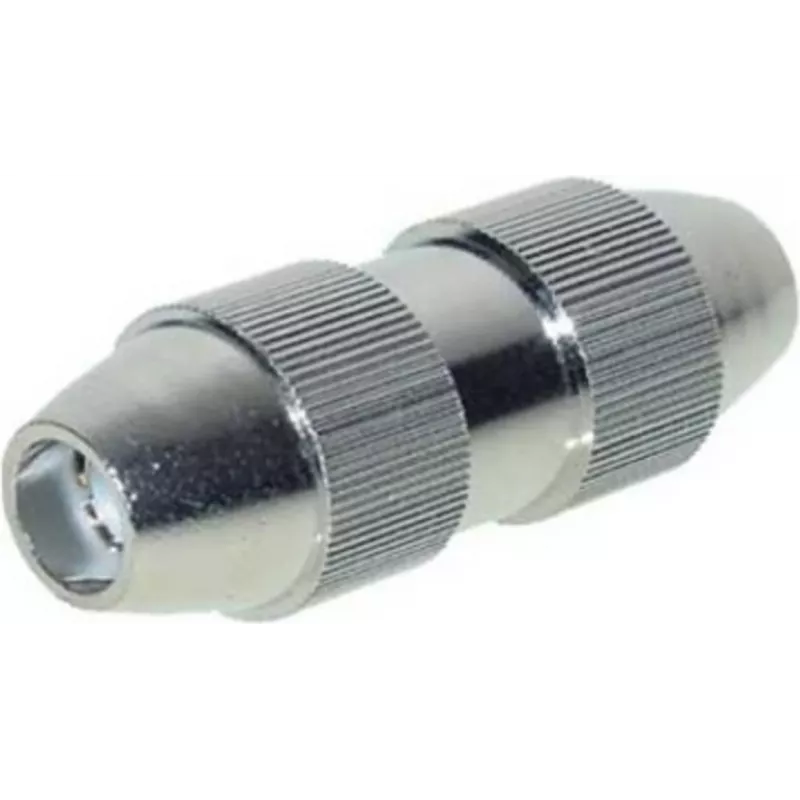
Coaxial Connector ShiverPeaks 83501-M

Coaxial Connector ShiverPeaks 83501-M
R312
The ShiverPeaks Coaxial Connector 83501-M is an IEC coaxial connector designed for reliable audio and video signal transmission. This single-unit connector features two IEC connector interfaces to link devices that use standard coaxial IEC connections. Its construction focuses on maintaining signal ... Read More
Stock 253 Code 2350671 Brand SHIVERPEAKS Model 83501-M Warranty 2 Years

Shipping & Returns

Estimated delivery Tuesday, October 6
You will be kept updated through our detailed tracking system
Payment options
EFTPayFastBank CardSnapScanZapperGoogle PayApple PayMobicredMoreTymePay on Arrival

The ShiverPeaks Coaxial Connector 83501-M is an IEC coaxial connector designed for reliable audio and video signal transmission. This single-unit connector features two IEC connector interfaces to link devices that use standard coaxial IEC connections. Its construction focuses on maintaining signal integrity and durability for typical home and professional AV setups.

Advantages

The connector provides a compact solution with two IEC coaxial interfaces in a single component, reducing the need for multiple adapters. It is built to preserve signal quality across connections and to withstand repeated mating cycles, making it suitable as a spare part or for occasional reconfiguration of AV equipment. The simple mechanical design supports straightforward installation and long-term use.

Suitable for

  • Connecting audio equipment such as tuners, amplifiers and receivers
  • Linking video devices including televisions, set-top boxes and DVD/Blu-ray players
  • Use as a replacement or spare part in home entertainment systems
  • Temporary connections during AV troubleshooting or setup

Key specifications

  • Connector type: IEC coaxial (two IEC interfaces)
  • Quantity: single unit
  • Intended use: audio and video signal transmission
  • Mechanical design: durable mating contacts for repeated connections
  • Form factor: compact inline connector suitable for standard coaxial IEC cables

How to use

Ensure both devices to be connected have compatible IEC coaxial sockets. Align each IEC connector interface with the corresponding socket and press until the connector seats securely. Avoid forcing the connector at an angle; if resistance is felt, withdraw and realign. For optimal signal quality, use compatible coaxial cables in good condition and route cables to minimize sharp bends and interference sources.

Recommendations

For reliable operation, inspect cable contacts periodically and replace the connector or cables if corrosion or physical damage is observed. When installing in fixed setups, avoid excessive mechanical stress on the connector and secure cables with appropriate clips or ties to prevent accidental disconnection.

Key Highlights
  • Connecting audio equipment such as tuners, amplifiers and receivers
  • Linking video devices including televisions, set-top boxes and DVD/Blu-ray players
  • Use as a replacement or spare part in home entertainment systems
  • Temporary connections during AV troubleshooting or setup
  • Connector type: IEC coaxial (two IEC interfaces)
  • Quantity: single unit
  • Intended use: audio and video signal transmission
  • Mechanical design: durable mating contacts for repeated connections
  • Form factor: compact inline connector suitable for standard coaxial IEC cables
Specifications
Connector 1
IEC
Connector 1 gender
Female
Connector 2
IEC
Connector 2 gender
Female
Connector contacts plating
Nickel
Connector type
IEC
Housing material
Acrylonitrile butadiene styrene (ABS)
Quantity per pack
1 pc(s)
Price history over the last 6 months
Coaxial Connector ShiverPeaks 83501-M
Current
R312
Lowest
R303
Highest
R312
Change 24H
+R9   +3%
Week
—   
Month
—   

Popular products in this category

WhatsApp
Hi, I’m DistriNode’s AI assistant. I can help you find products, compare options, create quote PDFs, or open support requests.