Account Contact
Your Cart
Pay the courier with no extra fees.
Need help? DistriNode AI can handle any task on our site.

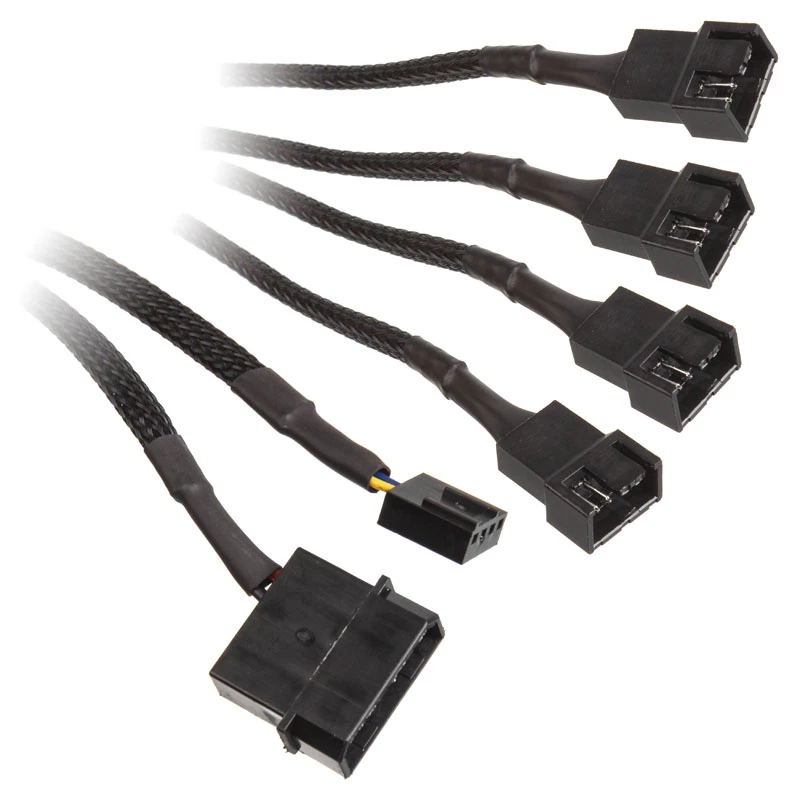
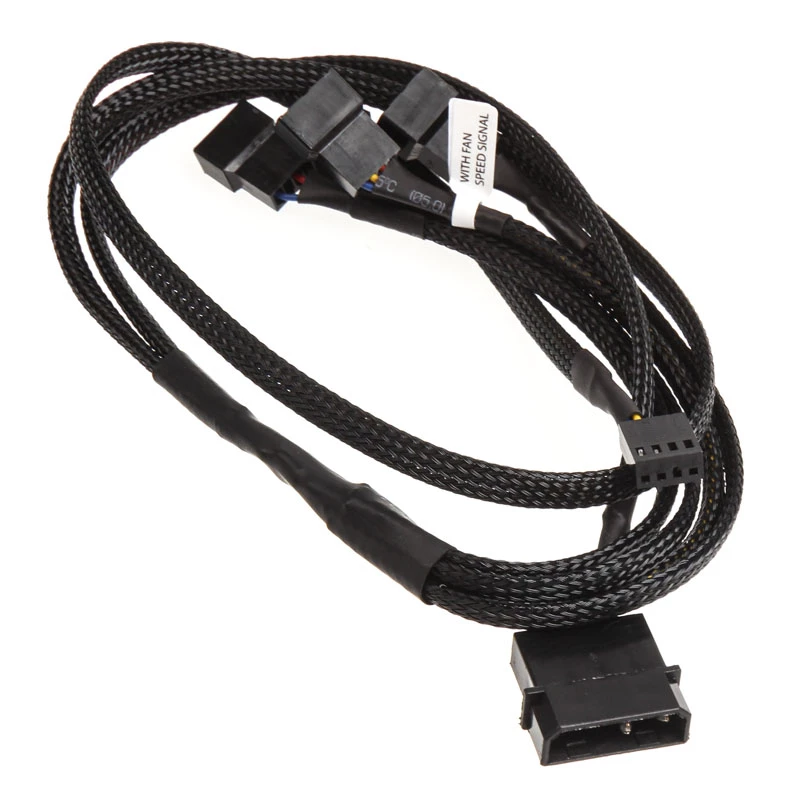
Cable Splitter EK Water Blocks EK-Cable Splitter 4-Fan PWM Extended

Cable Splitter EK Water Blocks EK-Cable Splitter 4-Fan PWM Extended
R260
EK-Cable Splitter 4-Fan PWM Extended is a 1-to-4 PWM fan splitter that lets you connect up to four PWM fans to a single motherboard fan header. The splitter includes a 4-pin PWM connector for the motherboard and an auxiliary 4-pin Molex power connector to supply the extra current required when multi... Read More
Stock 12 Code 309404 Brand EK Water Blocks Model 3831109867808 Warranty 2 Years

Shipping & Returns

Estimated delivery Thursday, October 1
You will be kept updated through our detailed tracking system
Payment options
EFTPayFastBank CardSnapScanZapperGoogle PayApple PayMobicredMoreTymePay on Arrival

EK-Cable Splitter 4-Fan PWM Extended is a 1-to-4 PWM fan splitter that lets you connect up to four PWM fans to a single motherboard fan header. The splitter includes a 4-pin PWM connector for the motherboard and an auxiliary 4-pin Molex power connector to supply the extra current required when multiple fans are connected. Cable length is 0.8 m and the cable is finished in black.

Advantages

The PWM design allows motherboard fan control to adjust each fan's RPM according to system temperature or BIOS settings, reducing noise when high airflow is not needed. The Molex power input provides sufficient power for up to four fans without stressing the motherboard header. A single-cable solution simplifies cable management in compact or multi-fan PC builds.

Suitable for

  • PC builds requiring multiple case or radiator PWM fans controlled from one motherboard header
  • Systems where reduced cable clutter and simplified fan wiring are desired
  • Configurations where additional power from a Molex connector is needed to run several fans simultaneously

Key specifications

  • Cable length: 0.8 m
  • Fan connectors: 4 × 4-pin PWM
  • Motherboard connector: 4-pin PWM
  • Auxiliary power: 4-pin Molex connector
  • Colour: Black

How to use

Connect the 4-pin PWM plug of the splitter to a PWM-capable fan header on the motherboard. Plug up to four PWM fans into the splitter's 4 × 4-pin fan sockets. If you connect more than one fan, attach the 4-pin Molex connector to an available peripheral power cable from the power supply to ensure stable power delivery. Configure fan curves or PWM control in the BIOS or motherboard software as needed.

Recommendations

Use the Molex power connection whenever multiple fans are attached to prevent overloading the motherboard fan header; ensure the Molex connector is firmly seated and avoid routing the cable where it could interfere with moving components.
Key Highlights
  • PC builds requiring multiple case or radiator PWM fans controlled from one motherboard header
  • Systems where reduced cable clutter and simplified fan wiring are desired
  • Configurations where additional power from a Molex connector is needed to run several fans simultaneously
  • Cable length: 0.8 m
  • Fan connectors: 4 × 4-pin PWM
  • Motherboard connector: 4-pin PWM
  • Auxiliary power: 4-pin Molex connector
  • Colour: Black
Specifications
Cable length
0.8 m
Connector 1
4 x 4-pin PWM
Connector 1 form factor
Straight
Connector 1 gender
Male
Connector 2
4-pin PWM + Molex (4-pin)
Connector 2 form factor
Straight
Connector 2 gender
Female
Package type
Blister
Product colour
Black
Purpose
Fan
Sustainability certificates
RoHS
Price history over the last 6 months
Cable Splitter EK Water Blocks EK-Cable Splitter 4-Fan PWM Extended
Current
R260
Lowest
R248
Highest
R260
Change 24H
+R10   +4%
Week
+R12   +5%
Month
+R12   +5%

Popular products in this category

WhatsApp
Hi, I’m DistriNode’s AI assistant. I can help you find products, compare options, create quote PDFs, or open support requests.